
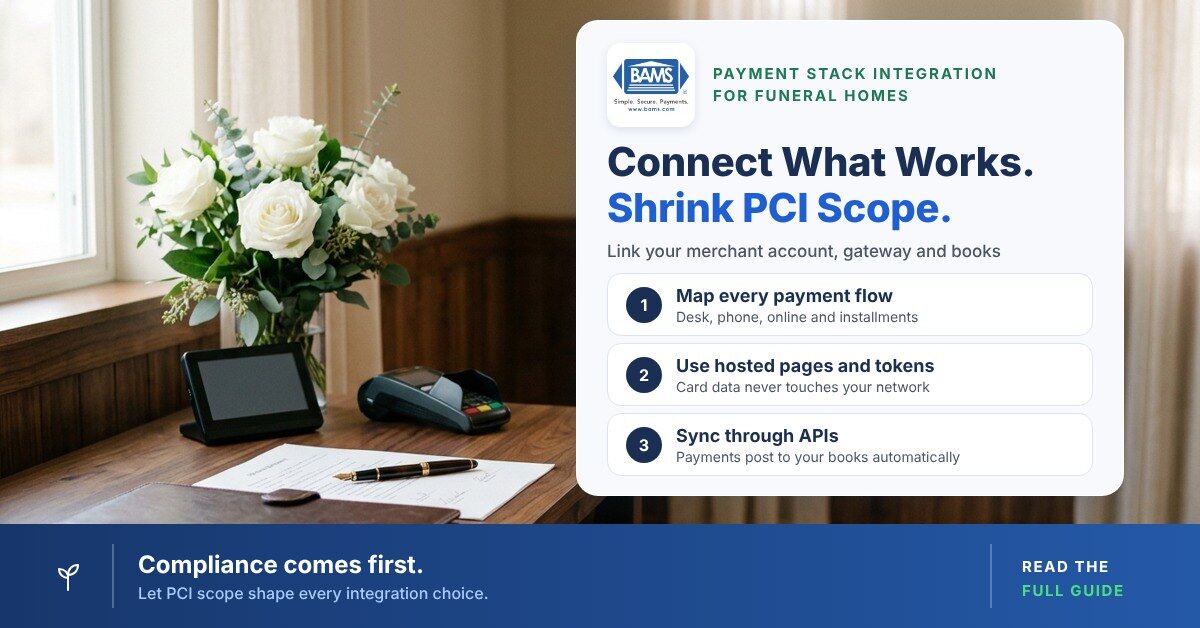
Payment Stack Integration: A Compliance-First Guide
Last Updated on November 10, 2026 by Dimitri Akhrin
What You Will Achieve: A PCI-Compliant, Connected Payment Stack
By the end of this tutorial, your funeral home will have a payment stack integration that connects your merchant account, payment gateway and back-office systems (case management, accounting, invoicing) in a way that meets PCI DSS requirements. You will not need to rip out software that already works.
Your success criteria for payment stack integration are clear: you can accept card payments in person and remotely, transaction data flows into your accounting system automatically, sensitive card data never touches your local network and you have documentation proving your PCI compliance status. This guide treats merchant account setup and API integration for payments as a compliance-first configuration process built for the operational reality of a small, privately run service business.
TL;DR
- Map before you build – Document every payment scenario (in-person, phone, online, installments) and every system that touches transaction data before choosing a gateway or processor.
- Reduce PCI scope with hosted pages and tokenization – Use your gateway’s hosted payment page and tokenization features so sensitive card data never enters your local network, which can qualify you for a much shorter SAQ.
- Connect systems through APIs, not manual entry – Use webhooks and API endpoints to send transaction data from your gateway directly into your accounting and case-management software, eliminating re-keying errors.
- Set your merchant account for high-ticket transactions – Request a per-transaction ceiling of at least $20,000 and confirm your MCC is set to 7261 (Funeral Services and Crematories) so large payments aren’t held or flagged.
- Treat compliance as ongoing, not one-time – Renew your SAQ annually, keep quarterly scans current if required and review access controls and API permissions whenever staff changes occur.
Prerequisites and Setup Checklist
Before you begin, confirm you have the following in place. Missing any item will stall the process, so address gaps first.
- Current case-management or funeral-home software (e.g., SRS Computing, Passare, FrontRunner, or a custom solution). Note the version and whether it supports third-party integrations or has an API.
- Accounting software (QuickBooks, Xero, or equivalent). Confirm the plan level supports bank feeds or API connections.
- A valid EIN and business bank account in the name of the funeral home entity that will receive deposits.
- An SSL certificate on any website or portal where families submit payments online.
- Admin access to your current POS terminal, website CMS and any invoicing tool you use.
- A list of payment methods you want to accept: credit cards, debit cards, ACH, digital wallets, or financing plans.
Time estimate: 4 to 8 hours spread across 1 to 2 weeks (most of that is waiting for underwriting approval and gateway provisioning). Potential blocker: If your case-management software has no API or export capability, you may need a middleware tool or manual reconciliation workaround.
Why a Compliance-First Approach to Payment Stack Integration
Funeral homes handle high-ticket transactions, often exceeding $15,000, in emotionally sensitive situations. A payment failure, a data breach, or a surprise compliance fine is not just a technical problem. It damages trust that took years to build.
Security and compliance worries keep many small businesses from modernizing their payments. The way around that barrier is to start with compliance requirements and let them dictate your integration decisions, not the other way around. That’s also why this guide emphasizes connecting what you already have rather than replacing it.
The payment stack integration method below uses a hosted or tokenized payment gateway so that sensitive card data never enters your local environment. As a result, it sharply reduces your PCI scope and simplifies the annual Self-Assessment Questionnaire (SAQ).

Each layer connects to the next without widening PCI scope. Test every scenario before go-live.
Step 1: Map Your Current Payment Flow
Before changing anything, document how money moves through your business today. Open a spreadsheet or whiteboard and trace every payment scenario: at-arrangement conference (card present), over the phone (card not present), online preneed payments, insurance assignment payments and any installment plans.
For each scenario, record: the tool used (terminal, phone, website form), where the transaction data lands (paper receipt, POS report, email) and how it reaches your accounting software (manual entry, CSV import, or automatic sync).
Expected result: A clear diagram showing every entry point for payments, every system that touches transaction data and every manual handoff. This becomes your payment stack integration blueprint and your PCI scope map.
Common failure: Forgetting phone-based payments. If a staff member types a card number into a desktop browser, that workstation is in PCI scope. Flag it now.
Step 2: Choose a PCI-Compliant Payment Gateway
Your gateway is the front door of your payment stack. Select one that supports hosted payment pages or iframe-based tokenization so card data goes directly to the gateway’s servers, not yours. A fully hosted page or gateway iframe can qualify your online channel for SAQ A, the shortest PCI questionnaire.
Evaluate gateways on these criteria:
- Validated as a PCI DSS Level 1 service provider (the gateway itself, not just the processor), shown on its current Attestation of Compliance
- Supports both card-present (via integrated terminal) and card-not-present transactions
- Offers tokenization so you can store a reference token for recurring or installment billing without storing actual card numbers
- Provides documented APIs for transaction status, refunds and settlement reports
- Compatible with your case-management or invoicing software
Expected result: In the end, a shortlist of 1 to 3 gateways that meet all five criteria. Common failure: Choosing a gateway based on price alone and discovering later it lacks API endpoints for reconciliation, forcing manual data entry.
Step 3: Set Up Your Merchant Account
Merchant account setup is where underwriting, compliance and funding speed converge. Apply with a processor that understands high-ticket, low-volume service businesses. Funeral homes are not high-risk, but generic underwriting teams sometimes flag large individual transactions.
During the application, have these ready:
- Business license and EIN verification letter
- Three months of bank statements from the account that will receive deposits
- Average transaction amount and monthly volume estimate
- Your refund and cancellation policy (underwriters review this)
A provider like BAMS offers dedicated account representatives and next-day funding for qualifying merchants, which matters when your business depends on steady cash flow during arrangement periods. Also ask every provider how it charges for PCI compliance, since hidden markups can inflate PCI compliance fees.
Expected result: An approved merchant account with a merchant ID (MID), gateway credentials (API keys or login) and a clear schedule for when funds hit your bank. Common failure: Setting a per-transaction limit too low. Request a single-transaction ceiling of at least $20,000 to cover premium service packages without triggering holds.
Step 4: Configure the Gateway for PCI Scope Reduction
Next, log into your gateway’s admin portal and enable the settings that keep card data off your systems:
- Hosted payment page: Turn on the redirect or iframe option for online payments. Families will enter card details on the gateway’s secure page, not on a form hosted on your server.
- Tokenization: Enable token storage so repeat or installment payments reference a token, not a stored card number.
- Point-to-point encryption (P2PE): If your in-person terminal supports P2PE, activate it. This encrypts card data at the terminal before it reaches any other device on your network. A PCI-listed, validated P2PE solution can also qualify your in-person channel for SAQ P2PE.
- TLS 1.2 or higher: Confirm the gateway enforces TLS 1.2+ for all connections. Older protocols (SSL, TLS 1.0, TLS 1.1) are not PCI compliant.
Expected result: Your gateway dashboard shows hosted pages active, tokenization enabled and P2PE status confirmed for connected terminals. Common failure: Leaving a legacy “direct post” form active on your website. Even if you add a hosted page, the old form still puts you in scope if it remains accessible.
Step 5: Connect Your Gateway to Back-Office Systems via API
This is where API integration for payments replaces manual data entry. For a funeral home, the goal is simple: transaction records should flow into your accounting and case-management software without re-keying.
First, identify the API endpoints you need:
- Transaction status / webhook: Receive a notification when a payment succeeds, fails, or is refunded. Map this to update the case record and accounting ledger.
- Settlement report: Pull daily settlement data into your accounting software for bank reconciliation.
- Refund / void: Trigger a refund from your case-management system without logging into the gateway separately.
If your case-management software does not have a native API, use a middleware platform (Zapier, Make, or a custom script) to bridge the gap. For example, a webhook from the gateway can trigger a Zapier workflow that creates a payment record in QuickBooks and updates a Google Sheet your staff uses for daily reconciliation.
Expected result: A test transaction in your gateway automatically appears in your accounting software within minutes. Common failure: Using API keys with full admin permissions. Create a restricted API key with read and refund-only access for each integration, following the principle of least privilege.
Step 6: Implement Access Controls and Monitoring
PCI DSS Requirement 7 mandates that access to cardholder data (and systems connected to it) is restricted to personnel with a business need. Because every API key and middleware login is another door into your payment data, this step is not optional.
Actions to take:
- Create individual user accounts for every staff member who accesses the gateway portal. No shared logins.
- Enable multi-factor authentication (MFA) on the gateway admin, your accounting software and any middleware tool.
- Set role-based permissions: front-office staff can initiate payments, only managers can process refunds, only the owner can view or export full settlement reports.
- Turn on the gateway’s built-in transaction monitoring and alert rules. Set alerts for transactions above $10,000, multiple declines from the same card and any API call from an unrecognized IP address.
Expected result: Each user has a unique login with appropriate permissions, MFA is active and you receive alerts for unusual activity. Common failure: Leaving the default admin account active after creating individual accounts. Disable or rename it.
Step 7: Enable Multiple Payment Methods
Families pay in different ways, so offering several payment methods removes friction at a difficult time. For funeral homes, this means supporting credit and debit cards, ACH bank transfers (useful for large payments where families want to avoid card processing fees) and potentially digital wallets like Apple Pay or Google Pay on your website.
Then, in your gateway admin, activate each payment method and confirm it routes to the correct merchant account. ACH transactions often require a separate merchant setup or a supplemental agreement with your processor.
For installment or recurring billing: Use the tokenization feature from Step 4. Store a token during the initial payment, then schedule subsequent charges against that token. This avoids asking the family to provide card details repeatedly and keeps you out of PCI scope for stored card data.
Expected result: Your payment page or terminal offers cards, ACH and digital wallets. A test transaction succeeds for each method. Common failure: Enabling ACH without setting up proper authorization records. Nacha rules require authorization from the payer for ACH debits and that record is your defense if a payment is returned as unauthorized. Build this into your intake workflow.
Step 8: Complete Your PCI Self-Assessment Questionnaire
With hosted payment pages, tokenization and P2PE in place, your online channel may qualify for SAQ A (if a hosted page or gateway iframe handles all card entry) rather than SAQ A-EP (which applies when your own website code builds or posts the payment form). Your in-person and phone channels may need their own SAQ, such as SAQ P2PE or SAQ C-VT. Your acquirer or processor confirms which SAQs apply.
Steps to complete:
- Download the correct v4.0.1 SAQ (v4.0 was retired at the end of 2024) from the PCI Security Standards Council document library.
- After that, answer each question based on your current configuration (Steps 1 through 7 above).
- Run a quarterly network vulnerability scan through an Approved Scanning Vendor (ASV) if required by your SAQ type.
- Sign the Attestation of Compliance (AOC) and submit it to your processor.
Expected result: A completed SAQ and AOC on file with your processor, confirming your compliance status. PCI DSS v4.0.1 asks more of merchants than earlier versions, but the scope-reduction steps above make the questionnaire significantly shorter. Common failure: Treating the SAQ as a one-time task. It must be renewed annually and quarterly scans (if applicable) must stay current.
Step 9: Test End-to-End and Validate Data Flow
Finally, run a full cycle test of your payment stack integration for each payment scenario you mapped in Step 1.
- In-person card payment: Process a small transaction on the terminal. Verify it appears in the gateway dashboard, triggers the webhook and lands in your accounting software.
- Online payment: Complete a test payment through the hosted page. Confirm the redirect works, the confirmation page displays and the transaction record syncs.
- ACH payment: Initiate a bank transfer and track it through settlement (this often takes 1 to 3 business days).
- Refund: Process a refund from your case-management system or gateway portal. Verify the refund appears in both the gateway and accounting records.
- Installment billing: Set up a test token-based recurring charge and confirm the second installment processes automatically.
Edge cases to verify: A declined card (does the error message display clearly to the family?), a transaction at your maximum amount ($20,000+) and a payment from a mobile device on your website.
Success definition: Every scenario completes without manual data re-entry, error messages are clear and non-technical and your accounting ledger matches the gateway settlement report to the penny.
Common Errors and Fixes
“Transaction Declined: Do Not Honor”
Symptom: A legitimate card is declined with a generic message. Cause: The issuing bank declined the transaction, often because of the high dollar amount or an unfamiliar merchant category code (MCC). Fix: Confirm your MCC is set to 7261 (Funeral Services and Crematories). Ask the family to call their card issuer to approve the charge, then retry. If your processor holds large sales for review, ask it to raise your per-transaction ceiling.
Webhook Notifications Not Arriving
Symptom: Payments process in the gateway but your accounting software never receives the data. Cause: The webhook URL is incorrect, your server firewall is blocking the gateway’s IP range, or the endpoint requires authentication the gateway is not providing. Fix: Check the webhook log in your gateway dashboard for HTTP error codes. A 403 error means authentication is failing; a timeout means your server is unreachable. Update the URL, whitelist the gateway’s IPs and test with a tool like Postman.
Duplicate Transactions in Accounting Software
Symptom: Each payment appears twice in QuickBooks or Xero. Cause: Both the webhook integration and the bank feed are creating records for the same transaction. Fix: Use the gateway’s unique transaction ID as a reference field. Set a matching rule in your accounting software to auto-merge records with the same transaction ID.
PCI SAQ Flagging “Non-Compliant” Despite Hosted Pages
Symptom: Your SAQ submission is rejected or flagged. Cause: A legacy direct-post form, an unpatched CMS plugin, or JavaScript on your payment page that could intercept card data. Fix: Remove or disable all legacy payment forms. Update your CMS and all plugins. If you use custom JavaScript on the payment page, switch to SAQ A-EP and answer the additional questions about script security.
Settlement Amount Does Not Match Gateway Report
Symptom: The deposit in your bank account is less than the total shown in the gateway. Cause: Processing fees are deducted before settlement (net settlement), or a chargeback was debited. Fix: First, check whether your account is set to net or gross settlement. Review the gateway’s fee and chargeback reports. If chargebacks are frequent, chargeback defense tools can help you respond quickly and keep the evidence organized.
Configuration and Customization Notes
Several settings in your gateway and merchant account deserve attention beyond the defaults.
- Batch settlement time: The default is often 10:00 PM or 11:00 PM local time. If you need next-day funding, confirm your processor’s cutoff time and set your batch to close at least 30 minutes before it.
- Receipt customization: Add your funeral home’s name, address, phone number and a brief refund policy to the digital receipt template. Families keep these records; a professional receipt reinforces trust.
- Currency and tax settings: For example, set your default currency to USD. If your state requires sales tax on certain merchandise (caskets, urns), configure tax rules in your invoicing or POS system, not in the gateway, to keep tax calculation in one place.
- Fraud filters: For online payments, enable Address Verification Service (AVS) and CVV matching. Set the gateway to decline transactions where both AVS and CVV fail, but allow AVS-only mismatches (families sometimes use a billing address different from the cardholder’s).
- API rate limits: If you build a custom integration, respect the gateway’s API rate limits, which vary by provider. Exceeding them triggers temporary blocks that look like outages.
Next Steps and Extensions
With your payment stack integration live and compliant, consider these follow-on improvements:
- Automated reconciliation reports: Schedule a daily API pull of settlement data and compare it to your accounting ledger automatically. Flag discrepancies for review instead of manually checking every line.
- Preneed payment portals: Use your hosted payment page and tokenization setup to offer families a self-service portal for preneed installment payments, reducing phone calls and manual processing.
- Multi-location consolidation: If you operate more than one location, configure sub-merchant IDs under a single master account. This gives you per-location reporting while centralizing settlement and compliance documentation. A provider with dedicated account representatives can help structure this correctly.
Frequently Asked Questions
What is a payment stack and why does it matter for a funeral home?
A payment stack is the combination of your merchant account, payment gateway, POS terminal and any software that touches transaction data (invoicing, accounting, case management). For funeral homes, a well-connected stack means families can pay in person, online, or by phone and every payment automatically records in your books without manual re-entry. It also determines your PCI compliance scope.
How do I know which PCI Self-Assessment Questionnaire applies to my business?
It depends on how you handle card data. If all card entry happens on a hosted payment page controlled by your gateway (not on your own server), you typically qualify for SAQ A, the shortest form. If your own website builds the payment form or posts card data to the gateway, SAQ A-EP applies. In-person and phone payments may need a separate SAQ, such as SAQ P2PE or SAQ C-VT. Your acquirer or processor confirms the correct types during onboarding.
Can I accept payments over $15,000 without triggering holds or delays?
Yes, but you need to set it up in advance. During merchant account setup, request a single-transaction authorization ceiling that covers your highest service packages (at least $20,000). Provide your processor with documentation of your average ticket size. Without this, large transactions may be flagged for manual review, delaying settlement.
Do I need to replace my current case-management software to integrate payments?
Usually not. If your software supports API connections, webhooks, or even CSV exports, you can bridge it to your payment gateway using direct API integration or a middleware tool like Zapier. The goal of payment stack integration is to connect systems, not replace them. Only if your software has zero integration capability would you need to consider alternatives.
How does API integration for payments actually reduce manual work?
When a payment processes through your gateway, an API webhook sends the transaction details (amount, date, status, reference number) directly to your accounting and case-management software. This eliminates the need to manually type payment data into QuickBooks or update a spreadsheet. Refunds and settlement reports can flow the same way, saving hours each week.
What should PCI compliance fees actually cost?
According to BAMS research on PCI compliance fees, card service providers typically charge $70 to $120 a year. That fee should cover access to self-assessment questionnaires, basic vulnerability scanning tools and documentation support and it sometimes includes breach protection insurance. If you are paying significantly more, or the fee comes with no services, ask your processor what it covers.


