Reducing Processing Costs That Spike With Seasonal Volume
Last Updated on September 16, 2026 by Dimitri Akhrin
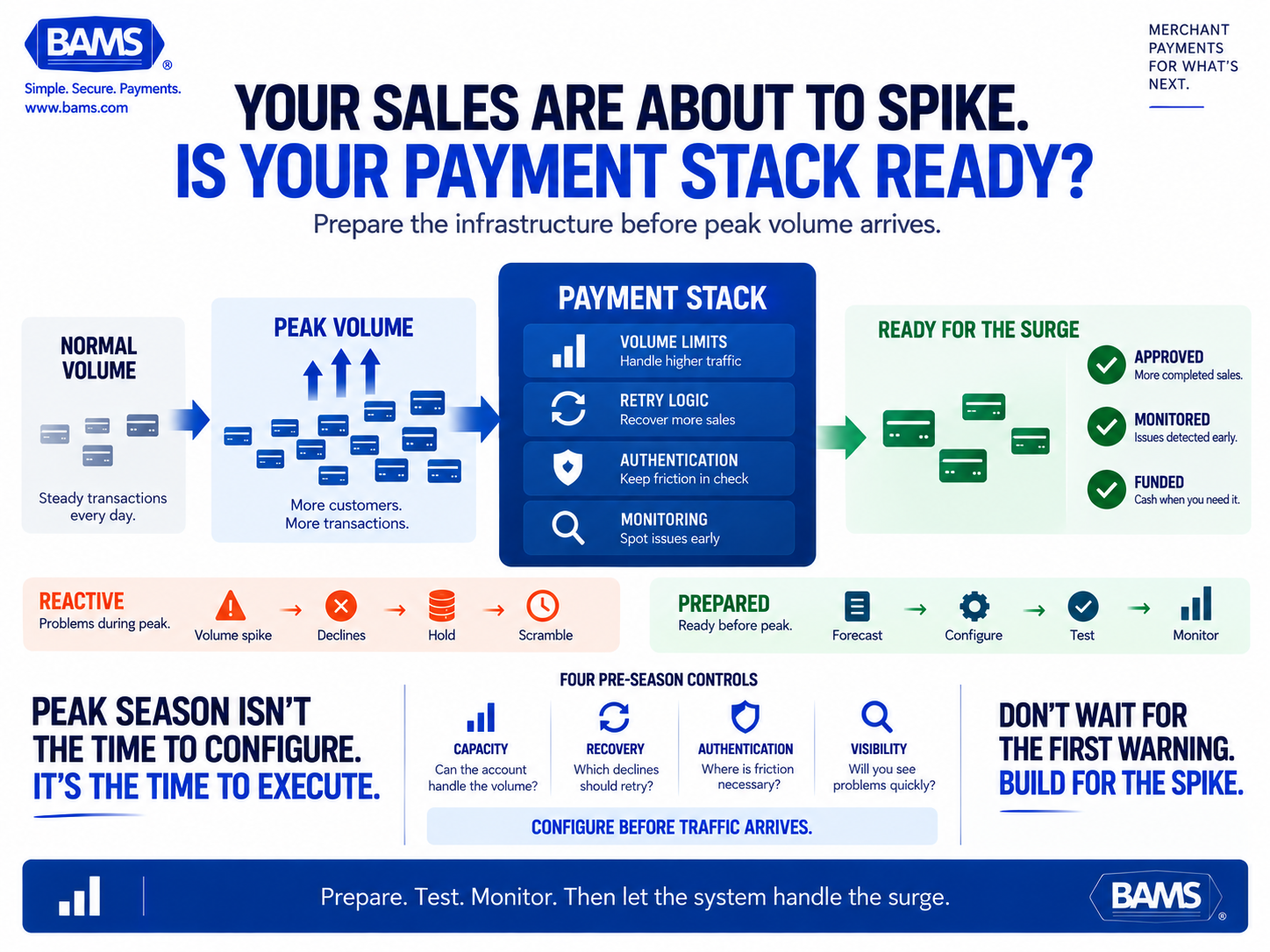
How to configure your payment stack before a volume spike so declined transactions, retry loops, and authentication dela
Contrasts reactive troubleshooting during peak periods with proactive system configuration, framing retry logic and authentication flow as levers that protect both conversion and deposit timing.
TL;DR
- Notify your processor 4 to 6 weeks early – Request a temporary volume ceiling increase with a 20% buffer before your peak period. Without this, sudden volume spikes can trigger deposit holds, reserves, and funding delays.
- Categorize decline codes before configuring retries – Only retry potentially recoverable soft declines such as insufficient funds or temporary processing errors. Retrying hard declines wastes fees and risks card network penalties.
- Optimize your payment authentication flow for speed – Enable 3DS2 frictionless authentication and configure TRA exemptions for low-risk transactions. Blanket 3DS on every transaction increases cart abandonment during peak periods.
- Set up real-time analytics with alert thresholds – Monitor authorization rate, decline codes, retry recovery, and deposit timing during peak days. A 5-point drop in authorization rate is your trigger to investigate immediately.
- Verify deposit timing and calculate your cash gap – If deposits take 3 days and you’re doing $50K per peak day, you’re carrying $150K in unfunded sales. Next-day funding options can close this gap when it matters most.
What You’ll Achieve: A Peak-Season Payment Stack That Protects Margins
By the end of this tutorial, you will have a fully configured payment stack designed to handle seasonal volume spikes without bleeding money to declined transactions, inefficient retry loops, or sluggish payment authentication flow. You’ll walk away with a pre-season checklist that covers processor notification, transaction retry strategy configuration, authentication optimization, and real-time analytics monitoring.
Your success criteria are concrete: fewer false declines during peak days, faster deposit timing so cash is available when you need it most, and a documented configuration you can repeat every season. This is proactive work, not firefighting. You do it once, weeks before the spike, and your payment stack handles the surge instead of crumbling under it.
Prerequisites and Setup Checklist
Before you start, confirm you have the following in place. Missing any of these will create bottlenecks mid-tutorial.
- Admin access to your payment gateway dashboard (Stripe, Braintree, Authorize.net, or equivalent)
- Your merchant account agreement, specifically the sections on volume limits, reserve requirements, and hold triggers
- Historical transaction data from at least one prior peak period (or 90 days of baseline data if this is your first spike)
- Contact information for your processor’s risk or underwriting team
- Access to your 3D Secure / SCA configuration panel (if selling internationally)
- A spreadsheet or dashboard for tracking decline codes, retry outcomes, and deposit timing
Time estimate: 3 to 5 hours spread across 2 to 3 sessions. Start this process at least 4 to 6 weeks before your anticipated volume spike. Rushing these steps during peak season is the exact pattern this tutorial replaces.
Why Proactive Configuration Beats Reactive Troubleshooting
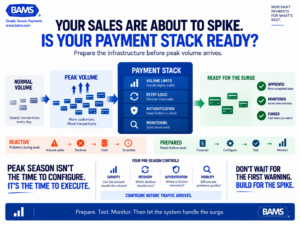
Peak season should increase sales, not expose weaknesses in your payment setup. Preparing processor limits, retry logic, authentication and monitoring before the surge helps the stack absorb higher volume more predictably.
Most eCommerce managers discover payment problems during peak season, not before it. A sudden volume increase can trigger processor risk monitoring at the exact moment your business needs capital to fulfill orders and fund ad spend. OCC guidance notes that merchant monitoring can include daily sales volume, average ticket size and changes from historical sales patterns, including seasonal activity. Your individual merchant account may still be operating under parameters established when you onboarded.
The approach here treats retry logic, authentication rules, and processor communication as configurable levers, not fixed defaults. You adjust them before the spike, verify they work, and then let the system absorb the volume. This contrasts sharply with the reactive pattern of noticing a 15% decline rate mid-sale and scrambling to diagnose it while revenue leaks.
Step 1: Audit Your Current Volume Thresholds and Processor Limits
Action: Open your merchant account agreement and locate the approved monthly volume ceiling, single-transaction limit, and any reserve or hold clauses tied to volume increases. Log into your processor dashboard and find the same figures in your account settings.
Write down three numbers: your approved monthly volume, your average ticket size, and your highest single-day transaction count from the last 12 months. Compare these to your projected peak-season volume. If your forecast exceeds your approved volume by more than 25%, your processor may flag your account, delay deposits, or impose a rolling reserve.
Expected result: A clear gap analysis showing whether your current limits can absorb your projected spike. Common failure: Many merchants skip this step because they assume volume limits auto-adjust. They don’t. If you can’t find your limits, call your processor’s underwriting team directly and ask.
Step 2: Notify Your Processor and Request a Temporary Volume Increase
Action: Contact your processor’s risk or account management team (email and phone, not just a support ticket). Provide them with your projected peak-season dates, expected daily transaction count, expected daily dollar volume, and the reason for the increase (holiday sale, product launch, seasonal demand).
Request a temporary volume ceiling increase that covers your peak projection plus a 20% buffer. Ask specifically whether the increase will change your reserve requirements, hold policies, or deposit timing. Get the answer in writing.
Expected result: Written confirmation of your temporary volume increase and any changes to your deposit schedule. Common failure: Submitting the request too late. Most processors need 2 to 4 weeks to review and approve volume increases. If you’re reading this less than two weeks before your spike, call immediately.
Step 3: Map Your Decline Codes and Categorize Retry Eligibility
Action: Pull a report of all declined transactions from your last peak period (or last 90 days). Export it to a spreadsheet and sort by decline reason code. Categorize each code into one of three buckets:
- Retryable soft declines: Insufficient funds, issuer temporarily unavailable, processing error, timeout
- Non-retryable hard declines: Lost/stolen card, invalid card number, account closed
- Authentication-related declines: 3D Secure failures, SCA challenges not completed, authentication timeout
Expected result: A categorized list showing what percentage of your declines may be recoverable through retry versus permanently lost. Visa estimates that 30% to 65% of rejected online orders are actually legitimate, making accurate decline analysis important before deciding which transactions to retry. Common failure: Treating all declines the same. Retrying a hard decline wastes processing fees and can trigger card network penalties.
Step 4: Configure Your Transaction Retry Strategy
Action: In your payment gateway or retry orchestration tool, configure retry rules based on your decline code categories from Step 3. Set the following parameters:
- First retry timing: 4 to 6 hours after the initial soft decline (this catches temporary issuer outages and daily balance resets)
- Second retry timing: 24 hours after the first retry
- Maximum retry attempts for soft declines: 3 total (initial attempt plus 2 retries)
- Hard decline behavior: No retry. Trigger a customer notification email with updated payment instructions.
If your gateway supports it, enable decline code-specific retry logic. For example, “insufficient funds” declines should retry at the start of the next business day (when direct deposits typically post), while “issuer unavailable” declines can retry within 1 to 2 hours.
Expected result: A retry configuration that recovers revenue from soft declines without burning fees on hard declines. Checkpoint: Run a test transaction with a test card that triggers a soft decline and verify the retry fires at your configured interval. Common failure: Setting retry intervals too aggressively (every 15 minutes) which can trigger card network retry monitoring programs and result in fines.
Step 5: Optimize Your Payment Authentication Flow for Speed
Action: Review your 3D Secure (3DS) and Strong Customer Authentication (SCA) settings. If you sell to EU customers, SCA is mandatory, but you have control over how exemptions are requested. Configure the following:
- Enable Transaction Risk Analysis (TRA) exemptions for low-risk transactions below your acquirer’s TRA threshold (typically under €250)
- Enable low-value exemptions for transactions under €30 (capped at 5 consecutive exempted transactions or €100 cumulative)
- Set your 3DS timeout to no more than 10 seconds before falling back to a frictionless flow or prompting the customer to retry
- Enable 3DS2 (version 2.x) if you’re still running 3DS1, since 3DS2 supports frictionless authentication that doesn’t redirect the customer
For domestic U.S. transactions where 3DS is optional, evaluate whether enabling it on high-risk transactions (new customers, high-value orders, unusual geolocations) reduces your chargeback rate enough to justify the friction. If your chargeback ratio is below 0.5%, the authentication friction may cost you more in abandoned carts than it saves in disputes.
Expected result: A payment authentication flow that challenges only high-risk transactions and lets low-risk orders pass through with minimal friction. Common failure: Enabling 3DS on all transactions regardless of risk, which can increase cart abandonment by 10% to 15% during peak periods.
Step 6: Set Up Real-Time Analytics Dashboards for Peak Monitoring
Action: Build or configure a monitoring dashboard that tracks the following metrics in real time (or as close to real time as your stack allows):
- Authorization rate (approved transactions / total attempted transactions)
- Decline rate by reason code
- Retry success rate (retried transactions approved / total retries attempted)
- Average time to deposit (transaction timestamp to deposit timestamp)
- 3DS challenge rate and completion rate
Most payment gateways offer built-in reporting. If yours doesn’t support real-time views, export data hourly during peak days and feed it into a Google Sheet or BI tool. The goal is to spot problems within hours, not days. If your authorization rate drops below your baseline by more than 5 percentage points, that’s your trigger to investigate.
Expected result: A live or near-live view of payment health that lets you catch issues before they compound. For a deeper look at what your standard processor statements may be hiding, see this breakdown of payment analytics and hidden statement costs. Common failure: Building a dashboard but not assigning someone to monitor it during peak days. Assign a specific team member and set alert thresholds.
Step 7: Verify Your Deposit Timing and Funding Schedule
Action: Log into your processor dashboard and confirm your current deposit schedule. Note whether you’re on next-day funding, 2-day funding, or a weekly batch. Then calculate the cash flow impact during your peak period.
Here’s the math: if your peak day generates $50,000 in sales and your deposits arrive in 3 business days, you’re carrying $150,000 in unfunded sales before the first dollar lands. If you’re funding inventory, shipping, or ad spend from that revenue, the gap creates real operational pressure. If your deposits move through ACH, Nacha notes that ACH settlement currently does not occur on weekends or federal holidays, so the gap can widen around those periods.
If your current funding schedule creates a problematic cash gap, this is the time to negotiate faster deposit timing. Providers like BAMS offer next-day funding specifically to close this gap, which can be a meaningful lever for eCommerce businesses whose peak-season expenses front-load while revenue deposits lag. Compare your current deposit timing against what’s available and factor the cost difference into your seasonal margin calculation.
Expected result: A clear picture of your cash conversion cycle during peak days and a funding schedule that supports your operational needs. Common failure: Assuming your deposit timing stays the same during volume spikes. Some processors slow deposits when volume exceeds approved thresholds (see Step 2).
Step 8: Test Your Full Configuration With Simulated Volume
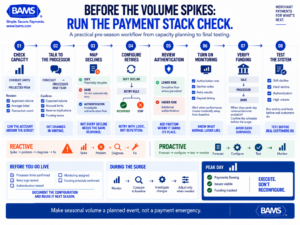
Peak-season payment preparation is a sequence, not a single setting. Check capacity first, configure how the stack responds to declines and authentication, verify funding and then test the entire system before traffic arrives.
Action: Before your peak period begins, run a controlled test. Most payment gateways offer sandbox or test modes. Simulate the following scenarios:
- A soft-declined transaction to verify your retry logic fires correctly and at the right interval
- A hard-declined transaction to verify no retry is attempted and the customer notification triggers
- A 3DS-challenged transaction to verify the authentication flow completes within your timeout window
- A high-volume batch (if your test environment supports load testing) to verify your gateway doesn’t throttle or queue transactions
Expected result: Each scenario behaves as configured. Document the results with screenshots or logs. Common failure: Skipping the test because “it’s just test mode.” Configuration errors that seem minor in testing (a retry interval set to minutes instead of hours, for example) become expensive at scale.
Configuration and Customization: Key Variables to Adjust
Every eCommerce business has different risk tolerances, customer profiles, and margin structures. Here are the variables you should customize rather than leave at defaults:
- Retry interval timing: The 4 to 6 hour first retry is a safe default, but if your customers tend to get paid on specific days (e.g., subscription boxes with a young demographic), align retries with those patterns
- 3DS exemption thresholds: If your average order value is well below €250, you’ll benefit heavily from TRA exemptions. If your AOV is above that threshold, focus on frictionless 3DS2 flows instead
- Dashboard alert thresholds: A 5-point authorization rate drop is a reasonable default trigger, but if your baseline rate is already below 90%, tighten the threshold to 3 points
- Volume buffer on processor notification: 20% above your forecast is safe. If your business has unpredictable viral moments (social media-driven spikes), request 50%
For a broader look at how transaction fees interact with eCommerce margins, review your per-transaction cost structure alongside these configuration choices. A retry that costs $0.10 per attempt is worth it at a 30% recovery rate on a $75 average order. It’s not worth it on a $5 order.
Verification and Testing: Confirming Your Stack Is Ready
After completing all eight steps, run through this final verification checklist one week before your peak period begins:
- Processor has confirmed your temporary volume increase in writing
- Retry rules are active and tested with at least one soft decline and one hard decline
- 3DS/SCA exemptions are configured and tested with a challenge flow and a frictionless flow
- Your real-time analytics dashboard is live, alert thresholds are set, and a team member is assigned to monitor
- Deposit timing is confirmed and you’ve calculated your cash gap for peak days
Edge cases to verify: What happens if a customer’s card is declined, they update their payment method, and then the original retry fires? Make sure your retry logic cancels pending retries when a new successful payment is recorded for the same order. Double-charging a customer during your busiest period creates support tickets and chargebacks you don’t have bandwidth to handle.
Common Errors and Fixes
Error: Deposits suddenly delayed by 2 to 3 extra business days during peak
Symptom: Sales are processing normally, but funds aren’t arriving on schedule. Cause: Your volume exceeded your approved threshold and the processor placed a temporary hold or rolling reserve. Fix: Call your processor’s risk team immediately with your pre-approved volume increase confirmation (Step 2). If you skipped Step 2, expect a 1 to 2 week resolution while underwriting reviews your account.
Error: Authorization rate drops sharply on the first day of a sale
Symptom: Decline rate jumps from 5% to 15%+ within hours. Cause: Issuing banks are flagging the sudden volume increase from your merchant ID as suspicious, or your gateway is throttling requests. Fix: Check your gateway’s rate limits and contact your acquirer to confirm no velocity filters have been triggered. Having your processor whitelist expected volume in advance (Step 2) prevents most of these flags.
Error: Retry loop charges customer twice
Symptom: Customer contacts support saying they were charged twice for the same order. Cause: The customer updated their payment method and completed a new transaction, but the retry on the original declined attempt also succeeded. Fix: Implement idempotency keys on your payment requests and add logic to cancel pending retries when an order is marked as paid. Refund the duplicate charge immediately.
Error: 3DS challenge page times out and customer abandons
Symptom: Spike in cart abandonment at the authentication step. Cause: The issuing bank’s 3DS server is slow under peak load, or your timeout is set too low. Fix: Increase your 3DS timeout to 15 seconds and ensure your fallback flow presents a clear “try again” option rather than a generic error page. Review whether TRA exemptions can bypass the challenge for low-risk transactions.
Error: Retry fees accumulate without meaningful recovery
Symptom: Your retry costs are climbing but your recovery rate is below 10%. Cause: You’re retrying hard declines or retrying soft declines too many times. Fix: Revisit Step 3 and tighten your decline code categorization. Cap retries at 2 for soft declines and eliminate retries on all hard decline codes. Review your overall processing fee structure to ensure per-transaction costs aren’t eroding the value of recovered sales.
Next Steps and Extensions
With your peak-season payment stack configured, you now have a repeatable playbook. Here’s how to extend it:
- Build a seasonal volume forecast model: Use your peak-period data to predict next year’s volume more accurately. Layer in marketing calendar data (planned promotions, ad spend increases) for tighter projections.
- Automate decline-code reporting: Set up automated weekly reports that categorize declines by type, so you can spot drift in your authorization rate before the next spike.
- Explore multi-acquirer routing: If your volume justifies it, routing transactions through multiple acquirers based on card type, geography, or BIN range can improve authorization rates by 2% to 5% during peak periods.
Each of these builds on the foundation you’ve just set. The goal is to make seasonal volume a predictable operational event, not a cash flow crisis.
Frequently Asked Questions
When should I start reviewing my payment processing setup before peak season?
Start 4 to 6 weeks before your anticipated volume spike. Processor volume increase requests typically take 2 to 4 weeks for underwriting review, and you need additional time to configure retry logic, test authentication flows, and build monitoring dashboards. Starting earlier gives you a buffer if your processor requires additional documentation or if testing reveals configuration issues.
What is a seasonal volume playbook in merchant services optimization?
A seasonal volume playbook is a documented, repeatable process for preparing your payment stack before a predictable sales surge. It covers processor notification, volume threshold adjustments, retry strategy configuration, authentication flow optimization, and real-time monitoring setup. The goal is to prevent the decline spikes, deposit delays, and reserve holds that commonly hit eCommerce businesses during peak periods.
How can I use data to forecast transaction volume for seasonal planning?
Pull transaction data from your last 2 to 3 peak periods and calculate your peak-to-baseline volume ratio. Layer in your planned marketing spend, promotional calendar, and any new sales channels you’ve added since the last spike. Apply a 20% to 50% buffer above your forecast when requesting volume increases from your processor. If this is your first peak season, use 90 days of baseline data and model a 2x to 4x multiplier based on your marketing plans.
Why do processors delay deposits during high-volume periods?
Processors use volume thresholds as a risk signal. When your transaction volume suddenly exceeds your approved ceiling, their automated risk systems may flag your account for review, impose a rolling reserve (holding a percentage of deposits as collateral), or slow your funding schedule. This is a fraud and chargeback protection mechanism on their end, but it creates a cash flow crisis on yours. Proactively notifying your processor and getting a temporary volume increase approved prevents most of these holds.
What’s the difference between a soft decline and a hard decline for retry purposes?
A soft decline is temporary and potentially recoverable. Examples include insufficient funds, issuer temporarily unavailable, and processing timeouts. These are worth retrying because the underlying card and account are valid. A hard decline is permanent for that transaction. Examples include invalid card number, account closed, and lost or stolen card. Retrying hard declines wastes processing fees and can trigger card network monitoring programs that penalize excessive retry attempts.
How do I know if my transaction retry strategy is actually working?
Track two metrics: retry recovery rate (the percentage of retried soft declines that are eventually approved) and retry cost per recovered dollar. Compare your recovery rate against your own historical baseline rather than assuming one universal benchmark. If recovery declines materially, review whether you’re retrying the wrong decline codes or retrying too aggressively. Compare the per-transaction retry cost against the margin on recovered orders. If the retry fee exceeds your margin on low-value orders, set a minimum order value threshold for retry eligibility.
Sources
- https://www.occ.treas.gov/publications-and-resources/publications/comptrollers-handbook/files/merchant-processing/pub-ch-merchant-processing.pdf
- https://corporate.visa.com/content/VISA/visacorporate/global/en/home/sites/visa-perspectives/security-trust/how-tokens-protect-you-and-your-business.html
- https://www.nacha.org/content/ach-payments-fact-sheet