What the Discontinuation of QuickBooks Desktop 2016 Means to You as a Merchant
Last Updated on August 18, 2026 by Dimitri Akhrin
QuickBooks Desktop 2016 Still Opens for Some Users, but Support Is Long Gone
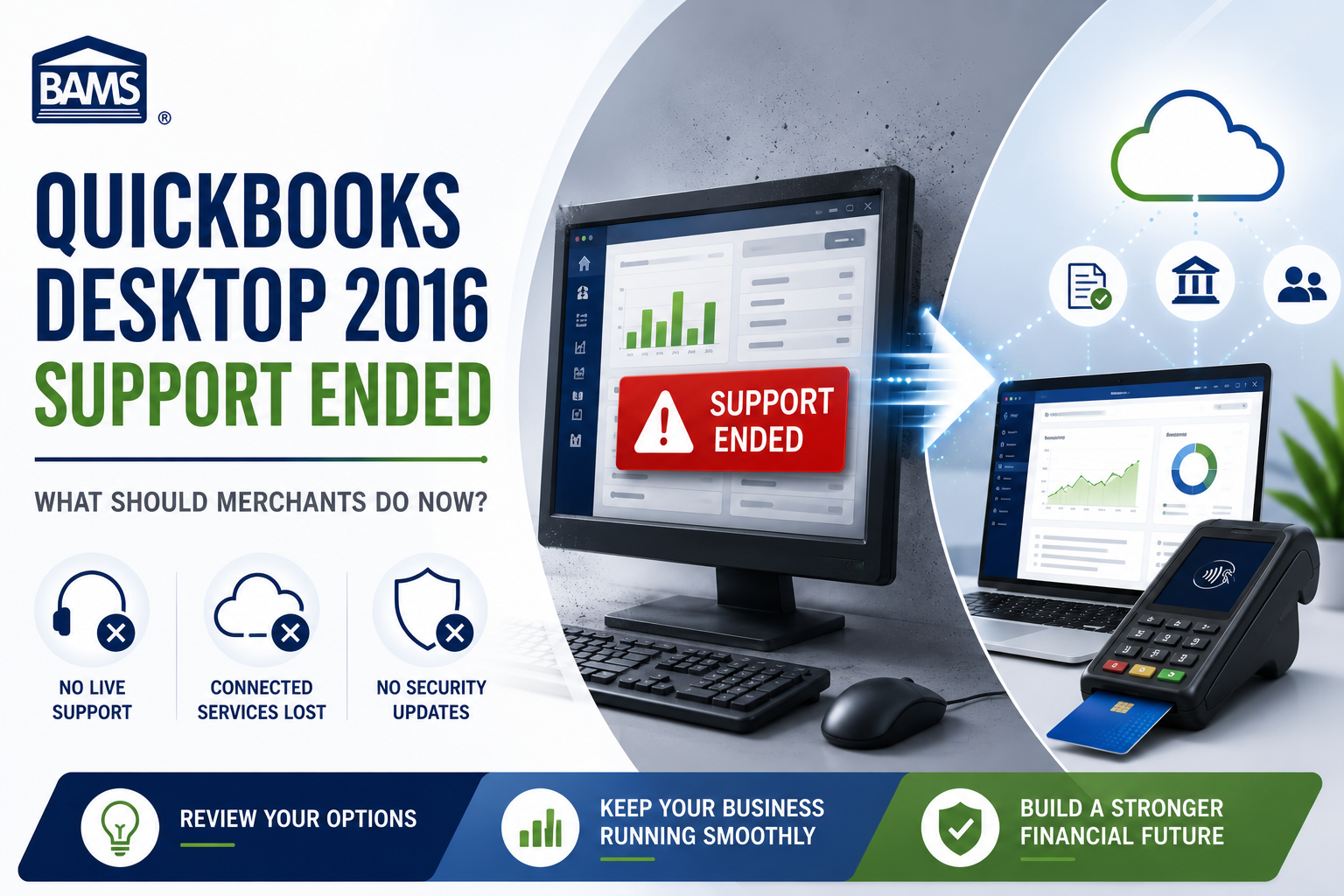
QuickBooks Desktop 2016 discontinued support years ago, which creates an important distinction for merchants still running the software. A program may continue to open on a computer even after Intuit stops supporting the version. That does not mean the software still has access to current support, connected services or security updates.
For a merchant, those missing services matter. Accounting software often sits beside payment processing, payroll, banking and customer records. An old version that handles basic bookkeeping may look functional until the business needs one of the connected features that no longer works.
Current context: This article originally covered the May 2019 discontinuation and the options available to merchants at that time. The original information remains below. Current QuickBooks Desktop availability has changed considerably since then, so we have added updated guidance where the old recommendations no longer apply.
On May 31st, 2019, QuickBooks discontinued support for their QuickBooks Desktop 2016 accounting and finance software, one of the most popular accounting and productivity tools available. That discontinuation was planned and shouldn’t come as a surprise to any Desktop 2016 users, but it still causes headaches for QuickBooks’ large 2016 userbase, annoying some even more so considering that the 2016 version isn’t all that old as far as software goes. While the discontinuation doesn’t totally brick the software for current users, it does cause some notable limitations in popular features and addons that many users, especially at the enterprise and pro levels, will need to figure out a solution to.
What does the discontinuation limit access to?
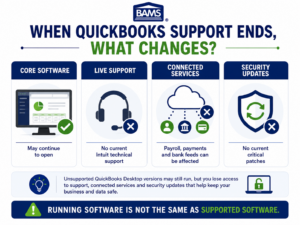
Unsupported QuickBooks Desktop software may continue to open while losing support, connected services and current security updates.
The core QuickBooks Desktop 2016 software will continue to work, and any users who only use the core software with no additional add-ons won’t see any interruption or limitation in their use. However, for business users who also use addons, like QuickBooks’ payroll, online backup or banking tools, the addon integration will no longer function. That impacts all editions of QuickBooks Desktop 2016 (Pro, Premier, Enterprise and Accountant editions) and represents a major lapse in functionality for addon users. The change also impacts all Desktop 2016 users in that live support will no longer be available in any form.
Unsupported Software Means More Than Losing Tech Support
The most obvious loss is Intuit support, but that is only part of the problem.
Intuit currently warns users of unsupported QuickBooks Desktop versions that they can lose access to connected services such as Desktop Payroll, Desktop Payments and online bank feeds. Unsupported versions also stop receiving current critical security patches.
That becomes more important when the accounting system connects with other parts of the business. A merchant may depend on bank feeds every morning, payroll at the end of the week or payment information moving automatically between systems. Losing one of those connections can create work that the business did not expect.
Compatibility with a third-party integration also does not restore Intuit support. The accounting software itself can remain unsupported even if another application can still connect with it.
What are your options?
For users of the core software only who see no situation in which they’ll require live support from QuickBooks, the easiest option is to go about business as usual. For all other users, an upgrade to QuickBooks Desktop 2019 will be required in order to maintain functionality. Desktop 2019 includes new productivity features designed to further streamline accounting, banking and financial management, and upgrading is as simple as making a purchase online, downloading the installer, and letting the software do the rest. However, for Desktop 2016 users that don’t want to purchase or install new software, or whose computer systems don’t have the necessary specs to run Desktop 2019, there are still other options available.
Current update: QuickBooks Desktop 2019 is no longer a current upgrade path. Intuit now treats older standalone Desktop releases as unsupported and specifically encourages customers using Desktop Pro, Premier or Mac versions 2021 and older to consider moving to QuickBooks Online.
The Desktop market has changed too. Intuit stopped selling new U.S. subscriptions to QuickBooks Desktop Pro Plus, Premier Plus, Mac Plus and Desktop Enhanced Payroll after September 30, 2024. Existing subscribers can continue renewing eligible subscriptions. New customers who specifically want a current QuickBooks Desktop product can still purchase QuickBooks Enterprise.
What Should a QuickBooks Desktop 2016 User Do Today?
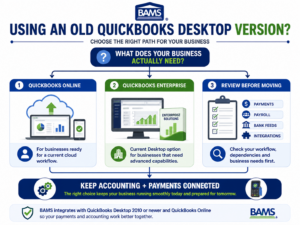
BAMS infographic showing QuickBooks Online, QuickBooks Enterprise and workflow review as options after an old Desktop version loses support.
Do not start by assuming you have to move immediately. Start by figuring out what the business actually depends on.
If QuickBooks Desktop 2016 only stores historical accounting records on an isolated computer, the immediate problem looks different from a company that uses it every day for invoices, payments, bank feeds or payroll.
Look at the connected workflow. Which services still need to communicate with QuickBooks? Which functions rely on Intuit? Does the business need remote access? Are multiple employees using the file? Does payment information need to post automatically into accounting?
Once those answers are clear, the choice between staying temporarily on an old installation, moving to QuickBooks Online or using a current Desktop product becomes much easier to evaluate.
Do Not Ignore the Security Question
An old accounting program can contain years of valuable business information. Customer records, invoices, vendor information and financial history all deserve protection.
That is why the lack of current security updates deserves more attention than whether the software still launches.
Intuit explicitly warns that unsupported Desktop versions do not receive its latest critical security patches. A merchant keeping an old installation should consider that limitation when deciding how long the business wants to depend on it for active operations.
The same principle applies to the payment environment. Accounting software and payment processing may connect with one another, but they serve different roles. A merchant should know which system handles payment data and how those systems exchange information.
BAMS provides an integrated payment gateway for businesses that need payment technology to work with the wider systems behind their checkout and accounting workflows.
Moving to QuickBooks Online Is One Option, Not an Automatic Decision
Intuit currently encourages users of older Desktop products to consider QuickBooks Online. For some businesses, that move makes sense. For others, the workflow differences deserve a closer look first.
A cloud-based system changes how employees access the books and how the company handles updates. It can also change the way existing integrations, reports and internal processes work.
Before migrating, map out anything that currently depends on the Desktop file. That includes accounting workflows as well as payment integrations, recurring billing, customer records and reporting.
Do not migrate only because the software is newer. Migrate because the new setup covers the functions the business actually needs.
QuickBooks Enterprise Remains a Desktop Option
Businesses that want to stay with a current QuickBooks Desktop product still have another route. Intuit continues selling QuickBooks Enterprise to new and existing customers in the United States.
That can matter for companies that prefer a Desktop workflow or need features that fit a more complex accounting operation.
It does not mean every Desktop 2016 user should move to Enterprise. The product may offer far more than a smaller merchant needs. Compare the software requirements, cost and workflow before making that decision.
How can BAMS help?
BAMS integrates seamlessly with QuickBooks and continues to work with all versions of the software, including Desktop 2019, online and POS versions. BAMS merchants receive access to IRIS CRM, the payment industry’s leading customer resource management tool and the productivity features included replace or improve many of the features available in the now discontinued addons. That means BAMS merchants can continue using QuickBooks Desktop 2016 and, in many cases, actually save money over paying for QuickBooks’ addons.
Current BAMS update: BAMS now has a dedicated QuickBooks integration page. BAMS currently lists compatibility with QuickBooks Desktop 2010 or newer and QuickBooks Online.
For Desktop QuickBooks, the integration can process credit card and ACH payments and post approved transactions into QuickBooks. The QuickBooks Online integration can apply payments directly to customer invoices and automate reconciliation when payments occur.
There is an important distinction here. BAMS integration compatibility does not change Intuit’s lifecycle for the underlying QuickBooks product. A merchant may still be able to connect BAMS with an older Desktop installation while Intuit considers that version unsupported.
That is why the payment integration and accounting software should be reviewed together rather than assuming one automatically keeps the other current.
Review the Workflow Before You Upgrade Anything
A software discontinuation can create a temptation to replace everything at once. That is not always necessary.
Write down how an invoice moves through the business today. Start with the customer. Follow the payment. See where the transaction posts and where the business reconciles it.
That simple exercise usually exposes the systems that actually matter.
For some business owners, accounting software only handles the final bookkeeping step. For others, QuickBooks sits in the middle of invoicing, payments and reporting. Those businesses need to be more careful about changing one part without understanding what happens to the others.
The goal is not merely to replace QuickBooks Desktop 2016. It is to end up with a workflow that still works after the old software is gone.
Frequently Asked Questions
Is QuickBooks Desktop 2016 still supported?
No. QuickBooks Desktop 2016 has been outside Intuit’s support lifecycle for years. Unsupported Desktop versions do not receive current live support, Intuit-connected services or critical security updates.
Can QuickBooks Desktop 2016 still open?
An installed copy may continue to run for some users. That is different from Intuit actively supporting the product. Operating-system changes, connected services and other compatibility issues can also affect how useful an old installation remains.
Should I upgrade QuickBooks Desktop 2016 to Desktop 2019?
That was the recommendation when this article was originally written. It is no longer a current upgrade path because Desktop 2019 is also an unsupported version.
Can I still buy QuickBooks Desktop?
New U.S. customers can no longer buy new subscriptions to QuickBooks Desktop Pro Plus, Premier Plus or Mac Plus. Intuit continues to sell QuickBooks Enterprise as its current Desktop accounting option. Existing eligible Desktop Plus subscribers can continue renewing their subscriptions.
Does QuickBooks Online replace Desktop?
It is one current option. Whether it is the right replacement depends on the business workflow, integrations and features that the merchant currently uses.
Does BAMS integrate with QuickBooks?
Yes. BAMS currently lists support for QuickBooks Desktop 2010 or newer and QuickBooks Online. Available integration features include credit card and ACH processing as well as payment posting and reconciliation functionality.
Does BAMS integration make QuickBooks Desktop 2016 supported again?
No. Integration compatibility and Intuit product support are separate issues. A third-party payment integration does not restore security updates, Intuit support or discontinued Intuit services.
What should I review before moving away from QuickBooks Desktop 2016?
Review accounting data, payment integrations, bank feeds, payroll, recurring billing, reporting and any other system that depends on the Desktop file. Knowing those dependencies makes it easier to choose a replacement without breaking the existing workflow.
For more information on how BAMS can help support and stabilize your use of QuickBooks Desktop 2016, provide you with access to a powerful customer resource management tool and provide you with the lowest cost merchant account available, contact us today. We’d be happy to answer any of your questions or to get started on our unique five-step price comparison which identifies, line-by-line, every fee that BAMS can help you reduce.