

Payment Processing Integration for Online Gift Cards
Guide Orientation: What This Covers and Who It’s For
This guide walks physical-store owners through launching a branded gift card program on a limited budget. In particular, it focuses on online gift card integration: the bridge between your store and online gift card sales. You don’t need a full eCommerce website or a developer on retainer. Instead, you need the right connection between a digital sales channel and the POS you already use.
This is written for small business owners in retail, dining and services who want to add gift cards without overspending on infrastructure they don’t need. By the end, you’ll know how to design branded cards affordably, choose an integration path and sell cards online without building a store. You’ll also keep data consistency across platforms, so every sale and redemption balances.
What this guide does not cover: enterprise loyalty program architecture, franchise-level rollouts, or custom API development. This is about getting a working gift card program live with what you already have.
TL;DR
- You don’t need an eCommerce site. Many POS gift card modules create a hosted purchase page, so online gift card integration with your register doesn’t need a website build.
- Audit before you buy. Check your existing POS and payment processor for built-in gift card features before signing up for new platforms. In fact, the capability you need may already be included.
- Start digital, add physical later. Digital gift cards cost little to produce and let you test demand before you invest in printed inventory.
- Data consistency is non-negotiable. Run test transactions, verify balances sync between online and in-store systems and reconcile weekly. Otherwise, small mismatches become big accounting problems.
- Launch with free channels first. Your Google Business Profile, social media, register signage and existing email list can drive initial sales without any advertising spend.
Why Branded Gift Cards Matter for Small Businesses Now
Gift cards aren’t just a nice extra. They’re a revenue channel that brings money in before a customer walks through the door. For a physical-only store, they also solve a problem that gets harder to ignore every year: customers expect to buy from you online, even if your product or service is delivered in person.
Digital gift cards are a growing part of how people give gifts, reward employees and discover new businesses. And that shift isn’t limited to large retailers. If someone searches for “gift card” plus your category in your city and finds nothing, they move on to a competitor who made it easy.
The cost of inaction is not dramatic. It is quiet. It is the $50 gift card someone bought at a competitor’s website instead of yours. Or it’s the repeat visit that never happened because no gift card reminded a lapsed customer you exist. Meanwhile, your physical location is already a natural place to sell cards. The gap is digital and closing it doesn’t require rebuilding your business. It requires the right integration.
Core Concepts: What You Actually Need to Understand
Gift Cards Are a Payment Product, Not a Marketing Project
A common misconception is that launching gift cards is mainly a design and marketing exercise. It isn’t. A gift card is a stored-value payment instrument. The card (physical or digital) holds a balance. That balance must be tracked, decremented at redemption and reconciled against your revenue. So your POS and processor sit at the center of the operation, not your graphic designer.
Physical vs. Digital vs. Both
Physical gift cards are plastic cards with magnetic stripes or barcodes, swiped or scanned at your POS. Digital gift cards are codes delivered via email or text, often stored in mobile wallets. So you can launch with one or both. The key distinction: physical cards require inventory (ordering, shipping, stocking), while digital cards require only a delivery mechanism and a way to validate them at checkout. For budget-conscious launches, digital-first is often the smarter starting point.
Online Gift Card Integration: The Bridge
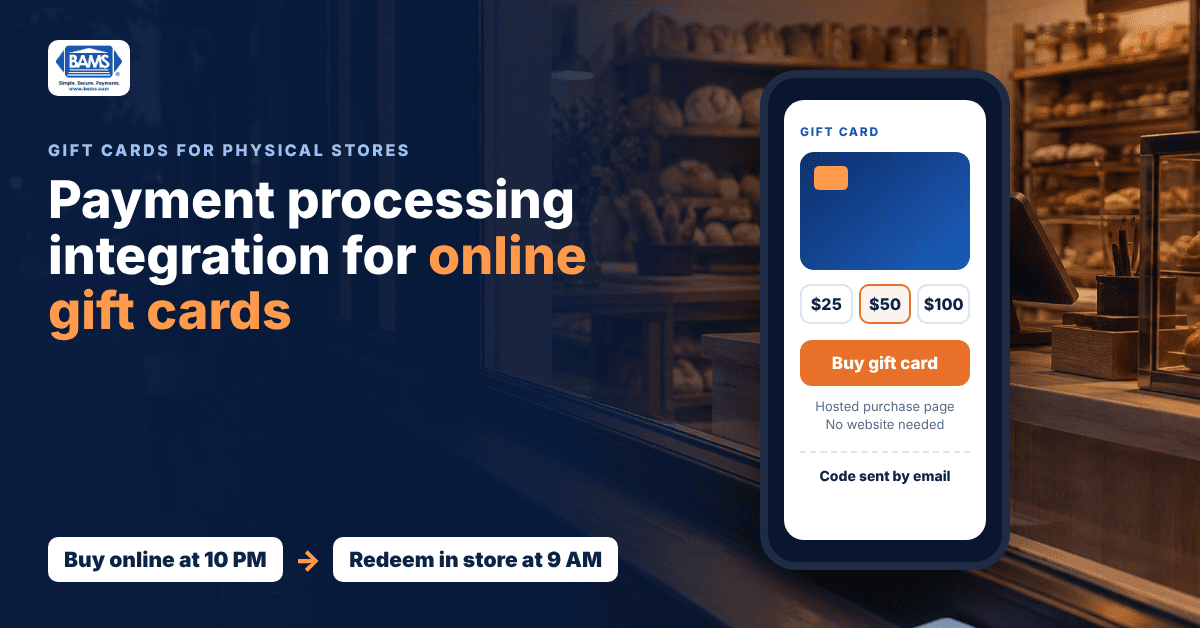
Online gift card integration refers to the connection between the system where a gift card is sold (your online page, a third-party platform, or your POS) and the system where it is redeemed (your POS terminal). When this integration works, a card purchased online at 10 PM is redeemable at your register at 9 AM the next morning. When it doesn’t, you get manual workarounds, balance errors and frustrated customers. Choosing how your existing POS connects to an online gift card sales page is one of the biggest decisions in this process.
Data Consistency Across Platforms
Every gift card has a lifecycle: activation, balance load, partial redemptions and reloads. If you sell cards through one system and redeem them through another, the data must match. Data consistency across platforms means the balance a customer sees online is the same balance your cashier sees at the register. Without it, you create disputes, double-charges, or cards that simply don’t work.
The Framework: Four Phases to a Working Gift Card Program
Launching branded gift cards on a budget follows four phases, each building on the last. Skip one and fixing the problems costs more than preventing them.
- Phase 1: Audit Your Existing Setup. Understand what your current POS and payment processor already support before buying anything new.
- Phase 2: Design and Source Your Cards. Create branded cards (digital, physical, or both) without overspending on custom work.
- Phase 3: Connect the Sales Channel. Set up the integration that lets customers buy gift cards online and redeem them in your store.
- Phase 4: Launch, Track and Adjust. Go live with a simple promotion plan, monitor redemption data and refine based on what you see.
These phases are sequential, too. The decisions you make in Phase 1 determine your options in Phase 3. The framework is designed so that a single owner-operator can execute the entire process without hiring outside help.
Step-by-Step Breakdown: Launching Your Gift Card Program
Step 1: Audit Your POS and Payment Processor for Gift Card Capability
Objective: Determine whether your current systems support gift card issuance, tracking and redemption before spending money on new tools.
Many modern POS systems include built-in gift card features or offer them as an add-on module. Many small business owners don’t realize this because they never activated the feature. First, log into your POS dashboard and search for “gift cards” in the settings or app marketplace. Then check whether your processor supports stored-value cards, since that’s where balances are tracked.
Next, call your processor and ask three questions: Does your system support branded gift cards? Can a card purchased online be redeemed at my physical terminal? What does activation cost per card? Then write down the answers. If your processor doesn’t support gift cards, or charges high per-transaction fees for redemptions, consider alternatives. As noted in BAMS’s analysis of gift card integration costs, modern payment processors should offer gift card functionality as a built-in feature rather than requiring custom development or costly consulting.
Anti-patterns: Do not sign a new long-term processing contract just for gift card features. Do not assume your POS can’t do it without checking. Do not start shopping for third-party gift card platforms before understanding what you already have.
Success indicators: You have a written summary of your current system’s gift card capabilities, including costs, limitations and whether online-to-in-store redemption is supported natively.
Step 2: Design Branded Cards Without Overspending
Objective: Create professional-looking gift cards that reflect your brand, at a cost proportional to your business size.
For digital cards, design is straightforward. You need a branded image (your logo, colors and a clean layout) that displays well on a phone screen and in email. Free design tools offer gift card templates. Check your POS module’s recommended image size, add your logo and export a PNG. In practice, this takes 30 minutes, not 30 days. The design file uploads directly to most POS gift card modules.
For physical cards, you’ll need to order from a card printer. Many printers make POS-compatible cards in small runs of 50 to 100 and the per-card price usually drops at higher volumes, so get quotes. Make sure the cards are compatible with your POS hardware: magnetic stripe for swipe terminals, barcode or QR for scanner-based systems. Your printer will ask for your POS model to ensure compatibility. And store blank cards securely, since the FTC warns that scammers can get a card’s number and PIN before it’s sold.
Above all, keep the design simple. Your logo, your brand colors and a clean typeface. Avoid cluttering the card with promotions, social media handles, or seasonal themes that will look dated in two months. A timeless design means one print run lasts longer.
Anti-patterns: Do not hire a design agency for a gift card layout. Do not order 5,000 physical cards on your first run. Do not use a card printer that cannot confirm POS compatibility before production.
Success indicators: You have a finalized digital card design and (if applicable) a confirmed physical card order with POS-compatible encoding, at a cost that fits your budget for an initial run.
Step 3: Set Up Online Gift Card Integration With Your POS
Objective: Let customers buy gift cards online and redeem them right away at your register.
This is where many owners stall, because they assume “selling online” means building an eCommerce website. It doesn’t. What you need is a hosted gift card purchase page connected to your payment processor. Many POS platforms create this page when you turn on their gift card module and give you a shareable gift card purchase link. The customer clicks the link, enters an amount, pays and gets a digital card code by email. A hosted page also helps with security. The PCI Security Standards Council recommends outsourcing card processing to a PCI DSS compliant provider, so card data stays off your systems.
The critical requirement is the connection between the online purchase and your in-store POS. So a $50 card bought online must show a $50 balance in your POS right away and the balance should drop in real time when it’s redeemed. If your POS vendor provides the page, that connection is already handled. Otherwise, confirm that a third-party page and your POS share one gift card database or sync in real time.
And if your POS lacks native online gift card sales, a Payment Processing Company like BAMS offers gift card and loyalty programs alongside card processing, so you work with one provider instead of stitching platforms together. Our post on hybrid integration covers more options.
Anti-patterns: Don’t build a full online store just to sell gift cards. Do not use a gift card platform that cannot sync balances with your POS in real time. Don’t rely on spreadsheets or sticky notes for balances.
Success indicators: You have a live, shareable purchase link and a test card works at your register with the right balance.
Step 4: Ensure Data Consistency Across Platforms
Objective: Confirm that gift card balances, transactions and redemption records are accurate and synchronized between your online channel and in-store POS.
This step is about checking, not setup. After completing Step 3, run a series of test transactions. Buy a card online. Redeem part of it in-store. Check the remaining balance online. Buy another card in-store. Check whether it appears in your online system. These tests expose integration gaps before a real customer finds them.
Data consistency across platforms breaks down in predictable ways. One common failure: a card sold online doesn’t appear in the POS because the systems sync on a delay (batch processing) rather than in real time. The fix is to confirm your integration uses real-time data exchange rather than end-of-day batch updates. Another common issue: partial redemptions don’t update the balance correctly, leaving customers with cards that show the wrong amount. So test partial redemptions specifically.
Set up a simple reconciliation routine. Once a week, compare your POS gift card liability report (total outstanding balances) against your online platform’s records. They should match. If they don’t, however, investigate right away. Small mismatches compound over time and become accounting headaches during tax season. After all, gift card balances are real liabilities on your books.
Anti-patterns: Do not skip testing because the vendor says it works. Do not wait until a customer complains to check data consistency. Do not treat gift card balances as an afterthought in your bookkeeping.
Success indicators: Test transactions produce matching records in both systems. Partial redemptions update correctly. Your weekly reconciliation shows zero discrepancies for the first two weeks of operation.
Step 5: Launch with a Low-Cost Promotion Strategy
Objective: Drive initial gift card sales without a marketing budget, using channels and touchpoints you already control.
Your launch doesn’t require paid advertising. Instead, it requires visibility in the places your existing customers already look. Start with five no-cost actions. First, add the link to your Google Business Profile. Next, pin it on your social profiles and add it to your bio. Then put a small sign at your register (“Gift cards now available online”). Also include the link in emails you already send. Finally, ask staff to mention it at checkout.
Many customers are happy to engage digitally with local businesses. You don’t need to build an app. Instead, you just need to make the purchase link easy to find.
Consider a soft launch incentive: “Buy a $50 gift card, get a $5 bonus card free.” The bonus card costs you $5 in product but brings the customer back for a second visit. Label it clearly as a promotional card. Under the Federal Reserve’s gift card rules, promotional cards aren’t covered by the five-year expiration limit, so a short window, such as 60 days, can create urgency. Check your state’s rules first. It works well for small businesses because the margin impact is small and it encourages a return visit.
Anti-patterns: Do not spend money on Facebook ads before you’ve exhausted free channels. Do not launch without telling your existing customers. Do not offer discounts on the gift card itself (selling a $50 card for $40 trains customers to wait for deals and creates accounting complexity).
Success indicators: You sell at least 10 gift cards in the first two weeks through a combination of in-store and online channels. At least one online sale comes from your Google Business Profile link.
Step 6: Monitor, Reconcile and Scale
Objective: Use redemption and sales data to understand what’s working, maintain financial accuracy and decide when to expand the program.
After your first month, review three numbers: total gift cards sold (units and dollar value), redemption rate (what percentage of sold value has been redeemed) and average card value. These numbers tell you whether customers are buying, whether recipients are using the cards and whether your default denomination options are right. If most buyers choose $25 but you’re promoting $100 cards, adjust your presentation.
Also track where sales come from. If 80% of sales come from in-store and only 20% from online, your digital visibility needs work. If the reverse is true, your online link is doing its job and you might invest in making it more prominent. Over time, your own numbers become the benchmark for a healthy channel mix.
Scaling means adding physical cards if you launched digital-only, or expanding to seasonal promotions (holidays, Mother’s Day, graduation) once your base program runs smoothly. Do not scale before your reconciliation process is clean. Adding volume to a system with data inconsistencies multiplies the problems.
Anti-patterns: Do not ignore unredeemed balances (they are liabilities, not revenue, until redeemed or expired per your state’s escheatment laws). Do not add new sales channels before the first one is stable. Do not stop the weekly reconciliation once things “seem fine.”
Success indicators: Monthly gift card revenue grows. Reconciliation reports match consistently. You can articulate which channel drives the most sales and why.

Sell online, redeem in store, keep one balance.
Practical Example: A Single-Location Restaurant Launch
Consider a hypothetical single-location restaurant with 40 seats, one POS terminal and no website beyond a Google Business Profile. The owner wants to sell gift cards online for the holiday season without building a website or hiring anyone.
Phase 1 (Audit): The owner logs into the POS and finds a gift card add-on for $50 a month. The module includes a hosted online purchase page and automatic balance syncing with the POS terminal. No third-party integration needed.
Phase 2 (Design): Using a free design tool, the owner creates a digital card image with the restaurant’s logo and signature dish photo. Total time is 45 minutes and the cost is $0. The owner also orders 100 physical gift cards from a POS-compatible printer for $89.
Phase 3 (Connect): The owner activates the POS gift card module, uploads the design and receives a shareable purchase link. A test purchase of a $25 card produces an email with a QR code. Scanning that code at the POS terminal shows a $25 balance. As a result, the integration is confirmed.
Phase 4 (Launch): The owner adds the link to the restaurant’s Google Business Profile, posts it on Instagram and places a table tent at every table reading “Give the gift of [restaurant name]. order online.” In this illustration, the restaurant sells 47 gift cards totaling $2,350 in three weeks. The owner’s total investment: $139 plus the $50 monthly module fee.
The example shows the core idea. In short, the tools often already exist, so the work is activation and connection, not construction.
Common Mistakes and Pitfalls
Overbuilding before validating demand. Ordering 1,000 physical cards and signing up for a premium gift card platform before selling your first 10 cards is a budget trap. Start small. Prove the concept with digital cards and your existing POS, then invest in physical inventory and expanded features once you see traction.
Ignoring state escheatment laws. Unredeemed gift card balances may fall under state unclaimed property laws and rules vary by state. Some states ban expiration dates entirely, while others require you to remit unredeemed balances after a set period. Check your state’s requirements before launching, or ask your payment processor for guidance.
Treating the gift card program as a one-time project. After all, a gift card program is an ongoing operation, not a holiday campaign. Cards sold in December get redeemed in January, March and beyond. If you stop monitoring balances or reconciling data after the holidays, you create problems that surface months later.
Choosing separate vendors for online sales and in-store redemption. In fact, this is the fastest path to data inconsistency. Whenever possible, use a single provider or a tightly integrated pair of systems that share a common gift card database. Customers expect the same experience online and in store, so a consistent gift card program helps you deliver it.
What to Do Next
Start with Step 1. Log into your POS system today and search for gift card settings. If the feature exists, activate it and then run a test transaction. If it doesn’t, call your payment processor and ask what’s available. The audit rarely takes long, costs nothing and gives you what you need for every later decision.
You do not need to complete all six steps this week. For a solo owner-operator, two to three weeks from audit to launch is realistic. That’s how you sell gift cards online without a rushed rollout. Move through the phases in order, test before you promote and reconcile before you scale. This guide is designed to be a reference you return to at each phase, not a checklist you rush through once.
Gift cards are one of the few revenue tools that pay for themselves quickly, bring new customers through your door and require minimal ongoing effort once the integration is solid. The tools you need are probably closer than you think.
Frequently Asked Questions
Do I need a website to sell gift cards online?
No. Many modern POS systems create a hosted gift card purchase page when you activate their gift card module. This gives you a shareable link you can post on social media, your Google Business Profile, or in emails. You do not need to build or maintain a standalone website or eCommerce store.
How much does it cost to launch a gift card program for a small business?
Costs vary by POS and printer. A digital-only launch can be inexpensive if your POS includes gift cards or offers a low-cost add-on. Physical cards add printing costs, which drop at higher volumes. Get quotes before you commit.
How do I make sure a gift card bought online works at my register?
The key is online gift card integration between your online sales channel and your in-store POS. If both use the same system (for example, your POS vendor’s built-in online gift card page), balances sync automatically. If you use separate systems, confirm they share a common gift card database or use real-time API syncing. Always run test transactions before launching publicly.
What are the best practices for ensuring data consistency across integrated systems?
Run test transactions that cover every scenario: full redemption, partial redemption, online purchase with in-store redemption and in-store purchase checked online. Establish a weekly reconciliation routine comparing your POS gift card liability report against your online platform’s records. Use systems that sync in real time rather than in an end-of-day batch.
Are there legal requirements for gift cards I should know about?
Yes. Under federal rules from the CARD Act, gift card funds can’t expire within five years of issue or the last load and dormancy fees are limited. State laws vary and may impose stricter rules, including prohibitions on expiration dates or requirements to remit unredeemed balances as unclaimed property after a set period. Check your state attorney general’s website or ask your processor for state-specific guidance.
Should I launch with digital cards, physical cards, or both?
For budget-conscious launches, start with digital cards. After all, they require no inventory, no shipping and no upfront production cost. Digital cards are also easy to share by text or email, which helps buyers who plan ahead online. Add physical cards once you’ve validated demand and your integration is running smoothly.


