Gift Card Fraud Prevention: Build Protection Into Your Program From Day One
Last Updated on November 23, 2026 by Dimitri Akhrin
What You Will Achieve: Gift Card Fraud Prevention From Day One
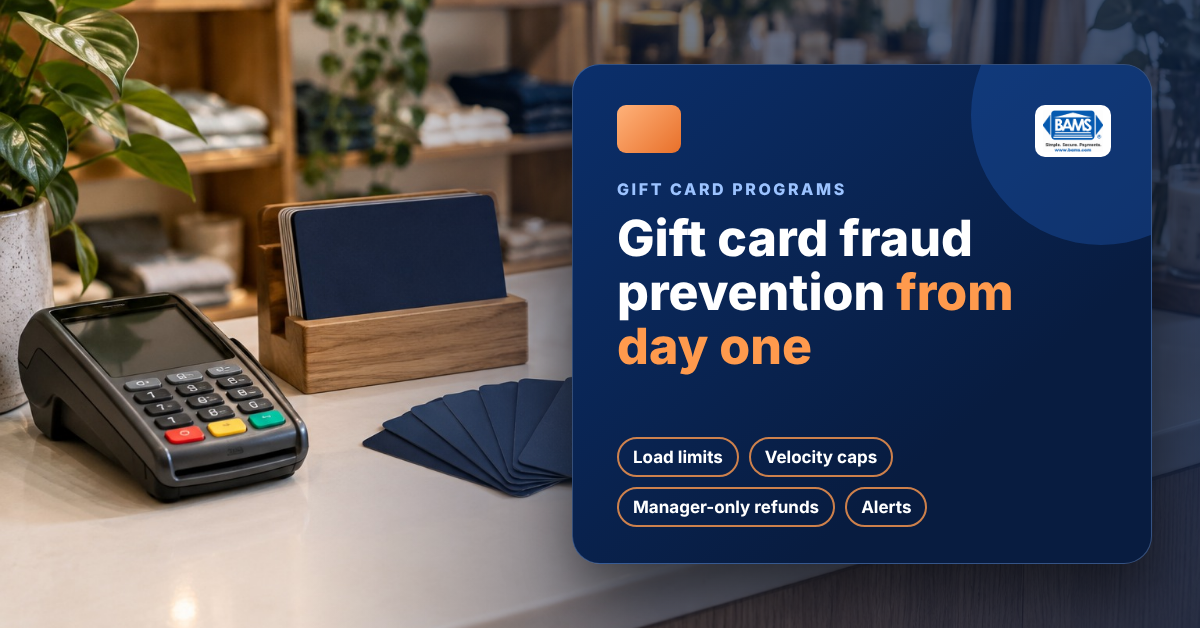
By the end of this tutorial, you’ll have a gift card program with gift card fraud prevention built into every layer: issuance controls, redemption limits, employee rules and alerts. So your program protects revenue from the first card sold, not after the first incident.
Success looks like this. Every card follows a controlled activation path and every redemption is checked against your rules. Meanwhile, your staff knows how to spot and escalate suspicious activity. You’ll also have a testing checklist to verify each safeguard before launch.
This matters because, according to loss prevention firm Appriss Retail, nearly 60% of retail security professionals reported a rise in gift card fraud and abuse. Independent businesses without security teams are especially exposed. This tutorial helps close that gap.
TL;DR
- Choose closed-loop cards. They keep activation, redemption and balance checks inside your own system, which shrinks your fraud surface compared to open-loop cards.
- Set load limits and velocity caps before your first sale. Gift card fraud prevention starts with a per-card maximum (around $250 for many small businesses) and a daily redemption limit (2 to 3 uses). Together, they block common fraud patterns at the system level.
- Separate refund workflows from gift card balances. Require manager approval for any refund to a gift card and review a daily report. Refund-to-gift-card fraud is a common way stolen funds get laundered.
- Lock employee permissions and train on real scenarios. Cashiers shouldn’t be able to override load limits or refund to gift cards. Also, 30 minutes of scenario-based training heads off costly mistakes.
- Test every safeguard before launch, not after. Run a full checklist of activation, redemption, velocity and alert tests with small real transactions. After all, a control that fails in testing will fail at the register.
Prerequisites and Setup Checklist
Before you begin, confirm you have the following. Otherwise, a missing item can stall you mid-setup.
- A point-of-sale (POS) system that supports closed-loop gift card management. Check your POS documentation for a gift card module.
- A merchant services account with a processor that handles gift card transactions. If you don’t have one yet, a Payment Processing Company like BAMS can set up card processing alongside a gift card program.
- Admin access to your POS dashboard and payment gateway settings.
- A dedicated email address for gift card alerts and exception notifications.
- Physical or digital card inventory ready for configuration (not yet activated).
- 30 to 60 minutes of uninterrupted setup time per step, plus one additional hour for staff training.
Potential blockers: Some POS platforms charge a monthly add-on fee for gift card features. So confirm pricing first, or you may stall at activation.
Why Fraud-First Configuration Beats Retrofit
Many small business gift card guides say to launch first and optimize later. That sequence is backwards. Fraud risk begins with the first activated card. And retrofitting controls after a loss means absorbing cost, retraining staff and rebuilding trust all at once.
Instead, this tutorial puts every protection decision into setup. You’ll build controls in the natural order: card type, activation, redemption, staff, testing and launch. At each stage, the safe setting appears beside the risky default, so you can see what you’re guarding against.
This isn’t an enterprise playbook. Every step assumes a small team and limited IT help.
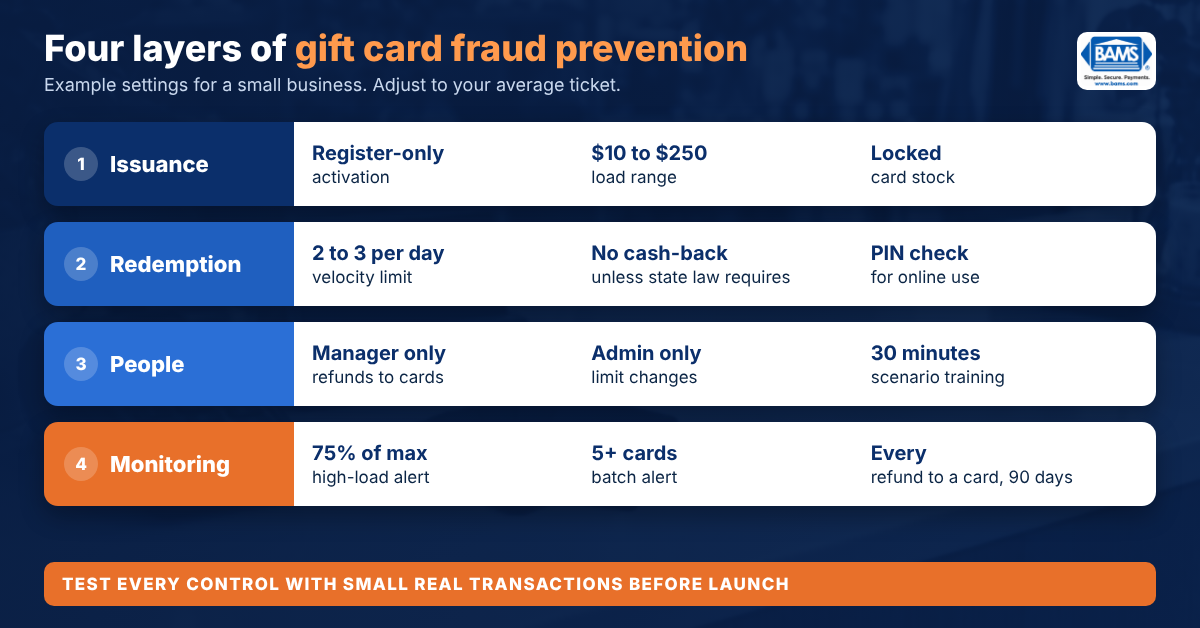
Example settings for each layer. Adjust them to your average ticket.
Step 1: Choose a Closed-Loop Gift Card Structure
Your first decision shapes your entire fraud surface. Select a closed-loop gift card system, which restricts cards to your own business, rather than an open-loop system that works anywhere a card network is accepted.
Closed-loop cards keep activation, redemption and balance checks in your own system. With open-loop cards, the card network and issuer handle much of that, so you have less visibility into how cards are used. For an independent business, that affects both gift card revenue and fraud risk.
Action: In your POS gift card module, select “Store-branded” or “Closed-loop” as the card type. If your platform offers both, compare the two options using this closed-loop vs. open-loop margin guide before committing.
Checkpoint: Your POS dashboard should now show a gift card program tied exclusively to your business name. If you see network logos (Visa, Mastercard) on the card configuration screen, you have selected open-loop by mistake.
Common failure: Some POS platforms default to open-loop if you skip the card-type selection screen. Always explicitly choose closed-loop rather than accepting the default.
Step 2: Configure Activation Controls That Block Pre-Activation Fraud
Gift card fraud often begins before a customer touches the card. Criminals tamper with physical cards on display racks, copy card numbers and wait for someone else to load value. Your activation controls are the first line of defense.
Action: In your POS gift card settings, enable the following:
- Register-only activation: Cards cannot hold value until a cashier processes an activation transaction. This should be the default, but verify it is toggled on.
- Activation receipt requirement: Every activation prints or emails a receipt with the card’s last four digits and the loaded amount. This creates an audit trail.
- Maximum load limit: Set a per-card ceiling. For most independent retailers and restaurants, $250 is a reasonable cap. Fraudsters prefer high-value cards because each stolen number pays more.
- Minimum load floor: Set this at $10 or $15 to deter micro-load testing, where criminals use small amounts to check whether stolen cards work.
Checkpoint: Attempt to activate a test card with $1. The system should reject it. Then attempt $300 (or whatever exceeds your cap). The system should reject that too. Both rejections confirm your limits are live.
Common failure: If your POS can’t enforce load limits, you’ll need to enforce them through staff training (Step 5). Document the policy in writing and post it at every register.
Step 3: Set Gift Card Velocity Limits and Redemption Rules
Redemption is where fraud turns into loss. Without rules, a compromised card can be drained in one transaction, sometimes through a channel you didn’t expect. So set guardrails that stop fraud without frustrating real customers.
Action: Configure these redemption parameters in your POS or gift card management system:
- Large redemption review: Consider flagging redemptions well above your average ticket for a quick manager check. A hard cap can frustrate a customer spending a full card on one purchase, so a review flag is often better.
- Gift card velocity limits: Restrict each card to 2 to 3 redemptions per 24 hours. Fraudsters who clone card numbers try rapid, back-to-back redemptions.
- No cash-back on gift cards: Disable any option that converts gift card value to cash, except where your state requires cash-out of small balances. Cash-back is a common loophole.
- Channel restriction: If you sell in-store only, disable online redemption until your eCommerce checkout validates gift card PINs, not just card numbers.
Checkpoint: Run two test redemptions on the same card within five minutes. Both should succeed. Then attempt a third. If your velocity limit is set to 2, the third should be declined or flagged.
Well-configured rules also improve the customer experience. After all, they help prevent a recipient from finding their balance stolen before they could use it.
Step 4: Stop Refund-to-Gift-Card Fraud
One of the least discussed risks for small businesses is refund-to-gift-card fraud. A fraudster purchases merchandise with a stolen credit card, returns the item and receives the refund on a gift card, effectively laundering stolen funds into store credit they can spend or resell. In one case described by Appriss Retail, a single store associate attempted 46 fraudulent returns worth nearly $10,000 in gift cards.
Action: Implement these refund policies in your POS and in your written store policy:
- Refunds go back to the original payment method. If a customer paid with a credit card, the refund goes to that credit card. Don’t offer a gift card instead, unless the original purchase was made with one.
- Manager approval for any refund-to-gift-card transaction. Require a manager override code or physical key turn for exceptions.
- Daily refund-to-gift-card report. Configure your POS to generate an end-of-day report showing every transaction where a refund was issued to a gift card. Then review it daily for the first 90 days and weekly after that.
Checkpoint: Process a test return and attempt to direct the refund to a gift card without manager approval. The system should block or flag the transaction.
Common failure: Some POS systems let cashiers override the refund method by default. Check your employee permission levels (Step 5) to ensure only managers have this capability.
Step 5: Lock Down Employee Permissions and Train Your Team
Fraud guardrails are only as strong as the people at the register. So this step covers both permissions and judgment.
Action (Permissions):
- Cashier-level accounts can activate gift cards and process redemptions within the limits you set in Steps 2 and 3. They cannot adjust load limits, override velocity caps, or process refunds to gift cards.
- Manager-level accounts can override redemption limits on a per-transaction basis (with a reason code logged) and approve refund-to-gift-card exceptions.
- Owner/admin accounts are the only level that can change program-wide settings such as load ceilings, velocity limits, or activation rules.
Action (Training): Conduct a 30-minute training session covering these scenarios:
- A customer asks to load $500 onto a single card. Response: Explain the store maximum and offer multiple cards if appropriate.
- A customer wants a cash refund for a gift card balance. Response: Politely decline and reference your posted policy. (Some states require cash-out of small balances, so check your state’s rules. Meanwhile, state lawmakers are watching gift card fraud closely.)
- A customer presents a gift card that the system flags as already redeemed or with a zero balance, but the customer insists it was never used. Response: Escalate to a manager, who checks the transaction log for the card number before issuing any replacement.
Checkpoint: Have a staff member log in with a cashier-level account and attempt to change the gift card load limit. The system should deny access. Then have them attempt a refund-to-gift-card transaction. It should require manager approval.
Step 6: Enable Monitoring and Alerts for Gift Card Anomalies
Automated monitoring catches patterns that manual review misses. Even basic alerts can sharply cut your response time.
Action: Configure the following alerts (many POS platforms support these directly or through integrations):
- High-value activation alert: Any single card loaded above 75% of your maximum triggers an email or SMS to the owner/manager.
- Velocity breach alert: Any card that hits the redemption velocity limit triggers a notification.
- Batch activation alert: Five or more cards activated in a single transaction (or by the same cashier within 15 minutes) triggers a flag. Legitimate bulk purchases happen (corporate gift card programs, for example), but they should be verified.
- Refund-to-gift-card alert: Every instance, without exception, generates a notification for the first 90 days.
If your POS lacks built-in alerts, ask your processor what gift card reporting it offers. BAMS runs gift card and loyalty programs alongside card processing, so you can review that reporting with your account team. For broader ideas, see our guide to fraud prevention tools.
Checkpoint: Trigger each alert type using test transactions. Verify that the notification arrives at the designated email or phone number within 5 minutes. If any alert fails to fire, check your notification settings and spam filters before going live.
Step 7: Secure Your Physical and Digital Card Inventory
Unactivated cards still carry risk. If a criminal copies card numbers before activation, they can watch balances and drain a card once a real customer loads it.
Action (Physical cards):
- Store unactivated card stock in a locked area, not on an open display rack. Only bring cards to the sales floor when a customer requests one.
- If you must display cards (for impulse purchases), use cards with concealed PINs under a scratch-off panel and inspect the display weekly for signs of tampering (shifted packaging, scratched panels, resealed sleeves).
- Track inventory counts. Know how many unactivated cards you have and reconcile weekly.
Action (Digital cards):
- Issue digital cards only through your POS or a trusted digital gift card system that creates unique card numbers at the moment of purchase.
- Never send card numbers in plain text via email. Instead, use a secure delivery link that asks the recipient to confirm by email or SMS code before showing the full number and PIN.
Checkpoint: Count your physical card inventory right now and record the number. Check again in one week. Any discrepancy that is not explained by sales records requires investigation.
Step 8: Test Every Gift Card Fraud Prevention Safeguard Before Launch
Don’t go live until you’ve verified every control with real transactions. Skipping tests is how businesses learn their velocity limits never saved, or their alerts go to an unmonitored inbox.
Action: Run through this testing checklist using real (but small-value) transactions:
- Activate a card at the minimum load amount. Expected result: Success, receipt generated.
- Attempt activation below the minimum. Expected result: Declined.
- Attempt activation above the maximum. Expected result: Declined.
- Redeem the card for a small purchase. Expected result: Success, balance updated.
- Attempt to exceed the velocity limit. Expected result: Declined or flagged on the third (or nth) attempt.
- Attempt a refund-to-gift-card without manager approval. Expected result: Blocked.
- Attempt a refund-to-gift-card with manager approval. Expected result: Success, alert generated.
- Verify all alerts arrived at the correct destination.
- Check the end-of-day report for accurate transaction logging.
Success definition: Every test produces the expected result. If any test fails, return to the relevant step and reconfigure before proceeding.
Configuration: Gift Card Load Limits by Business Type
These defaults suit many independent retailers, restaurants and service businesses. Still, adjust key settings to fit your business.
- Maximum load limit: A fine dining restaurant with a $150 average check might set gift card load limits at $500, while a coffee shop with a $7 average might use $100. Match the cap to your highest realistic gift.
- Velocity limit: Businesses that sell low-cost items (bakeries, quick-service restaurants) may need to allow 4 to 5 redemptions per day because a single card might cover multiple visits. High-ticket retailers can keep it at 2.
- Refund policy strictness: If your business rarely processes returns (salons, service providers), you can set a blanket “no refunds to gift cards” rule. Retailers with frequent returns need the manager-approval workflow.
- Alert sensitivity: Start with aggressive thresholds (alert on everything) for the first 90 days. Once you understand your baseline transaction patterns, relax thresholds to reduce noise while keeping critical alerts active.
Must-change settings: Change the default alert email from any generic address to one someone actually reads. An alert nobody reads protects nothing.
Common Errors and Fixes
“Gift card activated but shows $0 balance at redemption”
Cause: The activation transaction was voided or reversed after the customer left, sometimes by a system timeout, sometimes by employee error. Fix: Check the transaction log for the card number. If a void occurred, reactivate the card with the correct balance and investigate why the void happened.
“Customer says card was never used but balance is zero”
Cause: The card number was compromised before or after purchase (display-rack tampering or data breach). Fix: Pull the redemption history for the card. If redemptions occurred at times or locations inconsistent with the customer’s account, issue a replacement card and flag the compromised number. This is exactly the scenario your velocity limits and alerts are designed to catch early.
“Alerts are not arriving”
Cause: Email notifications are routed to spam, or SMS alerts are blocked by carrier filters. Fix: Whitelist your POS provider’s sending domain in your email client. For SMS, confirm the phone number format includes the country code. Re-trigger a test alert after making changes.
“Cashier accidentally overrode the load limit”
Cause: Employee permission levels were not properly restricted. Fix: Immediately review and correct permission settings (Step 5). Void the over-limit activation if the card has not left the store. If it has, flag the card number for enhanced monitoring.
“Bulk activation triggered a fraud alert but it was a legitimate corporate order”
Cause: Your batch activation alert is working correctly. Fix: Do not disable the alert. Instead, create a documented process for corporate gift card orders that requires advance notification to the manager, who can acknowledge the alert as expected activity.
Next Steps: Growing a Fraud-Resistant Gift Card Program
With your safeguards live, you are positioned to grow your program confidently. Here are three directions to explore:
- Add a digital gift card channel. If you launched with physical cards only, digital cards are a natural next step, as long as the same controls apply. Our gift card program management gaps post covers what to watch as you grow.
- Build a loyalty conversion workflow. When a gift card recipient redeems their final balance, prompt them to join your loyalty program. This converts one-time visitors into repeat customers.
- Review your fraud data quarterly. After 90 days, analyze your alert logs and exception reports. Patterns in declined transactions or flagged cards will reveal whether your thresholds need tightening or relaxing.
Your gift card revenue grows when customers trust your program. So the controls you just built aren’t only gift card fraud prevention. They’re the foundation of that trust.
Frequently Asked Questions
What is gift card processing and how does it work?
Gift card processing is the system that activates, tracks and redeems gift card balances through your point-of-sale terminal. When a customer purchases a gift card, the POS sends an activation request to the card management system, which assigns a balance to that card’s unique number. At redemption, the system verifies the card number, checks the balance, deducts the purchase amount and returns the remaining balance. Often the whole cycle runs through your POS and processor, so choosing one with strong gift card controls matters from the start.
How do closed-loop and open-loop gift card systems differ in fraud risk?
Closed-loop cards work only at your business, so you control activation rules, redemption limits and monitoring. Open-loop cards work anywhere the card network is accepted, so you rely more on the network and issuer and see less of how cards are used. For independent businesses, closed-loop programs often carry lower fraud risk because every transaction runs through your own POS.
When is the best time to launch a gift card program?
Launch at least 4 to 6 weeks before your peak sales season (holiday season for most retailers, Mother’s Day for restaurants and spas, back-to-school for service businesses). This buffer gives you time to test every fraud safeguard, train staff and resolve any configuration issues before transaction volume spikes. Launching during a slow period also lets you establish baseline transaction patterns, making it easier to spot anomalies when volume increases.
Which gift card fraud prevention features should a platform have?
Prioritize these features: register-only activation (cards hold no value until processed), configurable load minimums and maximums, per-card velocity limits on redemptions, role-based employee permissions, automated alerts for suspicious activity and end-of-day reporting that separates gift card transactions from regular sales. If a platform can’t handle at least load limits and permission tiers, it lacks basic fraud controls.
How can gift cards help increase customer spending and loyalty?
Gift cards bring in revenue up front and recipients often spend beyond the card’s value. Our post on why you should offer gift cards covers the revenue side. They also introduce new customers to your business, since the purchaser and the recipient are often different people. When you pair gift card redemption with a loyalty program sign-up prompt, you convert one-time visitors into repeat customers, compounding the revenue impact over time.
What should I do if I suspect internal gift card fraud by an employee?
Pull the transaction logs for the suspected employee’s cashier ID immediately. Look for patterns: repeated refunds to gift cards, activations during low-traffic hours, or cards activated and redeemed in rapid succession. Restrict the employee’s POS permissions to prevent further gift card transactions while you investigate. Document everything. If the evidence supports fraud, check local labor laws before taking action and report it to law enforcement if the amount warrants it.