

Gift Card Fulfillment Workflow: Launch a Branded Program on a Small Team Budget
Guide Orientation: What This Covers and Who It’s For
This guide walks small business owners through launching a branded gift card program on a budget. In particular, it focuses on the gift card fulfillment workflow that makes or breaks the experience. If you run a retail shop, restaurant, salon, or service business and want to add gift cards without hiring new staff or overhauling your tech stack, this is for you.
By the end, you’ll know how to design affordable branded cards and connect them to your point of sale or online store. You’ll also build repeatable workflows that close the manual tracking gaps where programs quietly fall apart.
This guide does not cover enterprise loyalty program architecture or multi-country gift card distribution. It focuses on practical, budget-conscious execution for teams of one to ten people.
TL;DR
- Gift card fulfillment is a systems problem, not a staffing problem. A gift card fulfillment workflow breaks in the handoffs between ordering, activation, delivery and balance tracking. So automate those handoffs instead of adding staff.
- A connected setup is the foundation. When your POS, gift card system and online store are connected, a gift card sale can trigger activation, balance assignment and delivery. Without that, every sale needs manual bridging and errors creep in.
- Gift card balance sync prevents costly mistakes. Pick one gift card source of truth for balances, sync everything else to it and reconcile weekly. Small gaps today become accounting and service problems later.
- Launch small and validate before expanding. Start with one channel, review your first 30 transactions by hand and use real data to decide what’s next. A correct process at low volume scales well. A broken one at high volume is expensive to fix.
- Design is the easy part; the workflow is the investment. Branded cards can be produced affordably using printer templates and POS design tools. Spend your budget and attention on the fulfillment workflow that determines whether customers actually have a good experience.
Why Launching Branded Gift Cards Matters Now
Gift cards aren’t just a nice perk. They’re a revenue tool. When a customer buys a gift card, you receive cash today for a product or service delivered later. For a small business managing tight cash flow, that timing difference is significant.
The bigger opportunity goes beyond the first sale. Gift cards bring new customers through the door, since the recipient often hasn’t visited before. Recipients also often spend beyond the card’s value. Our gift card program strategy guide covers the revenue timing in more detail.
Skipping gift cards costs more than missed revenue. Many customers expect gift cards from businesses they visit. So when a competitor offers them and you don’t, the gift buyer simply shops elsewhere.
What holds many small businesses back isn’t the idea. It’s the execution. Specifically, the invisible operational work between a customer placing a gift card order and that card arriving, activated, trackable and redeemable. That fulfillment layer is where programs stall and it’s where this guide focuses.
Core Concepts: A Gift Card Fulfillment Workflow Is a Systems Problem
The Fulfillment Gap
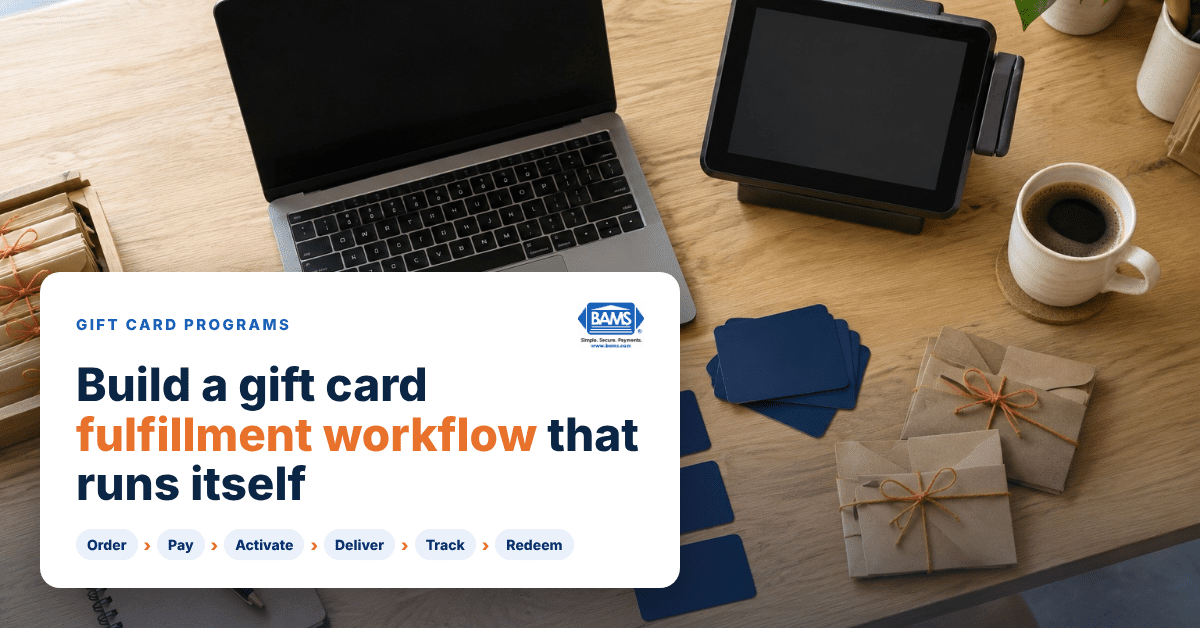
Many small business owners think gift card fulfillment means “someone needs to mail the card” or “someone needs to email the code.” That’s the visible part. The invisible part, the part that causes errors, is the chain of handoffs: order placed, payment confirmed, card activated in the system, delivery triggered, balance tracked, redemption recorded.
When any link relies on a person remembering a manual step, the system breaks. Not dramatically, but quietly. A card gets activated but never mailed. A digital code gets sent but the balance doesn’t sync to the POS. Or a customer redeems in-store but the online balance never updates.
Gift Card Balance Sync Across Platforms
Gift card balance sync means every system touching your gift cards (POS, online store, gift card platform, email tool) agrees on the same facts: this card exists, it has this balance, it was purchased on this date, it was redeemed for this amount. When those systems disagree, you get customer complaints, accounting errors and staff spending time on detective work instead of serving customers.
Integration vs. Manual Bridging
Integration means your systems talk to each other automatically. Manual bridging means a human copies information from one system to another. On a tight budget, you won’t remove every manual step on day one. Instead, find the handoffs that cause the most errors and automate those first.
The Framework: Four Phases of a Budget Gift Card Launch
A budget gift card launch follows four phases. Each builds on the last, so skipping ahead creates the very gaps this guide helps you avoid.
- Phase 1: Design and Production. Create branded physical or digital cards affordably.
- Phase 2: System Connection. Link your gift cards to your POS, processor and online store so data flows without re-entry.
- Phase 3: Workflow Automation. Build repeatable processes for order confirmation, activation, delivery and balance tracking.
- Phase 4: Monitoring and Adjustment. Track redemption rates, identify failure points and refine the system over time.
These phases are sequential for your first launch. Once the system is running, Phases 3 and 4 become a continuous loop. The framework treats fulfillment as one lifecycle rather than separate tasks, which prevents the fragmentation where many small programs fail.
Step-by-Step Breakdown: Building Your Gift Card Program
Step 1: Design Branded Cards Without a Design Budget
Objective: Produce professional physical or digital gift cards that reflect your brand, ideally for a few hundred dollars or less.
You don’t need a graphic designer. Many gift card printers provide free templates that you customize with your logo, brand colors and a simple message. For digital cards, your POS provider likely offers a built-in card design tool. Start there before exploring external options.
For physical cards, order in small batches (50 to 100 cards) to test demand before committing to a large print run. Many print suppliers offer small-batch pricing specifically for small businesses. Include a barcode or magnetic stripe that matches your POS system’s requirements. Confirm compatibility before you order. After all, a beautiful card that can’t be scanned at checkout is a paperweight.
Anti-patterns: Don’t over-invest in packaging or premium card stock for your first run. Don’t design cards without confirming the technical format your POS needs. Don’t skip digital cards entirely because you think your customers prefer physical ones. Offer both from day one.
Success indicators: You have branded cards (physical, digital, or both) that scan or activate correctly in your POS system. Design and first-batch costs stay within your budget.
Step 2: Connect Gift Cards to Your POS and Payment Processing
Objective: Ensure that when a gift card is sold, the payment, activation and balance creation happen as one connected event rather than three separate manual tasks.
This is where many budget programs break down. The sale happens at the register or online, but the card activation lives in a different system and the balance tracking lives in a spreadsheet. That fragmentation drives many gift card complaints.
Your POS and processor setup is the linchpin. When it’s connected correctly, a gift card sale triggers activation and balance assignment. The record then carries the card ID, amount and time stamp into your reporting without manual entry. If your current setup can’t activate cards as part of the sale, consider alternatives. A Payment Processing Company like BAMS offers gift card and loyalty programs alongside card processing, which can simplify setup for teams without IT staff.
For online sales, confirm that your eCommerce platform can trigger digital card delivery (email or SMS) once payment clears. This is a webhook, a small automated message sent from one system to another when an event occurs. If your platform supports webhooks, you can connect payment confirmation to card delivery without writing code.
Anti-patterns: Don’t treat the payment and the activation as separate steps that a staff member bridges manually. Don’t assume your POS and online store will sync balances without explicit setup. Don’t launch online gift card sales without testing the full purchase-to-delivery flow yourself first.
Success indicators: A test gift card purchase (both in-store and online) results in automatic activation, correct balance assignment and delivery without any manual intervention beyond the initial sale.

Move each step from a person to a system.
Step 3: Build a Gift Card Fulfillment Workflow You Can Repeat
Objective: Create a documented, repeatable process for every gift card order that eliminates reliance on any single person’s memory.
A workflow is not a checklist taped to the register. It’s a sequence of triggers and actions where each step initiates the next one. For a small team, it should be simple enough for anyone to follow and sturdy enough to catch errors first.
First, map the lifecycle: order placed, payment confirmed, card activated, delivery sent, delivery confirmed and balance ready to redeem. For each stage, identify who or what is responsible. “Who” means a person. “What” means an automated system. Your goal is to move as many stages as possible from “who” to “what.”
Larger programs follow the same idea. For example, one software agency describes replacing two manual gift card workflows with a single automated interface for a corporate rewards program. At a smaller scale, the lesson is simple: track everything in one view rather than three systems.
For physical cards, batch your shipping. Process orders once daily at a set time rather than ad-hoc throughout the day. This reduces errors and lets you check the day’s orders against POS records in one pass. For digital cards, however, automation handles this. Still, verify that delivery emails arrive by checking spam filters and testing several email providers.
Anti-patterns: Don’t rely on memory for any step. Don’t split tracking across a POS report, a spreadsheet and an email folder. Don’t skip delivery confirmation, since a buyer who never gets one will call you.
Success indicators: Any team member can process a gift card order from start to finish using the documented workflow. No order sits unprocessed for more than 24 hours. You can determine the status of any gift card order within 60 seconds.
Step 4: Choose a Gift Card Source of Truth and Sync Balances
Objective: Make sure every system that touches gift card data (POS, online store, payment processor, accounting software) reflects the same balance and transaction history at all times.
Gift card balance sync isn’t a technical luxury. Rather, it’s the difference between a smooth experience and a frustrating one. When a customer buys a $50 gift card online and tries to use $30 of it in your store, your POS needs to know that card exists and has a $50 balance. After the in-store purchase, your online store needs to reflect the remaining $20.
Start by naming your gift card source of truth. That’s the one system all others defer to for balances. For many small businesses, it’s the POS. Your online store should then check the POS (or a shared database) for balances rather than keeping its own ledger.
Real-time data exchange between your ordering and tracking systems prevents the most common consistency failures. If real-time sync isn’t available with your current tools, establish a sync schedule (every 15 minutes, every hour) and document it so your team knows the maximum delay between a transaction and its reflection across systems.
Even so, the principle scales down. Even connecting two systems (POS and online store) through a shared data source removes a whole category of manual reconciliation errors.
Anti-patterns: Don’t maintain gift card balances in two independent systems. Don’t assume syncing “just works” without testing a cross-channel redemption. And don’t ignore small discrepancies, because a $2 mismatch today can become a bigger accounting problem later.
Success indicators: A gift card purchased online can be redeemed in-store (and vice versa) with the correct balance reflected within your defined sync window. End-of-day gift card liability in your accounting matches the sum of outstanding balances in your POS.
Step 5: Set Up Monitoring That Catches Problems Before Customers Do
Objective: Establish simple, low-effort monitoring that flags fulfillment failures, balance discrepancies and delivery issues automatically.
Monitoring doesn’t have to mean dashboards. For a small business, it mostly means alerts. You want to know when something goes wrong, not stare at a screen waiting.
Set up three alerts at minimum. First, an alert for any gift card order that hasn’t been fulfilled within your target window (e.g., digital cards not delivered within 5 minutes, physical cards not shipped within 24 hours). Second, an alert for any balance discrepancy between your POS and your online store that exceeds a threshold you define (even $1). Third, a weekly summary of total gift cards sold, total redeemed and total outstanding liability.
Many POS systems and eCommerce platforms support basic email alerts or can export data to a simple spreadsheet that flags exceptions. In fact, you don’t need monitoring software. You need one person who reviews exceptions daily and a system that surfaces those exceptions without requiring manual searching.
Large platforms work the same way. One agency case study describes a gift platform that ties payment confirmation, fulfillment and reconciliation into one flow, even at holiday peaks. Your scale is smaller, but the principle holds: treat payment, fulfillment and reconciliation as one lifecycle.
Anti-patterns: Don’t wait for customer complaints to discover fulfillment failures. Don’t check reports only at month-end. Don’t build monitoring that requires more than 10 minutes of daily attention.
Success indicators: You catch and resolve fulfillment issues before customers report them. Your weekly liability report reconciles within an acceptable margin. No gift card order goes unfulfilled without a flag.
Step 6: Run a Gift Card Soft Launch, Then Expand
Objective: Go live with a controlled launch, gather real operational data and use it to decide where to invest next.
Don’t launch to everyone at once. Start with in-store only, or online only, or a specific card denomination. This limits your exposure while you validate that every handoff in your workflow performs correctly under real conditions. A gift card soft launch with 20 to 30 transactions will reveal issues that testing alone can’t.
During your first two weeks, personally review every gift card transaction. Check that activation happened, delivery occurred and the balance is correct. However, this manual review is temporary. Its purpose is to verify that your automated systems are working, not to replace them.
After two weeks, review your data. What percentage of digital cards were delivered within your target window? How many physical orders shipped on time? Were there any balance discrepancies? Use these numbers to decide your next investment: more card inventory, expanded online presence, or additional automation for the step that’s still causing friction.
Build correctly now and growth won’t require hiring at the same pace. Also lock down fraud controls before you scale. See our guide to gift card fraud prevention.
Anti-patterns: Don’t launch across all channels simultaneously. Don’t skip the manual review period. Don’t expand card offerings (new denominations, custom amounts, corporate bulk orders) before your core workflow is stable.
Success indicators: Your first 30 transactions complete without manual intervention beyond what your workflow specifies. Customer-reported issues are zero or near-zero. You have data to inform your next investment decision.
Practical Examples: Two Scenarios Compared
Scenario A: The Café With No Integration
A café owner orders 100 branded gift cards from a printer. The cards look great. Then a customer buys one at the register. The barista writes the amount on a sticky note, hands the card to the customer and later enters the sale into a spreadsheet. When the recipient comes to redeem, the barista checks the spreadsheet, finds the entry, manually subtracts the purchase amount and writes the new balance on the sticky note column.
Within a month, two cards have no spreadsheet entry (the barista forgot). One card shows a $25 balance in the spreadsheet but the customer insists it should be $40. As a result, the owner spends 45 minutes reconciling. Multiply this across a holiday season and the program becomes a net time cost rather than a revenue driver.
Scenario B: The Café With Connected Systems
The same café owner connects gift cards to the POS system. When a card is sold, the POS activates it, assigns the balance and records the transaction. When the card is redeemed, the POS deducts the amount and updates the balance in real time. The owner adds online gift card sales through the café’s website, connected to the same POS database. A weekly automated report shows total cards sold, total redeemed and outstanding liability.
As a result, the time investment shifts from daily tracking to a 10-minute weekly review. Errors drop sharply because no one is copying data between systems. The owner’s holiday season is busy with customers, not spreadsheets.
Common Mistakes and Pitfalls
Treating gift cards as a marketing project instead of an operations project. The design and promotion are the easy parts. Instead, the fulfillment workflow is where programs succeed or fail. So allocate your time accordingly.
Choosing a gift card provider based on card price alone. The cheapest cards that don’t integrate with your POS will cost more in labor than premium cards that do. Evaluate total cost of operation, not unit cost.
Ignoring the liability side. Every unredeemed gift card balance is a liability on your books. If you don’t track outstanding balances accurately, your financial statements are wrong. That matters for taxes, loan applications and your true cash position too.
Assuming digital is easier than physical. Digital gift cards eliminate shipping but introduce their own failure modes: emails landing in spam, codes that don’t activate, mobile rendering issues. Test the digital experience as rigorously as you’d test a physical product.
Building for scale before building for correctness. Get 30 transactions right before worrying about 3,000. A broken process at high volume costs far more to fix than one caught early.
What to Do Next
Start with one action: map your current gift card fulfillment lifecycle on a single sheet of paper. If you don’t have a gift card program yet, map the lifecycle you’d need. Then identify every handoff between systems or people. Circle the ones that depend on someone remembering to do something. In short, those circles are your automation priorities.
Next, check whether your POS supports integrated gift card activation and balance tracking. If it does, enable it right away. If it doesn’t, that’s your first investment decision. Everything else in this guide builds on that foundation.
This guide is a reference, not a checklist you complete once. Also revisit the monitoring and balance sync sections as your program grows. The workflows that serve 50 gift cards a month may need adjustment at 500. Build the system correctly now and those adjustments will be refinements rather than rebuilds.
Frequently Asked Questions
How much does it cost to launch a basic branded gift card program?
Costs vary by printer and platform, but a basic launch can be modest. Printer templates are often free and small batches (50 to 100 cards) keep printing costs low. Digital cards often use your POS’s built-in tools. The bigger cost is usually the gift card module or integration, so get quotes before you commit.
Do I need separate systems for physical and digital gift cards?
No. In fact, you should avoid separating them. The goal is a single source of truth for all gift card balances, whether the card is physical or digital. Many modern POS systems manage both formats in one module. If your POS doesn’t support digital delivery, look for an eCommerce integration that syncs back to the POS rather than running an independent balance ledger.
What are the best practices for ensuring data consistency across integrated systems?
Designate one system (usually your POS) as the authoritative source for gift card balances. All other systems should read from or sync to that source. Test cross-channel redemption before launch (buy online, redeem in-store and vice versa). Next, set a sync frequency and document it. Run a weekly reconciliation comparing total outstanding balances across all platforms. Flag and investigate any discrepancy, no matter how small.
Can I manage gift card fulfillment without dedicated operations staff?
Yes, but only if your systems handle the repetitive handoffs automatically. The key is a connected setup that ties the sale, activation and delivery into one gift card fulfillment workflow. Manual fulfillment is sustainable at very low volumes (under 10 cards per week) but breaks down quickly during peak periods like holidays. Invest in automation for the steps that happen most frequently.
How do I handle gift card liability for accounting purposes?
Every gift card sold creates a liability equal to the card’s face value. Then, as cards are redeemed, the liability decreases. Your accounting system needs to reflect outstanding gift card balances accurately. Most POS systems generate a gift card liability report. So review it monthly and reconcile it against your general ledger. Also note that federal rules generally bar gift card funds from expiring within five years of issue or last load. Ask your accountant about breakage and state unclaimed property rules, which vary by state.
What should I do if my POS system doesn’t support gift card integration?
First, check whether your POS provider offers a gift card module as an add-on. Many do, so activation is usually simple. If your POS genuinely doesn’t support gift cards, you have two options: switch to a POS that does (which may be warranted if you’re also dissatisfied with other features) or use a standalone gift card platform that can connect to your POS via API or manual import. The standalone route works but requires more careful attention to data consistency, since you’re bridging two systems rather than operating within one.


