
Customer Payment Experience: Funeral Home Plan Setup
TL;DR
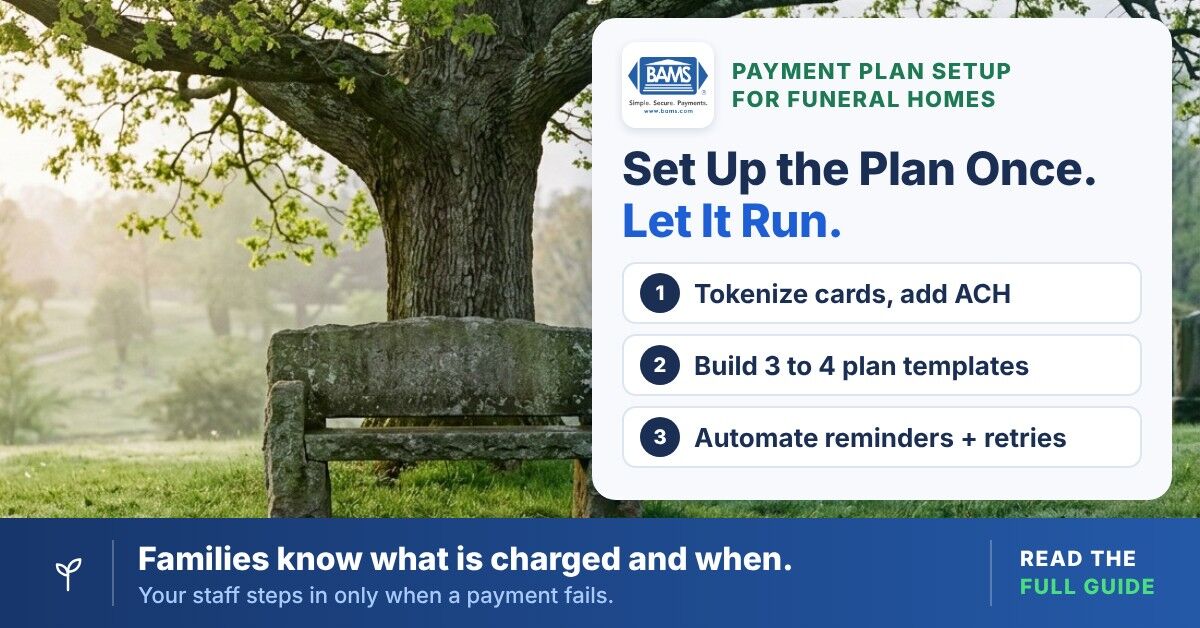
- Build installment plans into your merchant account – Configure recurring billing templates (3 to 4 plan options) that match your most common funeral contract structures, so families choose a plan at arrangement and everything runs automatically from there.
- Offer ACH alongside card payments – Bank drafts usually cost less than card processing and bank accounts don’t expire mid-plan the way cards do. That can reduce both costs and failed payments on high-ticket contracts.
- Automate reminders and retry logic – Send payment reminders 3 days before each charge and configure 2 automatic retries for declines, so your staff rarely has to make an awkward collection call to a grieving family.
- Confirm which transactions get next-day funding – Ask your processor to confirm in writing whether recurring and ACH transactions fund the next business day, not just one-time card payments. Faster funding helps close the cash flow gap during insurance assignment delays.
- Reconcile insurance assignments manually – When the assignment check arrives, pause the installment plan, apply the credit and adjust or cancel remaining payments to prevent double-charging the family.
What You Will Build: An Automated Family Payment Plan That Protects Compassion and Cash Flow
By the end of this tutorial, you will have a fully configured family payment plan system that collects installments automatically, supports next-day funding to your operating account and removes your staff from the uncomfortable role of debt collector. The gap between insurance assignment and getting paid is a structural cash flow problem and this guide helps close it with precise payment orchestration steps built for funeral home transaction timelines.
Your success criteria are clear: families receive a transparent, compassionate customer payment experience with scheduled payments they agreed to at arrangement. If you qualify for next-day funding, your account receives funds the next business day. Your staff no longer makes routine follow-up calls about installments. You can verify all three within 30 days of completing setup.
Prerequisites and Setup Checklist
Before you begin, confirm you have the following in place. Missing any one of these will stall configuration.
- Active merchant account with a processor that supports both card-present and card-not-present transactions (your current terminal provider may not support recurring billing)
- Virtual terminal access so your arrangement staff can key in card or ACH details during the conference without requiring the family to swipe
- Recurring billing module enabled on your gateway (not all gateways include this by default)
- ACH/eCheck capability in addition to card processing, since many families prefer bank drafts for recurring payments
- A written installment agreement template that includes the family’s written authorization for recurring card or ACH charges, reviewed by an attorney for state preneed trust and FTC Funeral Rule requirements
- Staff login credentials for your payment gateway dashboard
Time estimate: 3 to 5 hours for initial configuration, plus 1 hour of staff training. The most common blocker is discovering your current processor does not support recurring billing or ACH. Identify this early.
Why This Approach Works for Funeral Homes
Generic installment plugins are built for eCommerce checkout flows where a customer clicks “buy” and receives a product. Your situation is different. You deliver services before full payment arrives. Insurance assignments can take weeks to pay out. Families are grieving, not shopping. The customer payment experience has to reflect that. These realities demand a payment structure designed around your timeline, not a cart-abandonment funnel.
This tutorial configures your merchant account tools to handle three distinct payment events: an at-need deposit at arrangement, scheduled installments during the insurance assignment gap and a final reconciliation payment. Payment orchestration means coordinating multiple payment methods and providers through one platform. That is what you are building here, sized for a 1 to 10 location funeral operation instead of a global retailer.

Configure once at the gateway, then test with $100 before families enroll.
Step-by-Step: Configure Your Family Payment Plan System
Step 1: Audit Your Current Merchant Account Capabilities
Action: Log in to your payment gateway dashboard and check for three features: recurring billing, ACH/eCheck processing and card-on-file tokenization. Look under “Settings” or “Account Features.” If you see only a basic terminal authorization screen, your gateway likely lacks recurring capability.
Expected result: You can confirm all three features are active, or you have a clear list of what is missing. If recurring billing or ACH is unavailable, contact your processor’s support line and request activation. Some processors charge an additional monthly fee for the recurring module, so ask for pricing in writing.
Common failure: Some funeral homes still use terminals that process one-time payments only. If your processor cannot add recurring billing, this is the point where you evaluate a new merchant services partner. Misaligned payment tools are a common cause of funeral home cash flow gaps.
Step 2: Enable Card-on-File Tokenization
Action: In your gateway dashboard, navigate to the security or tokenization settings. Enable “card-on-file” or “customer vault” functionality. This stores an encrypted token representing the family’s payment method so you can charge scheduled installments without asking for card details again.
Expected result: When you enter a test card number, the system returns a token (a string of characters) instead of storing the raw card number. This token is what your recurring billing engine references for future charges.
Common failure: Storing card data outside a PCI-compliant tokenization system exposes your funeral home to data breach liability. Confirm your gateway is PCI DSS compliant and that tokens cannot be reverse-engineered to reveal card numbers. Never store raw card numbers in your arrangement software, spreadsheets, or paper files.
Step 3: Configure ACH/eCheck as a Payment Rail
Action: Request ACH processing activation from your merchant services provider. You will need to provide your funeral home’s business bank account details and possibly a voided check. Once approved, add ACH as a payment option in your virtual terminal alongside card payments.
Expected result: Your virtual terminal now shows two payment method options: credit/debit card and ACH bank transfer. ACH transactions usually carry lower processing fees than cards, often a flat amount per payment instead of a percentage. That difference matters on a $15,000 service contract.
Why this matters: Families paying in installments over 3 to 6 months often prefer bank drafts. Offering ACH can lower your processing costs and failed payments because bank accounts do not expire the way cards do. Nacha rules require the family’s authorization for recurring debits, so capture it in your signed agreement. The result is a smoother customer payment experience during the insurance assignment waiting period.
Step 4: Build Your Installment Plan Templates
Action: In your recurring billing module, create 3 to 4 plan templates that match your most common contract structures. For example:
- Plan A: 25% deposit at arrangement, then 3 equal monthly payments
- Plan B: 50% deposit at arrangement, balance due upon insurance assignment (single future charge)
- Plan C: 10% deposit, then 6 monthly payments (for families without insurance)
- Plan D: Full payment at arrangement (for families who prefer to settle immediately)
Expected result: Each template auto-calculates payment amounts when your staff enters the total contract value. The system schedules charges on the dates you specify and associates each plan with a tokenized payment method.
Checkpoint: Run a test enrollment using Plan A with a $12,000 contract. Confirm the system calculates a $3,000 deposit and three payments of $3,000 each, scheduled 30 days apart. If the math is wrong, check your template’s division logic and rounding rules.
Step 5: Set Up Automated Payment Reminders
Action: Configure your gateway to send email or SMS reminders (with the family’s consent to receive texts) to the family 3 to 5 days before each scheduled charge. Most recurring billing modules include this under “Notifications” or “Customer Communications.” Customize the message to reflect your funeral home’s tone.
Sample reminder language: “This is a courtesy reminder that your scheduled payment of [amount] for [funeral home name] will be processed on [date]. If you need to update your payment method, please contact us at [phone number]. Thank you.”
Expected result: The family receives a gentle, professional notification before each charge. This prevents surprise charges during an already difficult period and a charge the family expected is less likely to be disputed. Reminders like these protect the customer payment experience. For a full follow-up sequence, see our automated reminder workflow tutorial.
Step 6: Activate Next-Day Funding
Action: Contact your merchant services provider and request next-day funding for both card and ACH transactions. Not all processors offer this and some take two to three business days to fund, which compounds the cash flow gap you are already experiencing from insurance assignment delays.
Expected result: When a scheduled installment is batched on Monday before your processor’s cutoff, the funds can reach your business bank account Tuesday morning. This is critical for funeral homes that must pay casket suppliers, embalmers and cemetery fees before the family’s insurance assignment clears.
Common failure: Some processors advertise next-day funding but exclude ACH or recurring charges. Get written confirmation of which transaction types qualify. BAMS, for example, offers next-day funding for qualifying merchants at no additional fee, covering Visa, Mastercard, Discover, American Express and ACH payments. Batches submitted before the 9:00 PM ET cutoff are available by 7:00 AM ET the next business day. You can also explore how working capital management for funeral homes connects funding speed to daily operations.
Step 7: Create the Arrangement Conference Payment Workflow
Action: Write a step-by-step script your arrangement staff follows at the end of every conference. This workflow replaces the awkward “how would you like to pay” conversation with a structured, compassionate process.
- Step 7a: Present the total contract amount and the available payment plan options (Plans A through D from Step 4)
- Step 7b: Once the family selects a plan, have the responsible party sign the installment agreement and recurring payment authorization (from your compliance-reviewed template)
- Step 7c: Open your virtual terminal, enter their payment method (card or ACH) and process the initial deposit
- Step 7d: Enroll the family in the selected recurring plan template
- Step 7e: Give the family a copy of the signed agreement and payment schedule
- Step 7f: Confirm the family will receive automated reminders before each future charge
Expected result: With practice, payment setup takes only a few minutes at the arrangement table. The family leaves knowing exactly what will be charged and when. That clarity is the heart of a good customer payment experience and your staff no longer has to make routine follow-up calls about the balance.
Step 8: Configure Failed-Payment Retry Logic
Action: In your recurring billing settings, set up automatic retry rules for declined transactions. A common configuration is: retry once after 3 days, retry again after 7 days, then flag for manual follow-up if both retries fail.
Expected result: Temporary declines (insufficient funds, a temporary bank hold) often resolve automatically without staff intervention. Only persistent failures require a phone call and by that point you have documentation of two automated retry attempts.
Common failure: Card networks limit reattempts on declined transactions. Under Visa’s reattempt rules, some decline codes can never be retried and declines in the “issuer cannot approve at this time” category allow up to 15 reattempts in 30 days. Excessive retries can bring network fees, so keep automated retries to 2 or 3 and never retry a decline that signals a closed or invalid account.
Step 9: Reconcile Insurance Assignment Payments Against Installment Balances
Action: When an insurance assignment check arrives (often several weeks after the service), log in to your recurring billing dashboard. Locate the family’s active plan. Apply the insurance payment as a lump-sum credit, then adjust or cancel remaining installments accordingly.
Expected result: The family’s remaining balance updates to reflect the insurance payment. If the assignment covers the full balance, cancel the recurring plan and send the family a confirmation. If a balance remains, the installment schedule continues for the difference.
Checkpoint: Verify that the family is not double-charged. If an installment is scheduled to process the same week the insurance check arrives, pause the plan before depositing the assignment check. Resume or cancel only after reconciliation is complete.
Step 10: Train Your Staff and Document the Process
Action: Schedule a 60-minute training session with every employee who handles arrangement conferences or bookkeeping. Walk through the virtual terminal, recurring plan setup, reminder configuration and insurance reconciliation process. Create a one-page quick-reference guide they can keep at their desk.
Expected result: Every staff member can enroll a family in a payment plan, process a deposit and reconcile an insurance assignment without calling you for help. The quick-reference guide covers the 5 most common scenarios they will encounter.
Common failure: Skipping training leads to inconsistent plan setup, which causes billing errors and erodes the family’s trust in the customer payment experience you built. Invest the hour. It can save many hours of cleanup later.
Configuration and Customization
Key Variables to Adjust for Your Operation
- Deposit percentage: 25% is a common starting point for at-need arrangements. If your average contract exceeds $15,000, consider offering a 10% to 15% deposit option to reduce family friction at arrangement. State regulations may dictate minimum deposit requirements for preneed contracts.
- Installment frequency: Monthly is standard. Bi-weekly works for families who are paid every two weeks and prefer smaller amounts. Avoid weekly billing, as it generates excessive transaction fees and overwhelms families with notifications.
- Reminder timing: 3 to 5 business days before the charge works well for most families. Much earlier and families may forget. Too late (1 day) and they cannot update a payment method in time.
- Retry interval: 3 days for the first retry, 7 days for the second. This setting depends on your processor’s retry policy. Check with your provider before exceeding 2 retries.
- Payment method preference: Default to ACH for installment plans (lower fees, fewer expirations) and offer card as a backup. Let the family choose, but present ACH first.
Verification and Testing
Before going live with families, run this test procedure:
- Create a test customer profile using your own payment method
- Enroll in Plan A with a $100 test contract ($25 deposit, three payments of $25)
- Confirm the deposit processes and funds arrive next business day
- Verify the reminder email or SMS arrives 3 days before the first scheduled installment
- Let the first installment process automatically and confirm next-day funding
- Simulate a failed payment by using a test decline card (your gateway documentation will list test card numbers). Confirm the retry logic triggers correctly
- Apply a manual credit to simulate an insurance assignment and verify the remaining balance adjusts
Success definition: All 7 checkpoints pass without manual intervention (except the insurance reconciliation, which is intentionally manual). If any step fails, revisit the corresponding configuration step above before enrolling real families.
Common Errors and Fixes
Error: “Recurring billing not supported for this MID”
Cause: Your merchant identification number (MID) was set up for retail (card-present) transactions only. Fix: Contact your processor and request a MID upgrade or a secondary MID enabled for card-not-present and recurring transactions. This may require a new application.
Error: Installment charges declining with code “Do Not Honor”
Cause: “Do Not Honor” is a generic decline, so the issuer hasn’t said why. Common reasons include risk screening on a large charge, a card limit or an incorrect merchant setup. Funeral homes should be classified under merchant category code (MCC) 7261, Funeral Service and Crematories. Fix: Confirm your MCC is correct with your processor. If declines persist, ask the family to contact their card issuer and authorize recurring charges from your business name.
Error: ACH transactions returning “R01 – Insufficient Funds”
Cause: The family’s bank account did not have enough funds on the draft date. Fix: Your retry logic can handle this, but Nacha rules govern how a returned debit is reinitiated, so confirm your processor’s retry settings for ACH. If the second retry also fails, contact the family with a brief, compassionate message offering to reschedule the payment date.
Error: Funds not arriving next business day
Cause: Your processor may batch recurring transactions separately from real-time authorizations, with a longer settlement window. Fix: Confirm in writing that recurring and ACH transactions are included in your next-day funding agreement. If they are excluded, this is a significant gap worth addressing with your provider or evaluating alternatives.
Error: Family receives no reminder before charge
Cause: The email address on file is incorrect, or SMS notifications were not enabled. Fix: Verify contact information at enrollment. Enable both email and SMS reminders as a redundancy. Check your gateway’s notification logs to confirm messages are being sent.
Next Steps and Extensions
Once your family payment plan system is running, consider these extensions to strengthen your operation:
- Preneed contract integration: Apply the same recurring billing templates to preneed installment plans, which often run 12 to 60 months. This unifies your billing infrastructure across at-need and preneed revenue streams.
- Online payment portal: Add a branded payment page to your website where families can view their balance, update payment methods and make one-time payments without calling your office. This extends the customer payment experience beyond the arrangement table.
- Reporting and forecasting: Use your gateway’s reporting tools to project incoming installment revenue by month. This gives you a predictable cash flow forecast that accounts for the insurance assignment gap, not just completed transactions.
For a deeper look at how insurance assignment delays create structural working capital problems, read our guide on working capital management for funeral homes.
Frequently Asked Questions
Does offering installment plans violate the FTC Funeral Rule?
The FTC Funeral Rule governs price disclosure and prohibits tying the purchase of certain items to others. It does not prohibit installment plans. However, if you collect deposits before services are rendered (especially for preneed contracts), your state may require those funds to be held in trust. Have your installment agreement template reviewed by an attorney familiar with your state’s death-care regulations.
What processing fees should I expect on recurring funeral home payments?
Card fees are usually a percentage of each payment plus a small per-transaction fee and the rate depends on card type and your pricing model. ACH/eCheck fees are usually lower, often a flat amount per payment. For example, at an illustrative 3% card rate, $15,000 in installments carries about $450 in card fees, while ACH on the same plan typically costs a few dollars per payment. Ask your processor for a written fee schedule that covers recurring and ACH transactions specifically.
How do I handle a family that wants to switch payment methods mid-plan?
Log in to your recurring billing dashboard, locate the family’s active plan and update the tokenized payment method. The remaining installments will charge to the new card or bank account. Send the family a confirmation showing the updated method and the next scheduled payment date. Most gateways allow this change without canceling and re-creating the plan.
What happens if an insurance assignment covers more than the remaining balance?
Cancel the recurring plan immediately to prevent further charges. Refund any overpayment to the family’s original payment method or issue a check, depending on your refund policy. Document the overpayment and refund in your case file. Prompt refunds protect your reputation and reduce chargeback risk.
Can I use the same system for preneed and at-need contracts?
Yes. The recurring billing templates you create in Step 4 work for both. Preneed plans typically have longer durations (12 to 60 months) and smaller individual payments. Create separate plan templates for preneed so your reporting distinguishes between the two revenue streams. Be aware that preneed installment funds may need to be deposited into a state-regulated trust account rather than your operating account.
How does next-day funding actually work for recurring charges?
When your gateway processes a scheduled installment, it submits the transaction to the card network or ACH network for processing and settlement. With next-day funding, your processor releases the settled funds to your bank account the following business day rather than two to three business days later. Not all processors include recurring or ACH transactions in their next-day funding policy, so confirm this in writing before you commit.


