Daily Reconciliation: A 10-Minute Routine for eCommerce
What You’ll Achieve: A 10-Minute Daily Deposit Check That Catches Every Mismatch
If your daily reconciliation process is nonexistent (or just a nervous glance at your bank app), this tutorial gives you a repeatable, 10-minute daily reconciliation routine that matches every processor deposit to the sales that generated it. By the end, you will have a working spreadsheet, a clear sequence of checks and the confidence to spot payment processing errors before they snowball into cash flow problems.
Your success criteria are simple: after one week of following this routine, you can explain every dollar of difference between your eCommerce dashboard total and the amount that actually landed in your bank account. No accounting degree required.
TL;DR
- Build a simple spreadsheet – Track gross sales, fees, refunds, chargebacks, expected deposit, actual bank deposit and variance in one daily row per processor.
- Know your settlement timing – Most mismatches are not errors. They’re timing gaps caused by your processor’s one- or two-day deposit delay, weekends and holidays.
- Classify every variance into three buckets – Timing (money in transit), known deduction (traceable fee or refund), or true exception (needs investigation within 48 hours).
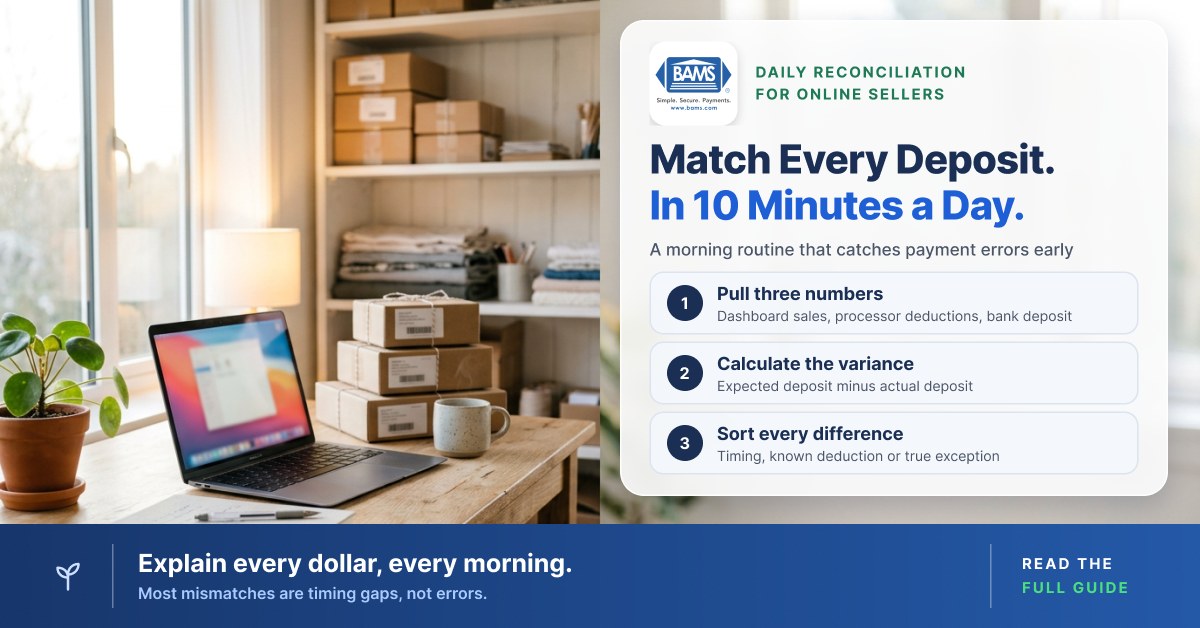
- Spend 10 minutes each morning – Pull three numbers (dashboard sales, processor deductions, bank deposit), calculate expected vs. actual and flag anything unexplained.
- Use 30 days of data to plan cash flow – A clean reconciliation history lets you forecast your cash position, negotiate better processing rates and reinvest in growth with confidence.
Prerequisites and Setup
What You Need Before You Start
- Bank account online access with transaction download (CSV or OFX)
- Payment processor dashboard (whichever processor you use) with deposit-level reporting enabled
- eCommerce platform admin (Shopify, WooCommerce, BigCommerce, etc.) with order export capability
- Spreadsheet tool (Google Sheets or Excel)
- 10 uninterrupted minutes each morning, ideally before you check email
Time estimate: 30 minutes for initial setup (Steps 1 through 3), then 10 minutes per day ongoing. The biggest potential blocker is locating your processor’s deposit-detail report. Some processors bury it under “Payouts” or “Transfers” rather than labeling it “Deposits.”
Why This Approach Works for Lean Teams
Enterprise reconciliation guides assume you have a finance team, an ERP and automated bank feeds. You probably have none of those. This routine is designed for the eCommerce operator who is also the marketing lead, the customer service rep and the person who restocks inventory on Tuesdays.
The method works because it isolates the three categories that cause nearly every mismatch: timing variances (money is coming but hasn’t arrived yet), fee deductions (processor took its cut before depositing) and true exceptions (chargebacks, refunds, or errors that need action). In a PYMNTS and Mastercard study, 44% of U.S. businesses called data reconciliation their most pressing accounts-receivable concern. A daily reconciliation routine catches those errors while they’re still small and traceable.

Sort each difference between expected and actual deposits into timing, known deduction, or true exception, then act on it.
Step-by-Step: Build Your Daily Bank Deposit Matching Routine
Step 1: Create Your Reconciliation Spreadsheet
First, open a new Google Sheet or Excel workbook. Create a tab called “Daily Recon” with these column headers:
| Date | Dashboard Gross Sales | Processor Fees | Refunds | Chargebacks | Expected Deposit | Actual Bank Deposit | Variance | Notes |Action: Type those headers exactly into Row 1. In the “Variance” column (H2), enter the formula =F2-G2 to calculate the difference between your expected deposit and what actually arrived. Copy this formula down for at least 30 rows.
Checkpoint: You should have a clean, empty spreadsheet with nine columns and a working variance formula. If the formula returns an error, confirm you’re referencing the correct columns (F for Expected Deposit, G for Actual Bank Deposit).
Step 2: Locate Your Processor’s Deposit Detail Report
Action: Log into your payment processor dashboard and find the report that shows individual deposit (payout) amounts along with the transactions included in each deposit. Depending on your processor, it may be labeled Payouts, Transfers, Deposits or Settlements.
Next, download yesterday’s deposit detail as a CSV. Open it and confirm you can see: the deposit amount, the individual transactions that make up that deposit and any fees or adjustments deducted.
Common failure: Some processors show a lump-sum deposit without a transaction breakdown. If that’s the case, look for a separate “Settlement report” or “Transaction detail” export. Either way, you need the breakdown, not just the total.
Step 3: Map Your Processor’s Settlement Timing
Before your daily routine can work, you need to know when your processor actually moves money. Most processors batch transactions and deposit them one or two business days later. This settlement timing gap is the single biggest reason your dashboard and bank never seem to agree.
Action: Check your processor’s payout schedule in your account settings. Write down the answer to these questions on a sticky note or in your spreadsheet’s Notes column:
- How many business days after a sale does the deposit arrive?
- Does the processor skip weekends and bank holidays?
- Are fees deducted from each deposit, or billed monthly?
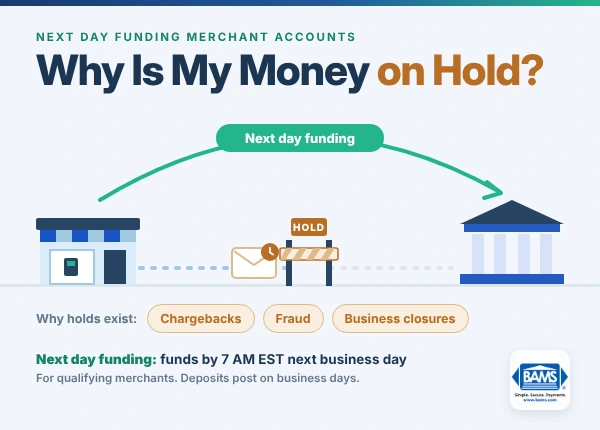
Checkpoint: You should now know, for example, “Monday’s sales land in my bank on Wednesday” or “Sales deposit next business day.” If your processor offers next-day funding (as BAMS does for qualifying merchants), this timing gap shrinks to one day, which makes your daily matching significantly simpler.
Step 4: Pull Yesterday’s Numbers (3 Minutes)
Each morning, gather three data points. This is where your 10-minute routine begins.
Action:
- Dashboard gross sales: Log into your eCommerce platform. Filter orders by yesterday’s date. Record the gross sales total (before fees and refunds) in Column B of your spreadsheet.
- Processor fees and deductions: Open your processor dashboard. Find yesterday’s payout detail. Record total fees in Column C, refunds in Column D and chargebacks in Column E.
- Actual bank deposit: Log into your bank. Find the deposit from your processor (remember the timing offset from Step 3). Record it in Column G.
Common failure: You see no deposit in your bank for yesterday. This is likely a timing variance, not an error. First, check if yesterday was a weekend or holiday. Note “timing” in the Notes column and revisit tomorrow.
Step 5: Calculate Your Expected Deposit (2 Minutes)
Action: In Column F (Expected Deposit), enter this formula:
=B2-C2-D2-E2This subtracts processor fees, refunds and chargebacks from your gross sales to produce the amount that should have landed in your bank. Your “Variance” column (H) now automatically shows the difference.
Checkpoint: If the variance is $0.00, you’re reconciled for that day. Then move on. If it’s not zero, proceed to Step 6.
For a deeper walkthrough of this calculation, see this daily reconciliation step-by-step guide.
Step 6: Classify the Variance (3 Minutes)
Not every mismatch is a problem. Instead, your job is to sort variances into three buckets:
- Timing variance: The money is in transit. Your processor batched it but the bank hasn’t posted it yet. Write “TIMING” in the Notes column and check again tomorrow.
- Known deduction: A fee, refund, or chargeback you can trace to a specific transaction. Write the order number or chargeback case ID in Notes. This is resolved.
- True exception: A difference you cannot explain. This needs investigation. Write “EXCEPTION” in Notes and highlight the row in red.
Action: For each non-zero variance, cross-reference the processor deposit detail CSV (from Step 2) against your eCommerce order list. Look for refunds processed yesterday, new chargeback notifications, or fee adjustments you didn’t expect.
Checkpoint: At the end of this step, every row should have either a $0 variance or a classification in the Notes column. If you have more than one or two “EXCEPTION” rows per week, that’s a signal to investigate your processor’s fee structure or reconciliation best practices more closely.
Step 7: Resolve Exceptions Within 48 Hours
Action: For any row marked “EXCEPTION,” take these steps within 48 hours:
- Re-download the processor deposit detail and the bank statement for the relevant date. Compare line by line.
- Check for duplicate transactions, partial refunds, or currency conversion fees.
- If the variance is under $1, it’s likely a rounding difference. Note it and move on.
- If the variance is over $1 and unexplained, contact your processor’s support team with the deposit date, expected amount and actual amount.
Common failure: You find a “mystery” deduction labeled something like “adjustment” or “reserve.” This often means your processor is holding a rolling reserve. Check your merchant agreement terms or ask your account representative to clarify.
Unresolved exceptions get harder to trace with every day that passes and money you can’t account for is money you can’t plan around. For a small eCommerce business, that is worth the 10 minutes it takes to catch exceptions early.
Step 8: Review Your Weekly Variance Trend (2 Minutes, Once Per Week)
Action: Every Friday (or your last business day), scroll through the week’s rows. Count how many had non-zero variances and how many were true exceptions versus timing. Then look for patterns:
- Do variances spike on Mondays (weekend batching)?
- Are chargebacks clustering around a specific product or payment method?
- Is one fee type consistently higher than expected?
Checkpoint: You should be able to state: “This week, X of Y deposits matched exactly. I had Z exceptions and all were resolved.” If your exception rate stays above 10%, you may have a systemic issue with your processor’s deposit reconciliation accuracy or fee transparency.
Configuration and Customization
Adjust These Variables to Fit Your Business
Settlement offset: Change the date you check in your bank based on your processor’s payout speed. If you use a processor with next-day funding, you’re matching yesterday’s sales to today’s deposit. If your processor takes two business days, you’re matching sales from two days ago.
Fee structure: Some processors deduct fees per transaction (net settlement), while others bill fees monthly in a single lump sum. If your processor bills monthly, your daily Expected Deposit formula simplifies to =B2-D2-E2 (skip Column C for daily checks) and you reconcile fees once a month instead.
Multi-processor setup: If you accept payments through more than one processor (e.g., one processor for cards and a digital wallet at checkout), add a “Processor” column and create a separate row for each processor’s deposit each day. Do not combine them into one line.
Safe defaults: Start with a single-processor, net-settlement setup. Add complexity only after you’ve done 30 days of clean daily checks.
Verification and Testing
How to Know Your Routine Is Working
Test procedure: After your first full week, export your bank statement for the week and your processor’s payout summary for the same period. Sum both columns. The totals should match within a few dollars (rounding and timing for Friday transactions may cause minor differences that clear Monday).
Success definition: Every deposit in your bank account can be traced to a specific batch of transactions in your processor dashboard. No deposit is unexplained. No dashboard total is unmatched.
Edge cases to verify:
- A day with zero sales (your spreadsheet should show $0 across the row, not a blank)
- A day with a refund larger than gross sales (expected deposit will be negative; confirm whether the processor debited your bank or carried the balance into the next payout)
- Holidays and weekends (no deposit expected; mark as “NON-BUSINESS DAY” in Notes)
Common Errors and Fixes for Payment Processing Errors
Symptom: Variance Is Exactly Equal to One Transaction Amount
Cause: A single transaction was included in a different day’s batch than expected. Processors split batches at a daily cutoff time and a late-evening sale may roll into the next day’s deposit.
Fix: Check the batch cutoff time in your processor settings. Adjust your dashboard date filter to match the processor’s batch window, not the calendar day.
Symptom: Variance Matches a Round Number ($25, $50, $100)
Cause: A chargeback or chargeback fee was deducted that you haven’t accounted for. Chargeback fees are often a fixed amount per dispute.
Fix: Check your processor’s dispute or chargeback section. Record the fee in Column E and add the case ID in Notes. If chargebacks are frequent, consider working with a processor that offers proactive chargeback defense to reduce the volume.
Symptom: Bank Deposit Is Slightly Lower Than Expected (Under $5 Difference)
Cause: Currency conversion fees, micro-adjustments, or assessment fees from the card networks that your processor passes through.
Fix: Download the full fee breakdown from your processor (not just the summary). Look for line items labeled “assessment,” “cross-border,” or “currency conversion.” Add a sub-column in your spreadsheet for these micro-fees if they recur.
Symptom: No Deposit Appears on Expected Date
Cause: Bank holiday, processor outage, or your account is on a payout hold (common for new accounts or accounts flagged for risk review).
Fix: First, check your processor’s status page for outage notices. Next, review your email for any hold notifications. If neither applies, contact support with your expected payout date and amount.
Symptom: Dashboard Total Is Higher Than Gross Sales in Your eCommerce Platform
Cause: Your processor is counting authorization holds or pending transactions that your eCommerce platform hasn’t finalized as orders.
Fix: Filter your processor report to show only “captured” or “settled” transactions, not “authorized” or “pending.” Then use the captured total as your source of truth.
Next Steps: Turn Deposit Predictability Into a Growth Lever
Once your daily reconciliation routine is consistent for 30 days, you’ll have a dataset that reveals your true cash conversion cycle. Use it to:
- Forecast cash position 7 days out by combining your sales pipeline with your known settlement timing. This lets you commit to inventory purchases or ad spend with confidence.
- Negotiate better processor terms by presenting your clean reconciliation data to your account representative. Low exception rates and consistent volume put you in a stronger position to negotiate your processor markup (interchange itself is set by the card networks).
- Automate selectively by identifying which parts of your routine are purely mechanical (data pulls) versus which require judgment (exception classification). Then automate the former and keep the latter manual.
For a deeper framework on building this into a cash flow planning tool, read the full deposit reconciliation guide for eCommerce.
Frequently Asked Questions
What is deposit reconciliation in merchant services?
Deposit reconciliation is the process of matching the money your payment processor deposits into your bank account against the individual transactions (sales, refunds, fees, chargebacks) that generated that deposit. The goal is to confirm every dollar is accounted for and to catch discrepancies quickly.
Why does my bank balance never match my eCommerce dashboard?
Three factors cause nearly every mismatch: settlement timing (your processor batches and delays deposits by one or more business days), fee deductions (processing fees subtracted before the deposit hits your bank) and exceptions like chargebacks or partial refunds. A daily reconciliation routine helps you classify each difference so you know which ones resolve themselves and which need action.
When should I perform deposit reconciliation for my merchant account?
The most effective time is first thing each business morning, before other tasks compete for your attention. Checking yesterday’s transactions while they’re fresh makes it easier to trace exceptions. The entire daily reconciliation routine takes about 10 minutes once you have a working spreadsheet and know your processor’s settlement schedule.
Which factors can affect the timing of merchant service deposits?
Key factors include your processor’s payout schedule (next-day vs. two-day), weekends and bank holidays (no deposits post on non-business days), batch cutoff times (a late-night sale may roll into the next batch) and account-level holds or reserves that your processor may impose based on risk assessment or account age.
What are common challenges faced during deposit reconciliation?
The most common challenges are: locating the right deposit-detail report in your processor dashboard, accounting for fees that are deducted per-transaction versus billed monthly, handling chargebacks that appear days after the original sale and reconciling across multiple processors if you accept payments through more than one platform.
How can I optimize my merchant services for better reconciliation?
Choose a processor that provides clear, transaction-level deposit reports and predictable settlement timing. Next-day funding shortens the timing gap that causes most confusion. Transparent, itemized fee statements eliminate guesswork about deductions. If your current processor makes it difficult to access deposit details, that friction is a sign to evaluate alternatives.