
Recurring Billing Solutions for Funeral Services
Last Updated on October 27, 2026 by Dimitri Akhrin
What You Will Achieve: PCI-Compliant Recurring Billing for Funeral Services
By the end of this tutorial, you will have a secure, PCI-compliant payment system that uses recurring billing solutions to handle preneed contracts and installment billing automatically. Families pay on schedule without awkward follow-up calls and your staff stops manually logging every transaction.
Your success criteria are straightforward: card data never touches your local systems, every recurring charge fires on its scheduled date and you can pull a clean reconciliation report that matches your accounting records. You will also know exactly which recurring billing solutions settings to adjust for high-ticket funeral arrangements that often exceed $15,000.
This tutorial focuses on the intersection of PCI compliance and automated billing. Payments are a pain point for most small businesses: approximately 80% of small firms report payment-related challenges, according to the Federal Reserve. Getting this right protects both your families and your revenue.
TL;DR
- Tokenize all card data – Configure your payment gateway to store card numbers in its PCI-certified vault and return tokens to your systems, so sensitive data never lives on your local computers or paper files.
- Automate recurring billing – Set up installment plan templates with scheduled charges, automated invoices and retry logic so families pay on time without your staff chasing payments manually.
- Choose the right SAQ – Funeral homes that send every card-not-present payment through the gateway’s hosted payment page can usually use SAQ A, the simplest PCI self-assessment. Phone-based card entry requires a more complex questionnaire.
- Restrict and audit staff access – Give each employee a unique login with role-based permissions and enable audit logging to track every transaction and setting change, which supports PCI DSS logging requirements.
- Review quarterly, not annually – PCI compliance is continuous. Schedule 90-day check-ins to verify tokenization, SSL certificates, access controls and data-handling practices remain intact.
Prerequisites and Setup Checklist
Before you begin, confirm you have the following in place. Missing any item will create a blocker partway through the process.
- Active merchant account with a PCI-compliant payment processor that supports tokenization and recurring transactions
- Payment gateway credentials (API keys or login access) from your processor
- SSL certificate installed on any website or client portal where families enter card information
- Funeral management software (or accounting tool) that can accept payment data via import, API, or manual entry
- PCI Self-Assessment Questionnaire (SAQ) template, available from the PCI Security Standards Council
- Staff access list identifying every employee who currently handles card numbers, receipts, or billing records
Time estimate: 3 to 5 hours for initial setup, plus 1 to 2 hours for staff training. Plan for a one-week testing period before going live with families.
Why PCI Compliance Matters for Recurring Billing Solutions
Funeral operators rarely think of themselves as “subscription businesses,” but installment plans on preneed contracts function identically to the recurring billing solutions subscription companies use. You store a family’s payment method and charge it monthly, sometimes for years. That ongoing relationship with card data puts you squarely inside PCI DSS scope.
The risk is not abstract. In fact, a single breach can trigger fines from card networks, lawsuits from affected families and reputational damage that a community-rooted business cannot absorb. Manual processes (writing card numbers on paper forms, storing them in spreadsheets) are common compliance failures for small operators.
The approach in this tutorial eliminates raw card data from your environment entirely by using tokenization through your payment gateway. Tokens replace sensitive card numbers with randomized strings that are useless to attackers but still allow your processor to charge the correct account on schedule.

The guide’s 10 steps fall into three phases: protect card data, automate billing and prove compliance.
Step-by-Step: Building a PCI-Compliant Recurring Payment Workflow
Step 1: Identify Your Current Card Data Touchpoints
Action: Walk through every point in your business where a family’s card number is seen, typed, written, or stored. Include paper forms at arrangement conferences, phone calls with at-need families, website payment pages and any spreadsheets or filing cabinets.
Expected result: A written list of every touchpoint. Many funeral homes find card data in more places than they expected.
Checkpoint: If your list includes any location where a full card number is stored in plain text (paper, spreadsheet, email), flag it for elimination in Step 4.
Common failure: Overlooking voicemail messages where families leave card numbers. To prevent this, check your phone system and delete any such recordings immediately.
Step 2: Select the Right SAQ Type for Your Business
Action: Visit the PCI SSC Document Library and download the SAQ that matches your card-data handling method. If every card-not-present payment runs through a hosted payment page (where families type card info on the gateway’s page, not yours), you can usually use SAQ A, the simplest form. If you also take cards on a countertop terminal, that channel has its own SAQ eligibility rules, such as SAQ B or B-IP for standalone terminals. Your processor can confirm which SAQ covers your full setup.
Expected result: You know which SAQ to complete and can confirm your setup will keep you in that category.
Checkpoint: If your staff key card numbers into a web-based virtual terminal, you likely need SAQ C-VT instead. A payment application on a networked computer points to SAQ C. Either one changes your compliance obligations significantly.
Common failure: Choosing SAQ A when you actually key-enter cards over the phone. Be honest about your processes; an incorrect SAQ gives false assurance.
Step 3: Configure Your Payment Gateway for Tokenization
Action: Log into your payment gateway dashboard. Locate the tokenization or “vault” settings and enable them. This tells the gateway to store card data on its PCI-certified servers and return a token to your system instead of the actual card number.
Expected result: When a test card is entered, your system receives and stores a token (a string like tok_3f8a9b2c) rather than a 16-digit card number.
Checkpoint: Run a test transaction. Check your database, CRM, or management software. If you can see a full card number anywhere, tokenization is not configured correctly.
Common failure: The gateway returns a token, but your funeral management software stores the original card number in a separate field. Audit every connected system, not just the gateway.
Step 4: Eliminate Stored Card Data from Legacy Systems
Action: Return to the list you created in Step 1. For every touchpoint that stores raw card data, take one of three actions: delete the data, migrate it into the tokenized vault, or destroy the physical record (shred paper, wipe files).
Expected result: Zero locations in your business contain unencrypted card numbers. Every recurring billing record references a token only.
Checkpoint: Have a second staff member repeat the walkthrough from Step 1 to verify nothing was missed.
Common failure: Old backup files or email archives still contain card data. For example, search email for patterns like four groups of four digits and delete matches.
Step 5: Build Your Recurring Billing Schedule
Action: In your payment gateway or billing platform, create a recurring plan template for preneed installment contracts. Set the billing frequency (monthly is standard), the total contract amount and the number of installments. Assign the family’s token to the plan.
For high-ticket arrangements above $15,000, consider splitting into 12 to 36 monthly installments to keep individual charges manageable for families. Preneed payments are also governed by state trust and insurance rules, so confirm where installment funds must be deposited before you build the schedule.
Expected result: The system shows a scheduled billing calendar with each charge date and amount. Families receive an automated confirmation email when enrolled.
Checkpoint: Verify the plan’s total (installment amount × number of payments) matches the contract price. Rounding errors on long plans are common.
Common failure: Setting the start date in the past, which triggers an immediate batch of “catch-up” charges. Instead, always set the first charge date to today or a future date.
Step 6: Set Up Automated Invoice Delivery
Action: Enable email or SMS invoice notifications within your gateway or online invoicing solutions platform. Configure the template to include your funeral home’s name, the contract reference number, the amount due and a secure link for the family to update their payment method if needed.
Expected result: Each family receives a professional invoice 3 to 5 days before their scheduled charge, giving them time to ensure funds are available or contact you with questions.
Checkpoint: Send a test invoice to yourself. Confirm the secure payment link loads over HTTPS and does not expose any card data.
Common failure: Invoice emails landing in spam folders. To prevent this, ask families to whitelist your sending address during the arrangement conference.
Step 7: Configure Automated Retry and Dunning Logic
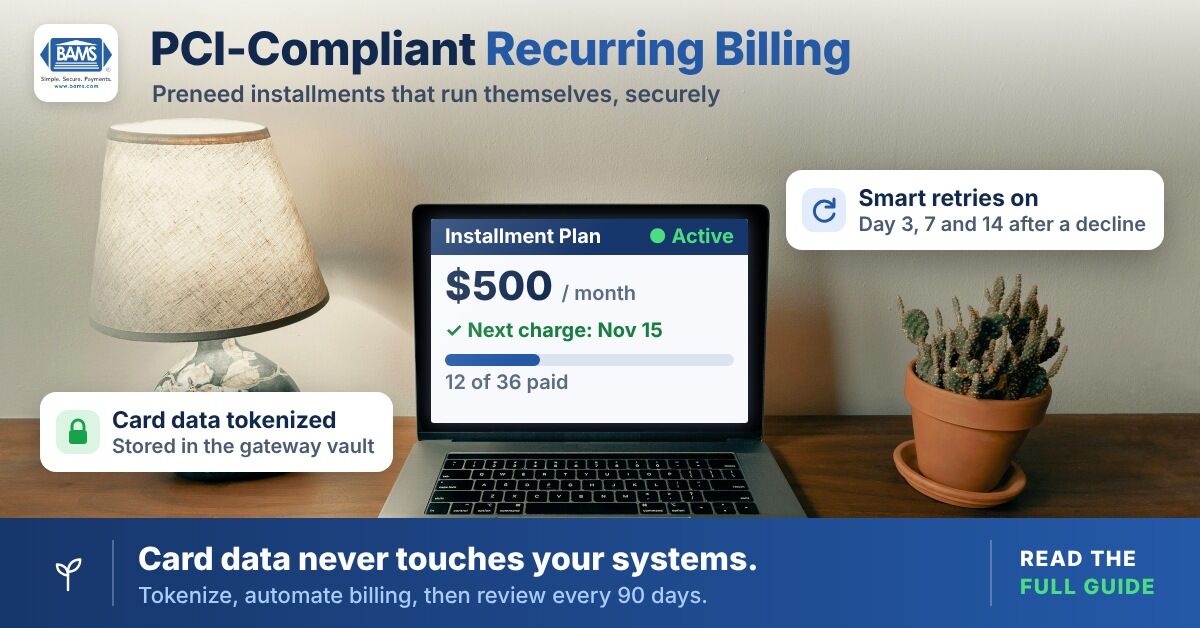
Action: In your billing platform, set up automatic retry rules for failed payments. A common schedule is: retry 3 days after failure, then 7 days, then 14 days. After the first retry fails, the system should send the family a gentle notification. After the final retry, it should flag the account for your staff.
This step is critical. Failed payments affect every business that runs recurring charges and automated recovery prevents your staff from making uncomfortable collection calls to grieving families.
Expected result: Failed charges retry automatically. Families receive a tactful notification only after the first retry fails, giving their bank time to resolve temporary declines.
Checkpoint: Simulate a decline using a test card. Verify the retry fires on the correct day and the family notification uses compassionate language appropriate for your clientele.
Common failure: Default dunning emails use aggressive eCommerce language (“Your account is past due!”). Instead, rewrite templates to reflect the sensitivity of funeral services.
Step 8: Restrict Staff Access and Enable Audit Logging
Action: In your gateway dashboard, assign role-based permissions. Front-office staff should be able to enroll families and view payment status but not see full card numbers or export token data. Only your owner or office manager should have admin access.
Enable audit logging so every login, transaction, refund and setting change is recorded with a timestamp and user ID. PCI DSS calls for a unique ID for every user (Requirement 8) and logging of access to cardholder data (Requirement 10). Your gateway’s audit log helps you show both.
Expected result: Each staff member has a unique login with permissions limited to their role. The audit log captures all activity.
Checkpoint: Log in as a front-office user and attempt to view a stored card number. You should see only the last four digits or a masked token.
Common failure: Sharing a single admin login across all staff. This goes against PCI DSS unique-ID requirements and makes it impossible to trace who performed a given action.
Step 9: Complete and Submit Your SAQ
Action: With tokenization active, legacy data destroyed and access controls in place, fill out the SAQ you identified in Step 2. Answer each question based on your current (post-cleanup) environment, not your old processes.
Expected result: A completed SAQ with all applicable controls marked “In Place.” If any control is marked “Not in Place,” return to the relevant step above and remediate before submitting.
Checkpoint: Your payment processor or acquiring bank should accept the completed SAQ. Some processors validate it automatically through their portal.
Common failure: Leaving the SAQ incomplete and assuming compliance. An unfinished SAQ means you are not compliant, regardless of your technical setup.
Step 10: Schedule Quarterly Reviews
Action: Set a calendar reminder every 90 days to review your PCI compliance posture. During each review, re-run the card-data touchpoint audit from Step 1, verify tokenization is still active, check audit logs for anomalies and confirm your SSL certificate has not expired.
Expected result: Ongoing compliance rather than a one-time project. PCI DSS is a continuous obligation, not an annual checkbox.
Checkpoint: Document each quarterly review with a dated summary. This record protects you during disputes or audits.
Common failure: Skipping reviews because “nothing changed.” However, staff turnover, software updates and new integrations can quietly introduce compliance gaps.
Configuration and Customization
Several recurring billing solutions settings deserve attention based on your specific funeral home operations.
- Installment length: 12 months is a safe default for contracts under $10,000. For arrangements above $15,000, 24 or 36 months reduces per-charge amounts.
- Retry attempts: Three retries over 14 days works well. More aggressive schedules (daily retries) can trigger fraud flags at the family’s bank.
- Invoice lead time: Send invoices 3 to 5 business days before the charge date. This gives families enough notice without creating anxiety weeks in advance.
- Notification tone: Replace default billing language with wording reviewed by your arrangement staff. Phrases like “your scheduled payment” work better than “amount owed.”
- Multi-location settings: If you operate 2 to 10 locations, configure each location as a separate merchant ID (MID) under one parent account. This simplifies per-location reporting while keeping a single compliance umbrella.
For operators looking for a merchant services partner that supports these configurations with dedicated account representatives, BAMS offers payment gateway integrations with tokenization, recurring payment management and next-day funding for eligible merchants that can simplify the technical setup described above.
Verification and Testing
Test procedure: Before enrolling real families, run your recurring billing solutions through the following checks using test card numbers provided by your gateway.
- Enroll a test “family” on a monthly plan. Confirm the first charge processes and a receipt is delivered.
- Trigger a decline using a test decline card. Verify the retry schedule fires correctly and the dunning notification uses your customized language.
- Log in as a restricted staff user and confirm you cannot view full card numbers or export token data.
- Pull a reconciliation report and match it against your accounting software entries.
Success definition: All test charges process or retry as expected, no full card numbers are visible anywhere in your systems and your reconciliation report balances to the penny. Only then should you begin enrolling families.
Common Errors and Fixes
“Token not found” error on recurring charge
Symptom: A scheduled charge fails with a “token not found” or “invalid token” message.
Cause: The token was deleted from the vault, or the family’s card was replaced and the old token invalidated.
Fix: Contact the family to collect updated card information through your secure hosted payment page. A new token will be generated automatically.
SSL certificate warning on payment page
Symptom: Families see a browser warning (“This connection is not secure”) when accessing your payment link.
Cause: Your SSL certificate expired or is misconfigured.
Fix: Renew or reinstall your SSL certificate immediately. Most hosting providers offer auto-renewal. An expired certificate also violates PCI DSS requirements for encrypted transmission.
Duplicate charges on a single installment
Symptom: A family is charged twice for the same scheduled payment.
Cause: The recurring plan was accidentally created twice, or a manual charge was submitted on the same day as the automated one.
Fix: Refund the duplicate immediately. Then audit the family’s billing profile to remove the extra plan. Implement a policy that staff never manually charge an account that is on autopay without first checking the schedule.
SAQ validation rejected by processor
Symptom: Your acquiring bank or processor rejects your submitted SAQ.
Cause: You selected the wrong SAQ type for your card-handling method, or one or more controls are marked “Not in Place.”
Fix: Revisit Step 2 to confirm the correct SAQ type. Address each “Not in Place” item before resubmitting. Your processor’s compliance team can usually clarify which SAQ applies to your specific setup.
Families not receiving invoice emails
Symptom: Families report they never received a billing notification and charges appear without warning.
Cause: Emails are caught by spam filters, or the family’s email address was entered incorrectly.
Fix: Verify email addresses at enrollment. Ask families to add your sending address to their contacts. Consider offering SMS notifications as a backup channel. Federal Reserve research shows that only 38% of small firms collect payment in full at the time of service. For most businesses, getting paid depends on billing communications that arrive after the sale, so they need to work reliably.
Next Steps and Extensions
With PCI-compliant recurring billing solutions in place, you can extend this foundation in several directions.
- Add a client self-service portal where families can view their payment history, update card details and download receipts without calling your office.
- Integrate with your funeral management software so payment status syncs automatically, eliminating manual reconciliation. Learn more about how payment gateway technology is evolving to support these integrations.
- Expand to digital wallets (Apple Pay, Google Pay) for families who prefer contactless payment methods, further reducing your card-data handling footprint.
Each extension builds on the tokenized, compliant infrastructure you just created. The hardest part is behind you. From here, every improvement makes billing easier for families and less burdensome for your staff.
Frequently Asked Questions
What is PCI compliance and why does it apply to funeral homes?
PCI DSS (Payment Card Industry Data Security Standard) is a set of security requirements that applies to any business that stores, processes, or transmits credit card data. If your funeral home accepts card payments for preneed contracts or installment plans, you are required to comply. Non-compliance can result in fines, increased processing fees and liability in the event of a data breach.
How does tokenization protect my families’ card data?
Tokenization replaces a real card number with a randomized string (a token) that has no value if stolen. The actual card data is stored on your payment gateway’s PCI-certified servers, not on your local computers or in your filing cabinets. As a result, your system uses the token to process recurring charges without ever handling the sensitive number itself.
Can I still accept card payments over the phone and remain PCI compliant?
Yes, but your compliance obligations increase. Instead of qualifying for the simpler SAQ A, you will likely need to complete SAQ C-VT (for a web-based virtual terminal) or SAQ C, which require additional security controls on the workstation and network where staff key-enter card numbers. For this reason, a hosted payment page where families enter their own card details is the simplest path to compliance.
How do automated retries help preserve relationships with grieving families?
When a payment declines, automated retries attempt the charge again after a few days, often resolving temporary issues like insufficient funds or expired cards without any human intervention. This means your staff does not need to make an uncomfortable phone call to a family during a difficult time. The system handles recovery quietly and sends a gentle notification only when necessary.
What happens if a family’s card expires during a multi-year preneed plan?
Many payment gateways support automatic card updater services that receive new card details from the issuing bank when a card is replaced. If the updater cannot retrieve the new information, the system sends the family a secure link to enter their updated card details, generating a fresh token without staff involvement.
How often do I need to renew my PCI compliance?
PCI compliance is an ongoing obligation, not a one-time event. You should complete your SAQ annually and submit it to your acquiring bank or processor. In addition, quarterly reviews of your security controls, access logs and data-handling practices are strongly recommended to catch gaps before they become violations.
Sources
- Federal Reserve Banks: 2024 Report on Payments, Findings from the 2023 Small Business Credit Survey
- PCI Security Standards Council: What are the steps needed to perform a self-assessment to validate compliance with PCI DSS?
- Self-Assessment Questionnaire Instructions and Guidelines, PCI DSS v4.0.1 (PCI Security Standards Council)
- PCI Security Standards Council: Document Library
- PCI Security Standards Council: Official Site


