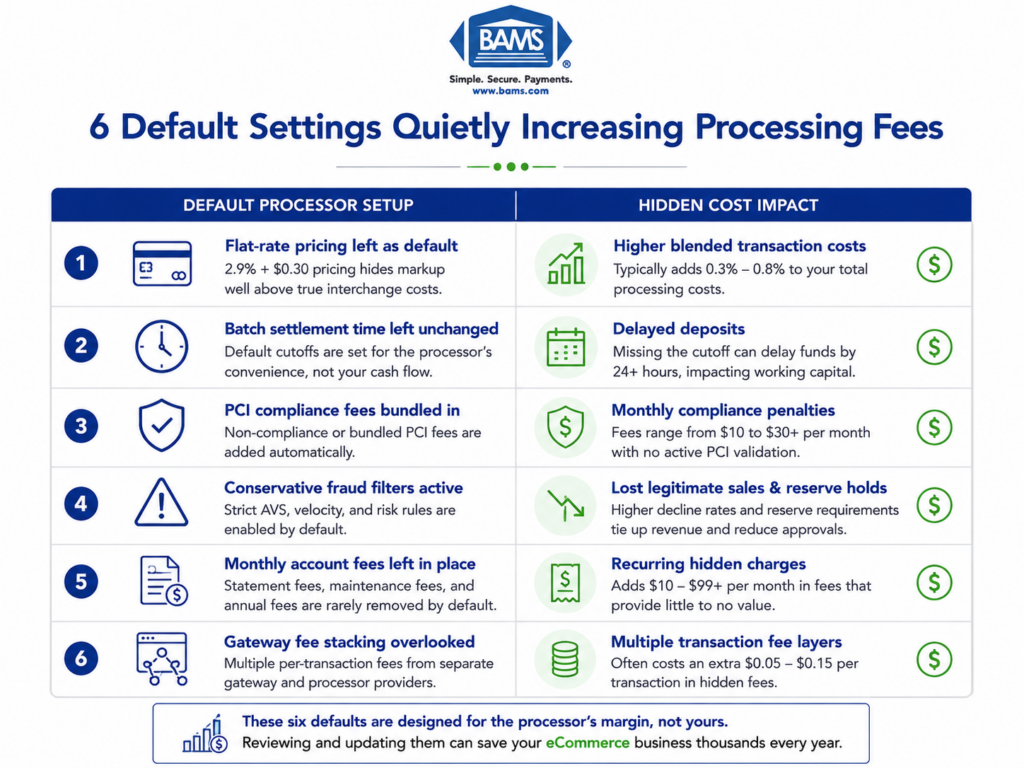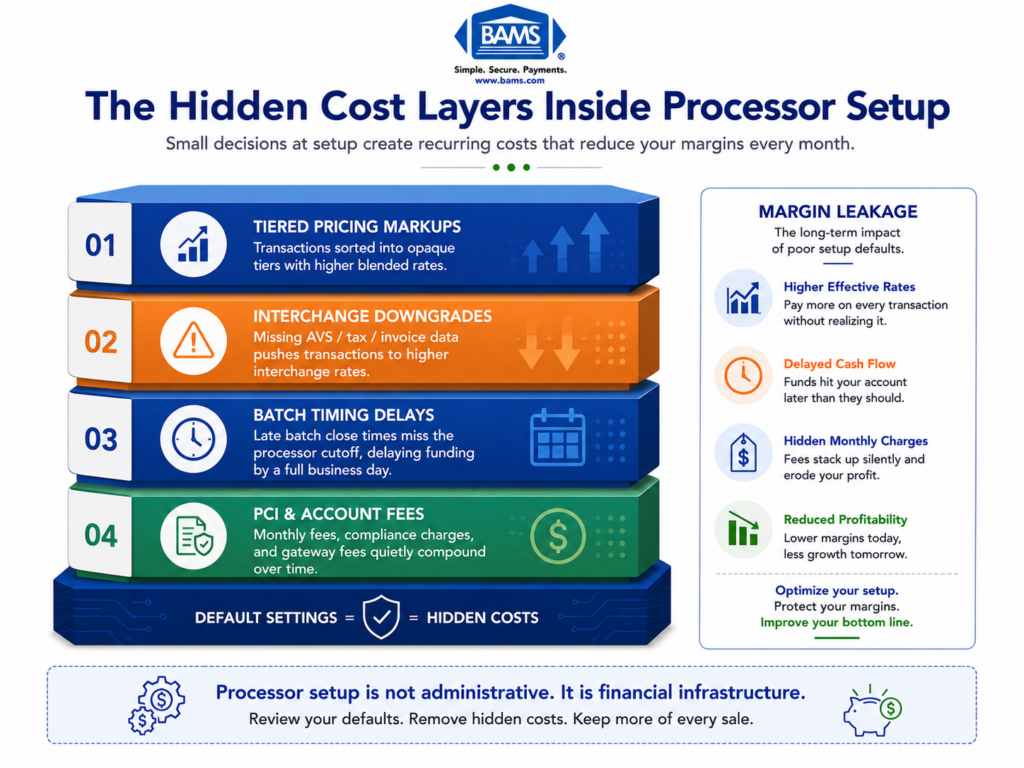
Merchant Services Checklist: What Default Settings Cost You
Last Updated on October 7, 2026 by Dimitri Akhrin
Why the compliance configurations you skipped during onboarding are freezing funds and creating holds weeks after launch
Learn why default processor settings for PCI compliance, batch timing, and chargeback thresholds create real cash flow risk. This piece examines the downstream consequences of treating compliance setup as a checkbox during onboarding.
TL;DR
- Default processor settings protect the processor, not your cash flow – Batch timing, chargeback thresholds, and fraud filters are pre-set to minimize the processor’s risk, often at the expense of your funding speed and revenue.
- PCI compliance misconfiguration is a business risk, not just a regulatory one – Non-compliance leads to fines up to $100K/month, increased breach vulnerability, and a cascade toward the MATCH blacklist that can freeze funds and block new accounts for five years.
- Chargeback rates are surging, and default alerting won’t save you – With dispute volumes up over 200% recently and a 12% average win rate, proactive configuration of alerts and response workflows is the difference between manageable disputes and a monitoring program.
- Treat setup as infrastructure design, not a checkbox – Review every setting that touches your money in the first 30 days: batch timing, settlement cutoffs, alert routing, and risk scoring thresholds.
Your Processor’s Default Settings Are Quietly Draining Your Cash Flow
Most eCommerce managers assume that once the merchant account is approved and the gateway is connected, the hard part is over. It’s not. The real risk lives in the settings nobody reviews: the batch timing defaults, the chargeback thresholds left on autopilot, the PCI compliance configuration treated as a formality. These aren’t minor oversights. They’re the reason funds get frozen three weeks after launch, with no warning and no clear explanation. A thorough merchant services checklist should catch these issues. In practice, almost none of them do.
Why Everyone Treats Compliance Setup Like a Checkbox
It’s easy to understand how we got here. Processors want onboarding to feel fast and painless. So they bury configuration details behind default settings and auto-populated fields. PCI compliance becomes a questionnaire you click through. Chargeback risk management gets a single toggle. Batch settlement times default to whatever the processor prefers, not what your cash flow needs.
This approach gained traction because it reduces friction at signup. And for processors, friction at signup is the enemy. But optimizing for speed at onboarding creates a different kind of friction: the kind that shows up as a hold on your deposits, a surprise fee on your statement, or a compliance violation you didn’t know you were committing.
The conventional wisdom says: get approved, connect the gateway, start processing. Everything else is details. That framing is exactly the problem.
Compliance Configuration Is a Cash Flow Decision, Not a Regulatory One
Here’s what we actually believe: the way your processor is configured at setup determines whether you get paid on time, not just whether you’re technically compliant. Every default you don’t override is a business decision someone else made for you. And that someone doesn’t share your P&L.
The Downstream Cost of Default Settings
Consider what happens when PCI compliance is misconfigured during onboarding. It’s not just a regulatory gap. Majority of breached retailers were found to be non-compliant with PCI DSS. Non-compliance fines start at $5,000 per month and scale to $100,000 per month for long-term violations. But the fines aren’t even the worst part. The worst part is the cascade: a breach triggers chargebacks, chargebacks push your ratio up, and a ratio above 1.5% for two consecutive months lands you in Mastercard’s Excessive Chargeback Program.
From there, the path gets ugly fast. Merchants who don’t improve their ratios risk being added to the MATCH list, Mastercard’s industry-wide blacklist. Once you’re on it, every processor in the network can see it. New merchant accounts get denied. Existing funds get held. The business you built around predictable revenue suddenly has an unpredictable payments problem.
Maintaining proper payment security standards is not only a compliance obligation but also a core operational requirement for protecting merchant data and maintaining uninterrupted payment processing as outlined by the PCI Security Standards Council.
The Settings That Actually Matter
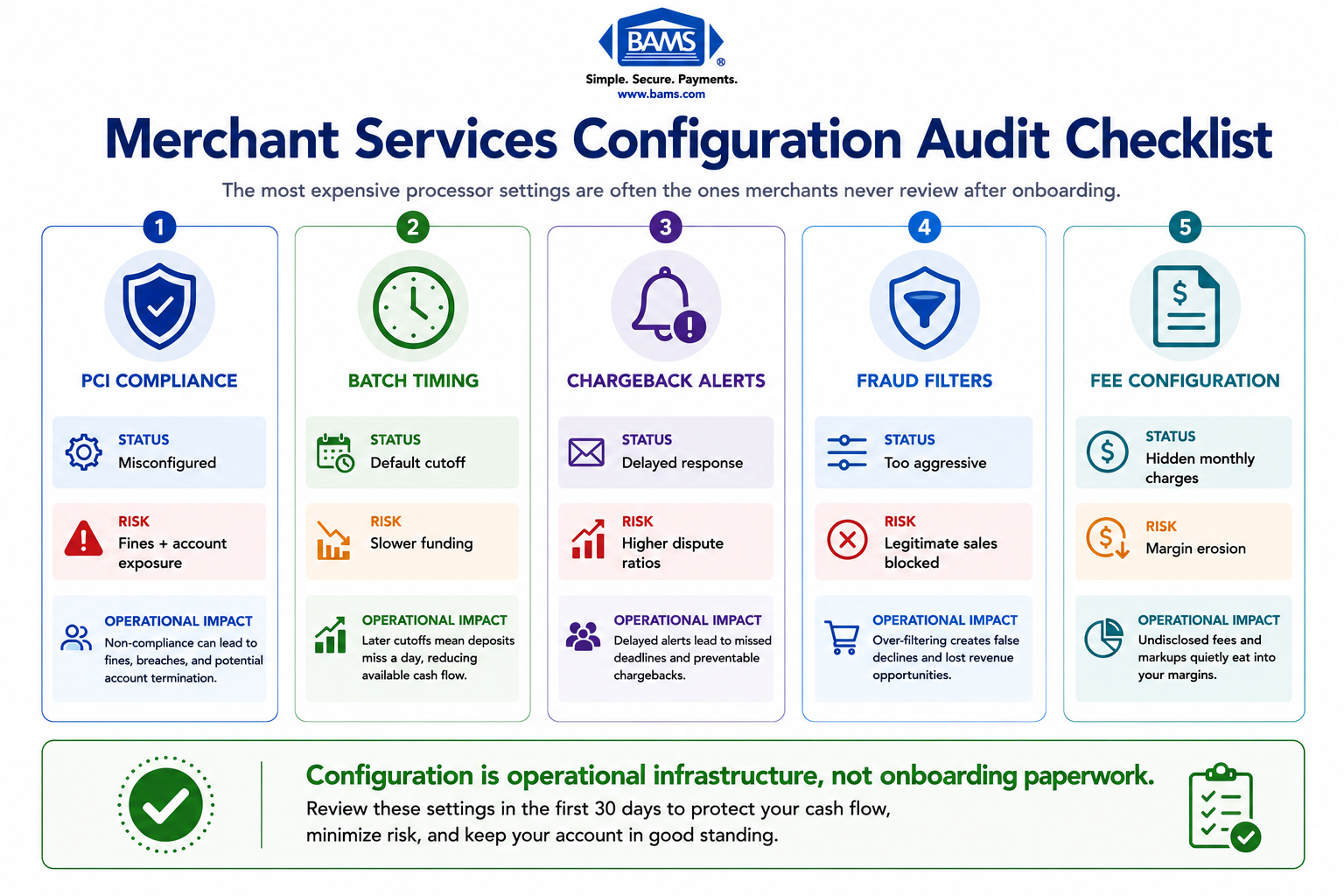
The most expensive processor settings are often the ones merchants never review after onboarding.
Let’s get specific about what goes wrong. Batch settlement timing is a prime example. Many processors default to a settlement window that adds a full business day to your funding cycle. For an eCommerce operation doing $500K annually, that’s real working capital sitting in limbo. If your integrated payment gateway is not configured to batch transactions at the correct settlement cutoff, funding delays compound quickly across the payment cycle.Then there’s chargeback alerting.
Most processors include some form of dispute notification, but the default thresholds are often set too high, or alerts route to an email inbox nobody monitors. By the time you see the dispute, the response window is half gone. The industry average win rate on chargebacks is just 12%. Merchants using proactive automation can push that to 75%. The gap between those numbers is the gap between default settings and intentional configuration. Settlement timing depends on how transactions move between gateways, processors, card networks, and issuing banks, with batch schedules and processing infrastructure directly affecting funding speed as outlined by Visa.
Risk scoring thresholds present a similar trap. Processors set fraud filters conservatively to protect themselves, not you. That means legitimate transactions get declined, customers get frustrated, and you lose revenue you never knew you lost. The processor’s risk is managed. Yours isn’t.
This is where working with a partner that prioritizes configuration over speed makes a material difference. BAMS, for example, pairs merchants with dedicated account managers who walk through these settings before you go live, not after funds are already held. Their proactive chargeback defense and next-day funding model are designed around the premise that setup decisions are cash flow decisions.
What Changes If You Take This Seriously
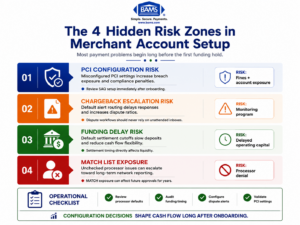
Small configuration mistakes during onboarding can compound into major operational and cash flow problems later.
If this framing is right, then your merchant services checklist needs a fundamental revision. It’s not enough to confirm that PCI compliance is “done” or that chargebacks are “monitored.” You need to verify the specific configuration of every setting that touches your money: batch timing, settlement cutoffs, chargeback alert routing, fraud filter sensitivity, and hidden fee structures buried in processor defaults. Customer disputes often stem from unclear transactions, fulfillment issues, or unrecognized charges, making proactive dispute monitoring and response workflows critical according to Visa.
The cost of ignoring this is not a marginal fee increase.
- It’s frozen funds at the worst possible moment.
- It’s weeks of delayed onboarding when you try to switch processors.
- It’s a MATCH listing that follows your business for five years.
The stakes are operational, not bureaucratic. And the window to get it right is narrow: the first 30 days after setup, before the defaults have time to do their damage.
A New Way to Think About Processor Setup
Stop thinking of compliance configuration as a regulatory task. Start thinking of it as infrastructure design. Every default setting is a pipe that carries your revenue. If the pipe is sized wrong, kinked, or pointed in the wrong direction, the water still flows. It just doesn’t reach you when you need it.
The question isn’t “are we compliant?” The question is “are we configured to get paid?”
That reframe changes everything. It turns PCI compliance from a checkbox into a cash flow audit. It turns chargeback risk management from a reactive process into a proactive architecture decision. And it turns choosing a payment processor from a pricing comparison into an operational partnership evaluation.
Your Processor Works for You. Make Sure the Settings Reflect That.
Default settings serve the processor. Intentional configuration serves your business. The merchants who understand this distinction don’t just avoid frozen funds and compliance fines. They build payments infrastructure that actually accelerates growth instead of quietly undermining it.
The next time someone tells you compliance setup is just a formality, ask them one question: whose defaults are you running on?
Frequently Asked Questions
What documents do I need to gather before switching merchant service providers?
At minimum, prepare your current processing statements (3-6 months), PCI compliance certificates, chargeback history reports, and gateway credentials. Having these ready prevents onboarding delays and ensures your new provider can configure settings around your actual transaction patterns rather than relying on generic defaults.
Why should I keep my old merchant account open during the transition?
Open chargebacks and pending settlements tied to your old account don’t transfer automatically. Closing too early can trigger unresolved disputes that damage your chargeback ratio and, in worst cases, flag you for monitoring programs before your new account is even fully active.
How can I verify that my new processor’s funding speed matches what was promised?
Run test transactions before going live and track actual deposit timing against your bank statements. Confirm batch settlement cutoff times with your provider directly, because a gateway misconfigured by even one hour can add a full business day to your funding cycle.
Sources