
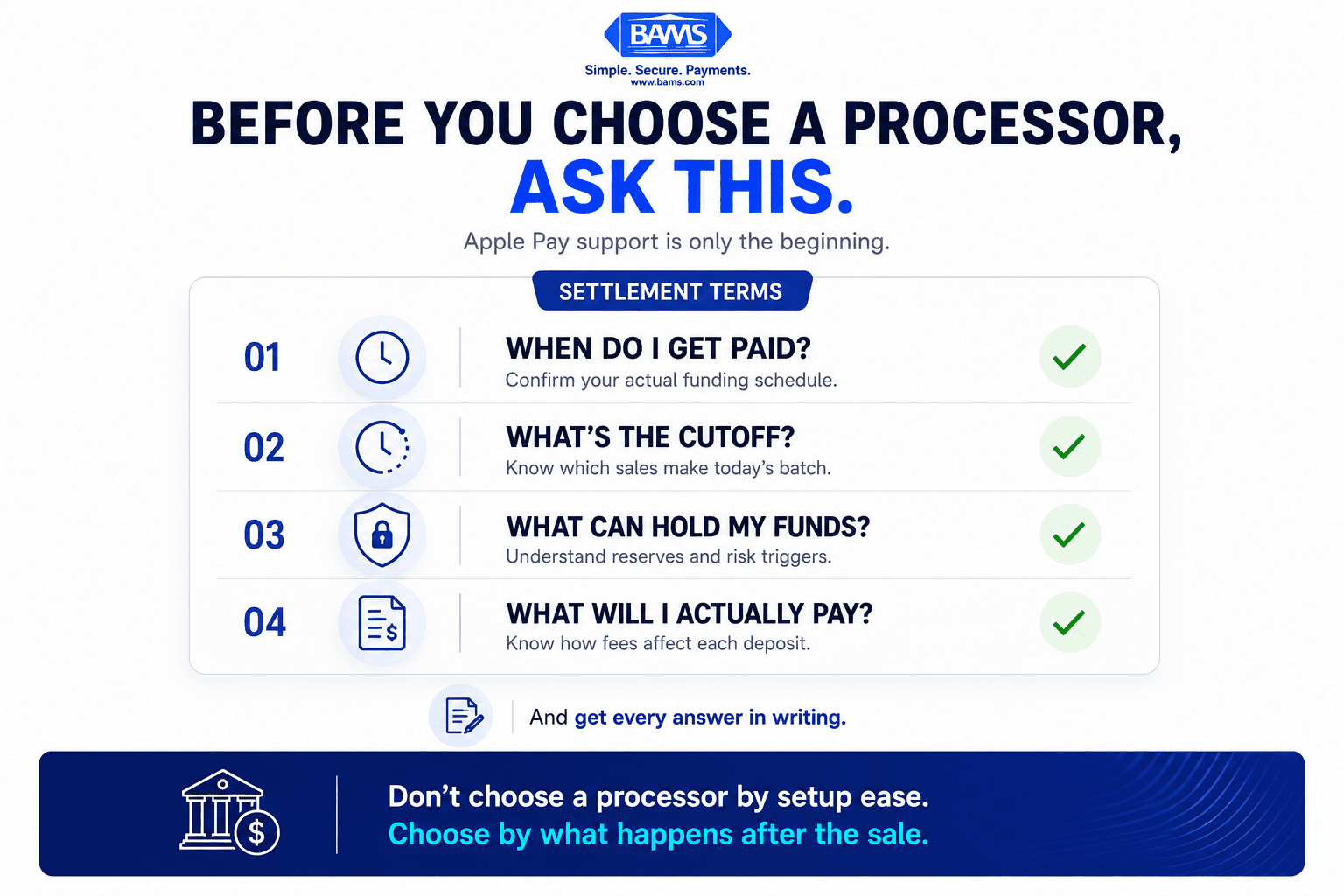
7 Payment Processor Criteria That Control Settlement Speed
Last Updated on October 15, 2026 by Dimitri Akhrin
Stop choosing gateways by setup ease—evaluate the factors that determine when Apple Pay revenue hits your bank
Learn which payment processor selection criteria directly impact how fast mobile wallet deposits reach your account. This guide helps eCommerce operators evaluate settlement speed, next-day funding eligibility, and other factors most merchants overlook.
TL;DR
- Deposit speed is a processor problem, not an Apple Pay problem – Apple doesn’t control when your money arrives. Your payment processor’s settlement policies, cutoff times, and reserve rules determine funding speed.
- Check next-day funding eligibility before you sign – Not every merchant qualifies, and not every processor includes Apple Pay transactions in next-day settlement. Get the criteria in writing.
- Cutoff times and weekend policies silently delay deposits – If your peak sales happen after your processor’s daily batch cutoff or on weekends, you could be losing one to three business days on every deposit cycle.
- Apple Pay costs you nothing extra beyond standard processing fees – The real cost variable is your processor’s rate and fee structure, not Apple. Compare processor pricing and settlement terms, not Apple’s fee.
- Start with a 30-day deposit audit – Map the gap between transaction time and bank arrival for your Apple Pay sales. If the average exceeds one business day, your processor’s policies are worth renegotiating or replacing.
Why Your Payment Processor Matters More Than Your Apple Pay Setup
You spent an afternoon integrating Apple Pay into your checkout. Customers love it. Conversion ticks up. Then you check your bank account and realize the revenue from those transactions has not reached your account as quickly as expected. At that point, the issue is no longer just the Apple Pay checkout experience. Visa explains that accepting a card payment involves multiple stages and participants across the payment ecosystem. Your processor, acquiring arrangement, batch timing, and funding terms can therefore affect when completed sales ultimately become available in your bank account.
Most eCommerce operators pick a payment gateway based on how fast they can get Apple Pay live. That makes sense during setup. But the real cost reveals itself downstream, when deposits arrive two to five days after a sale closes. For a business running on tight margins with weekly payroll, that gap isn’t a minor inconvenience. It’s a cash flow problem that compounds every week.
The industry conversation around mobile wallets fixates on integration guides, tokenization, and device compatibility. Almost nobody talks about what happens after the transaction: settlement timelines, funding eligibility, and the processor-level decisions that determine when your money actually moves.
What This List Covers (and What It Doesn’t)
This guide is for eCommerce managers at established businesses who already accept Apple Pay or plan to, and who care more about deposit speed than setup tutorials. If you’re looking for a step-by-step Apple Pay integration walkthrough, that’s covered elsewhere.
Instead, you’ll find the processor selection criteria that directly control how fast mobile wallet revenue reaches your bank. Each item targets a specific mechanism that either accelerates or delays settlement. The goal: give you a diagnostic checklist to evaluate any gateway before you commit.
How These Criteria Were Selected
Every item on this list was chosen because it has a direct, measurable effect on deposit timing for mobile wallet transactions. We excluded factors that affect only checkout UX or integration speed. The filter was simple: does this criterion change when your money arrives? If yes, it made the list.
7 Processor Criteria That Control How Fast You Get Paid on Apple Pay Sales

Apple Pay compatibility tells you whether you can accept the payment. These questions tell you when that payment becomes usable cash.
1. Next-Day Funding Eligibility Requirements
Why it matters: Not every merchant qualifies for next-day funding, even when a processor advertises it. Eligibility often depends on business type, processing volume, chargeback ratio, and account tenure. If you don’t verify these requirements before signing, you may default into a two-to-three-day settlement window with no clear path to upgrade.
What it looks like today: Some processors gate next-day funding behind premium tiers or volume thresholds. Others, like BAMS, offer next-day funding as a standard feature for qualifying small-to-midsize merchants, removing the guesswork from cash flow planning.
How to apply it: Before signing any processor agreement, ask for the specific eligibility criteria for next-day funding in writing. Confirm whether Apple Pay transactions are included or treated differently from standard card-present sales. If the answer is vague, treat that as a red flag.
2. Settlement Cutoff Times
Why it matters: Your processor’s daily batch cutoff determines which transactions make it into the current settlement cycle. A cutoff at 5 PM Eastern means a sale at 5:01 PM rolls into the next day’s batch, adding 24 hours to your deposit. For eCommerce stores with evening and weekend traffic peaks, a poorly timed cutoff can systematically delay a large share of revenue.
What it looks like today: Cutoff times vary widely. Some gateways batch at fixed times; others allow merchants to configure their own window. Few processors surface this information prominently during onboarding.
How to apply it: Map your peak transaction hours against the processor’s cutoff time. If most of your Apple Pay volume lands after the cutoff, you’re losing a full business day on every deposit. Ask whether the cutoff is adjustable or whether the processor offers rolling settlement instead of fixed batches.
3. Weekend and Holiday Processing Policies
The day a customer pays and the day the merchant gets paid can be very different when cutoff times and non-business days enter the funding cycle.
Why it matters: Payment acceptance does not end when the customer completes the Apple Pay transaction. The transaction still moves through the broader payment processing and settlement infrastructure before funds become available to the merchant. Because funding schedules can operate around business-day cutoffs, weekends and bank holidays may affect when a merchant receives its deposit. Confirming these rules directly with your processor is especially important for ecommerce businesses that generate a significant share of sales outside traditional banking hours.
What it looks like today: A small number of processors now offer weekend settlement or Monday-morning deposits for weekend batches. Most still operate on a strict banking-day calendar.
How to apply it: Ask your processor whether weekend transactions settle on Monday or are queued behind Monday’s batch. Calculate how much weekend revenue sits idle under the current policy. Even a one-day improvement on weekend settlement can free up meaningful working capital each month.
4. Digital Wallet Transaction Classification
Why it matters: Some processors classify Apple Pay transactions differently from standard card-not-present (CNP) sales. This classification can affect interchange rates, risk scoring, and settlement priority. If your processor flags mobile wallet payments as higher risk, those transactions may be held for manual review or placed in a slower settlement queue.
What it looks like today: A merchant may see Apple Pay transactions alongside other card payments in its processor reporting, but the exact pricing and transaction treatment should be verified rather than assumed. Review transaction-level reporting and your merchant agreement to determine whether digital wallet transactions follow the same funding schedule as comparable card transactions.
How to apply it: Request a breakdown of how your processor classifies Apple Pay transactions in its risk and settlement systems. Confirm that mobile wallet sales follow the same deposit timeline as regular card transactions. If they don’t, ask why and whether the classification can be adjusted.
5. Reserve and Holdback Policies
Why it matters: Reserve and holdback provisions can directly affect how much of your processed revenue becomes immediately available. The Office of the Comptroller of the Currency’s Merchant Processing handbook discusses merchant reserves as a risk-management tool within merchant processing, including their role in protecting against potential chargebacks and other merchant-related losses. For businesses focused on predictable cash flow, reserve terms are therefore just as important as the advertised funding schedule.
What it looks like today: Whether a reserve applies, how much is withheld, how long funds remain reserved, and when they are released depend on the merchant’s agreement and risk profile. These terms may materially change the amount of revenue available to the business even when transaction settlement itself is functioning normally.
How to apply it: Review your processing agreement for any reserve, holdback, or rolling reserve clauses. Calculate the dollar impact on a typical month’s Apple Pay volume. Negotiate reserve release timelines or seek processors that waive reserves for merchants with clean processing history.
6. Chargeback Ratio Impact on Funding Speed
Why it matters: A rising chargeback ratio doesn’t just cost you dispute fees. Many processors automatically slow settlement or increase reserves when your ratio crosses a threshold (often 1%). Mobile wallet transactions can generate chargebacks just like any other card payment, and if your processor penalizes funding speed based on ratio, every dispute compounds the cash flow problem.
What it looks like today: Proactive chargeback defense is becoming a differentiator among processors. BAMS, for example, pairs next-day funding with proactive chargeback defense, helping merchants keep their ratios low so funding speed stays consistent. Other processors simply throttle deposits once the ratio climbs, with no intervention to prevent it.
How to apply it: Ask your processor what happens to your settlement timeline if your chargeback ratio increases. Find out whether they offer alerts, prevention tools, or representment support. A processor that helps you defend chargebacks is protecting your funding speed, not just your dispute costs.
7. Transparent Fee Structures and Hidden Deductions
Why it matters: Deposit discrepancies are not always caused by settlement delays. Sometimes the difference comes from processing costs or other deductions applied before funds reach the merchant. The Federal Reserve publishes data on interchange fees associated with covered debit card transactions, illustrating that interchange is one component of the broader cost structure behind card acceptance. Your processor’s pricing model and the way fees are deducted can therefore affect both the amount and predictability of individual deposits.
What it looks like today: Some processors deduct fees from each transaction before depositing (net settlement), while others deposit the full amount and bill fees separately (gross settlement). Net settlement can make deposits look unpredictable, especially when Apple Pay volume fluctuates.
How to apply it: Clarify whether your processor uses net or gross settlement. Request a sample deposit report showing exactly how fees are deducted. If you can’t reconcile your deposits against your sales within five minutes, the pricing model isn’t transparent enough.
What These Criteria Have in Common
Every item on this list points to the same underlying principle: the speed of your deposits is a function of processor policy, not payment method. Apple Pay is just a front-end experience. The back-end settlement infrastructure is entirely controlled by your payment gateway and processor relationship.
Three patterns emerge. First, the criteria that matter most (funding eligibility, cutoff times, reserve policies) are rarely discussed during sales conversations. They surface only after you’re locked in. Second, these factors interact. A processor with next-day funding but a 3 PM cutoff and weekend pauses may deliver worse average deposit speed than one with two-day funding and a late cutoff. Third, transparency is the meta-criterion. Processors that clearly document settlement mechanics tend to perform better on every other measure.
The merchants who get paid fastest aren’t the ones with the slickest Apple Pay integration. They’re the ones who audited their processor’s settlement policies before signing.
Where to Start
You don’t need to overhaul your entire payment stack at once. Start with three actions. First, pull your last 30 days of Apple Pay deposits and map the actual time between transaction and bank arrival. Second, check your processor’s next-day funding eligibility requirements and confirm whether you qualify. Third, review your processing agreement for reserve clauses and settlement cutoff times.
If any of those three reveal a gap, you have a concrete reason to renegotiate or switch. If all three check out, you’re already ahead of most eCommerce operators who accept Apple Pay without ever examining the deposit side of the equation.
Frequently Asked Questions
Does Apple charge merchants extra fees to accept Apple Pay?
No. For merchants, the important cost question is the pricing arrangement with the payment processor and the fees associated with the underlying card transaction. Rather than assuming Apple Pay carries a specific merchant surcharge or discount, review your merchant agreement and transaction-level statements to see exactly how digital wallet payments are priced on your account.
Why are my Apple Pay deposits slower than regular card transactions?
The delay usually comes from your processor’s settlement policies, not from Apple Pay itself. Factors like batch cutoff times, weekend processing pauses, reserve holdbacks, and how your processor classifies digital wallet transactions can all add hours or days to your deposit timeline. Review your processor agreement for these specific terms.
How long does Apple Pay settlement typically take?
There is no single funding timeline that applies to every merchant accepting Apple Pay. The timing depends on factors such as your processor and acquiring arrangement, batch cutoff, business-day schedule, account terms, and any applicable risk controls. Check your merchant agreement and compare actual transaction dates against bank deposit dates to determine your real funding timeline.
What should I look for in a payment processor if fast deposits matter to my business?
Prioritize three things: next-day funding eligibility with clear qualification criteria, late or configurable batch cutoff times that match your peak sales hours, and transparent settlement reporting so you can reconcile deposits quickly. Also confirm that Apple Pay transactions aren’t routed through a slower settlement queue than standard card payments.
Can I switch payment processors without disrupting my Apple Pay checkout?
Yes. Apple Pay works with any compatible payment processor. Switching processors requires updating your gateway configuration, but the customer-facing Apple Pay experience stays the same. Most eCommerce platforms (Shopify, WooCommerce, BigCommerce) make processor changes straightforward through their payment settings.
Do mobile wallet transactions have higher chargeback rates than regular card payments?
Not inherently. Apple Pay uses tokenization, which can reduce fraud-related chargebacks. However, mobile wallet transactions are still subject to the same dispute processes as any card payment. Your chargeback ratio depends more on your fulfillment practices, product quality, and dispute management than on the payment method itself.


