7 Signs Commercial Card Transactions Are Inflating Your Fees
Last Updated on June 15, 2026 by Dimitri Akhrin
Diagnostic signals that reveal hidden B2B card exposure in your eCommerce transaction mix
Learn how to spot commercial card transactions hiding in your processing statements and silently inflating your interchange costs. This guide covers the specific diagnostic signals eCommerce merchants can use to identify hidden B2B card exposure without a full platform overhaul.
TL;DR
- Your statement hides card mix data – Processing statements rarely distinguish between consumer and commercial card transactions, so you can’t see the higher interchange costs you’re absorbing on business, corporate, and government card orders.
- Commercial cards are already in your transaction flow – If you sell anything businesses buy, corporate purchasing cards are likely hitting your checkout. B2B card spending grew over 9% from 2022 to 2023, and much of it flows through consumer-facing eCommerce sites.
- Level 2 and Level 3 data reduce interchange costs – Visa and Mastercard offer lower rates on commercial card transactions when merchants submit enhanced data fields like tax amounts and line-item detail. Many gateways support this, but the feature is often disabled by default.
- Downgrades are silent cost leaks – When transactions miss data requirements, they downgrade to higher interchange tiers. Look for “EIRF” or “Standard” on your statement to spot them.
- Start with three free steps – Chart your effective rate over six months, ask your processor about Level 2/3 qualification rates, and check your gateway for dormant enhanced data fields. These require no platform changes and reveal whether you have a hidden cost problem.
Your Processing Statement Has Blind Spots
You review your processing statement every month. You see the totals, the fees, maybe an effective rate. And you assume the numbers tell you what you need to know. They don’t.
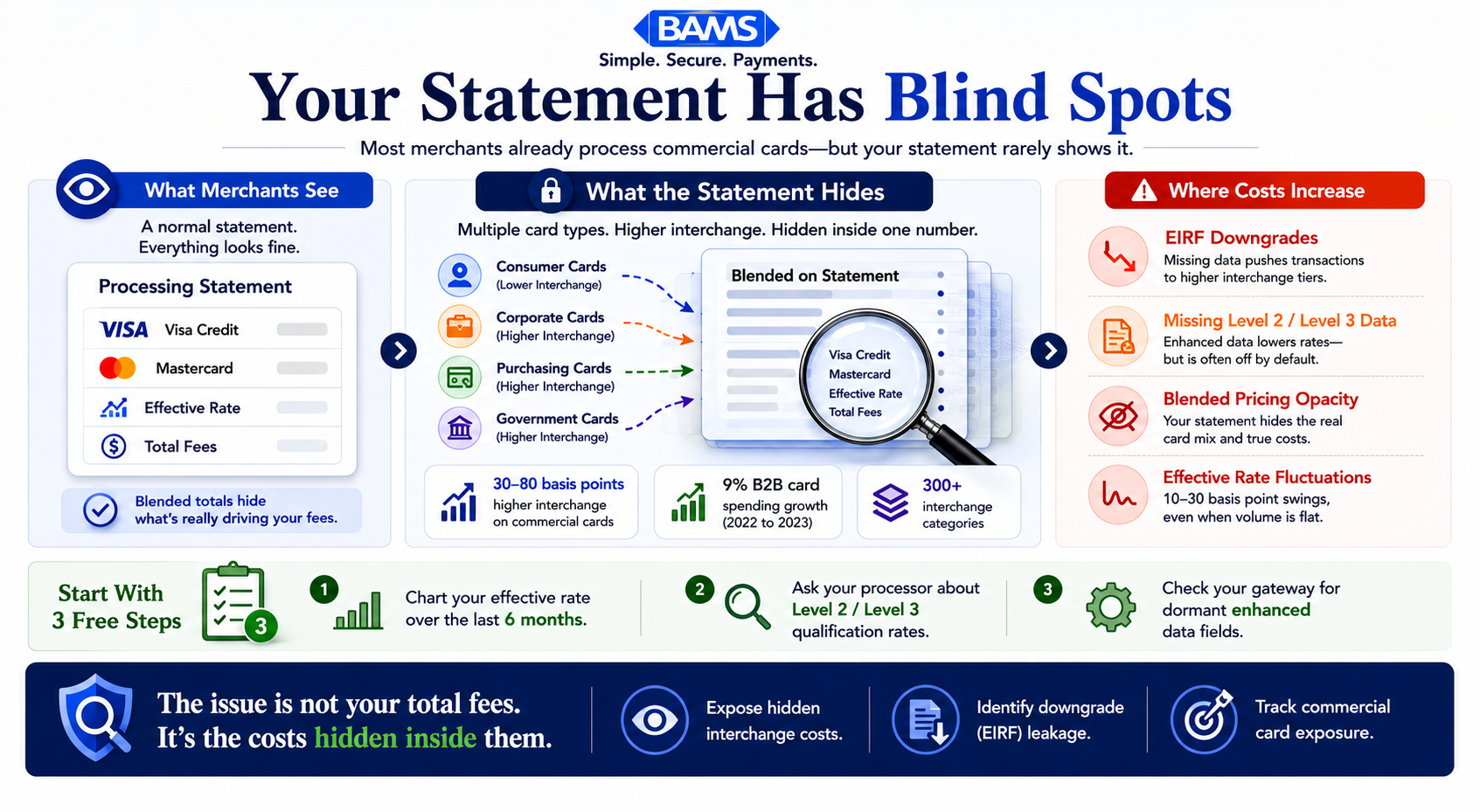
Most eCommerce merchants are already receiving commercial card transactions from buyers using corporate purchasing cards, government procurement cards, or business credit lines. These cards carry higher interchange rates than standard consumer cards. But your statement rarely distinguishes between the two, which means you’re absorbing inflated costs on orders you didn’t realize were different.
Merchant Payments Coalition resources continue to highlight the growing operational impact of commercial card usage, interchange complexity, and payment processing costs across B2B eCommerce environments.
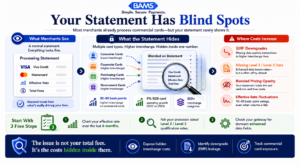
Most merchants already process commercial card transactions. The problem is their statements rarely show where the higher interchange costs are coming from.
What This Guide Covers (and What It Doesn’t)
This is for eCommerce managers at established online businesses who suspect their processing costs are higher than they should be but can’t pinpoint exactly why. You don’t need an ERP system or a dedicated procurement team to benefit from what follows.
We’re not covering a full payment platform overhaul. We’re not walking through every interchange category. Instead, we’re identifying the specific diagnostic signals that reveal hidden commercial card exposure in your existing transaction data, so you can take targeted action on interchange rate reduction without rebuilding your tech stack.
How We Selected These Signals
Each item below meets two criteria: it’s detectable using data or tools most eCommerce merchants already have access to, and it points to a specific cost leak tied to commercial card volume. We prioritized signals that are commonly overlooked because processors rarely surface them proactively.
7 Signals Your Processing Statement Is Hiding Commercial Card Costs
1. Your Effective Rate Fluctuates Month to Month, but Volume Stays Flat
Why it matters: If your total processing volume is stable but your effective rate swings by 10 to 30 basis points between months, the cause is almost certainly a shift in card mix. Commercial cards (purchasing cards, corporate cards, government cards) carry interchange rates 30 to 80 basis points higher than standard consumer cards. A month with more commercial card orders costs more, even if you process the same dollar amount.
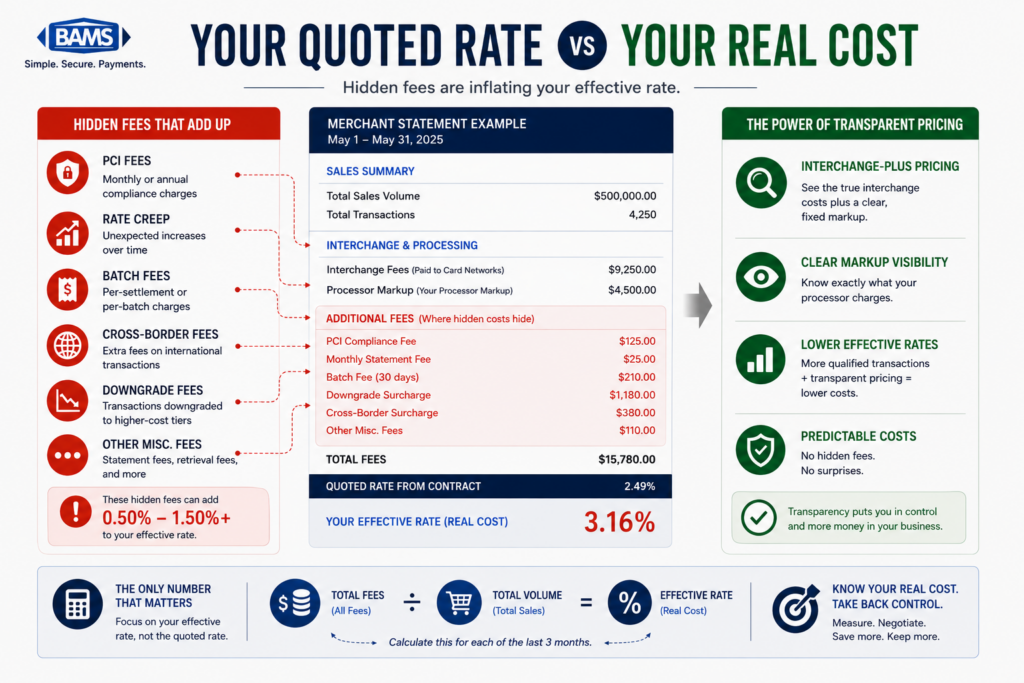
What it looks like today: Most statements show a blended effective rate. They don’t break out consumer versus commercial card volume. You see the symptom (rate fluctuation) without the diagnosis (card type distribution). Understanding your credit card processing fees at a granular level is the first step.
How to apply it: Pull your last six months of statements. Chart your effective rate alongside total volume. If volume is steady but the rate moves, request a card-type breakdown from your processor. If they can’t or won’t provide one, that’s a signal in itself.
2. You Sell Products That Businesses Buy, but You’ve Never Segmented B2B Orders
Why it matters: Ecommerce merchants often think of themselves as B2C without realizing a meaningful slice of their orders come from business buyers. Office managers, facilities teams, event planners, and IT departments all use corporate purchasing cards on consumer-facing websites. Each of those transactions likely qualifies for a different (and more expensive) interchange tier.
What it looks like today: Your order data may already contain clues: company names in shipping addresses, bulk quantities, tax-exempt purchases, or PO numbers entered in order notes. Mastercard’s 2025 commercial card acceptance report notes that businesses not accepting commercial cards risk falling behind competitors that do. If you’re already receiving them without knowing it, you’re paying the premium without capturing the competitive advantage.
How to apply it: Run a filter on your last 90 days of orders. Look for company names in billing or shipping fields, orders over your average order value by 2x or more, and repeat purchases on a monthly cycle. These patterns suggest commercial card usage.
3. Your Processor Hasn’t Mentioned “Level 2” or “Level 3” Data to You
Why it matters: Visa and Mastercard offer lower interchange rates on commercial card transactions when merchants submit additional data fields (tax amounts, customer codes, line-item detail). This is called Level 3 credit card processing. If your processor has never raised this topic, either they don’t support it, they don’t think you qualify, or they benefit from keeping you at the higher default rate.
What it looks like today: Many processors batch all transactions at Level 1 (basic authorization data), regardless of card type. The merchant pays the highest applicable interchange rate, and the processor collects the same markup either way. There’s no financial incentive for them to tell you about data-level optimization.
How to apply it: Ask your processor directly: “What percentage of my transactions are qualifying at Level 2 or Level 3 interchange rates?” If they can’t answer, your payment analytics are incomplete.
4. Your Statement Groups All Visa or Mastercard Transactions Into One Line
Why it matters: Visa alone has over 300 interchange categories. When your statement consolidates everything into “Visa Credit” or “MC Debit,” it’s hiding the specific rate tiers your transactions actually hit. Commercial cards, rewards cards, and standard cards all carry different interchange costs. Without category-level visibility, you can’t identify which transactions are driving your costs up.
What it looks like today: Tiered and bundled pricing models are still common. They simplify your statement but obscure the actual interchange fees. The difference between what you pay and what the card network charges is where processor margin hides. A detailed breakdown of your effective processing rate reveals what a bundled statement conceals.
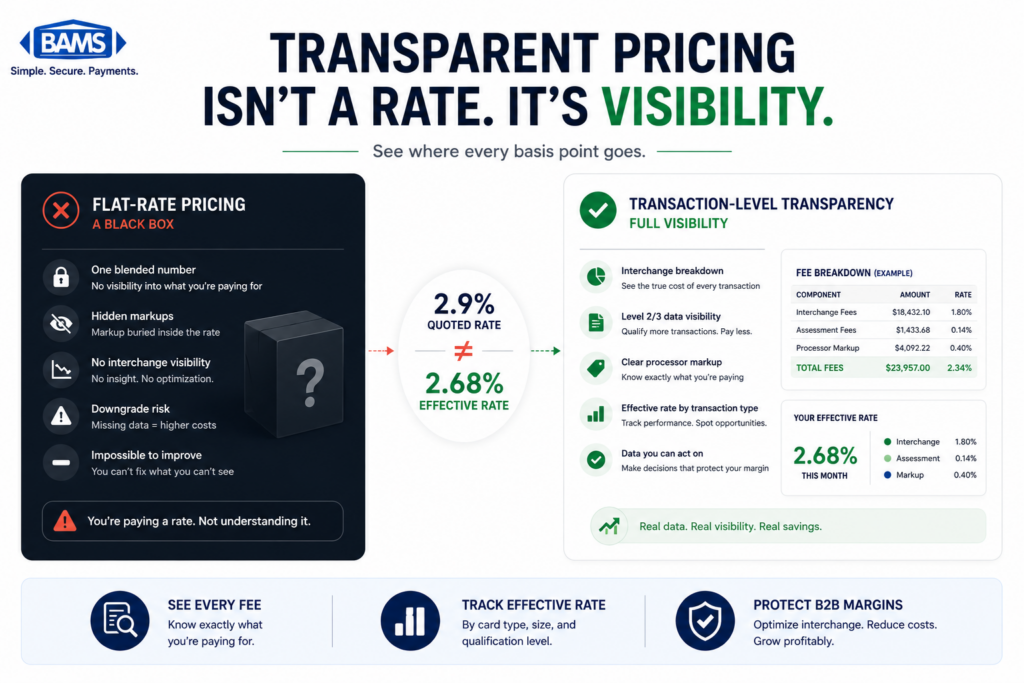
How to apply it: Request an interchange-plus or cost-plus statement format from your processor. This shows the actual interchange category for each transaction alongside the processor’s markup. If your processor doesn’t offer this, consider it a transparency gap worth addressing.
5. You’ve Seen “EIRF” or “Standard” Downgrades on Your Statement
Why it matters: When a transaction doesn’t meet the data requirements for its intended interchange category, it “downgrades” to a more expensive tier. EIRF (Electronic Interchange Reimbursement Fee) and Standard are common downgrade categories. They indicate that required data fields were missing at the time of settlement. For commercial card transactions, this penalty is steeper because the gap between the qualified and downgraded rate is wider.
What it looks like today: Downgrades appear as line items or footnotes on detailed statements, but many merchants don’t know what they mean. Each downgrade represents money you paid that you didn’t have to. Federal Reserve interchange fee data continues to demonstrate how qualification differences materially affect merchant processing costs over time.
How to apply it: Search your statement for “EIRF,” “Standard,” or “Downgrade.” Count how many transactions hit these categories. Then ask your processor what data fields were missing. In many cases, simply passing tax amount and customer code (Level 2 data) eliminates the most common downgrades.
6. Your Payment Gateway Supports Enhanced Data, but Nobody Turned It On
Why it matters: Many modern eCommerce gateways already support Level 2 and Level 3 data fields. The capability exists in the software you’re already paying for. But these fields are often disabled by default or require configuration that your processor never initiated. You’re paying for a feature that could reduce your interchange costs, and it’s sitting dormant.
What it looks like today: Gateway providers like Authorize.Net, NMI, and others include enhanced data fields in their APIs. But unless your processor specifically configures the integration to pass that data to the card networks, the fields go unused. For merchants processing a mix of consumer and commercial transactions, tools like BAMS can help identify whether your current setup is capturing the data needed to qualify for lower rates, and configure it if it’s not.
How to apply it: Check your gateway’s documentation for “Level 2” or “Level 3” data support. Then verify with your processor whether those fields are actively being passed at settlement. If they’re supported but not enabled, you’ve found an immediate cost reduction opportunity.
7. You’ve Never Received a Transaction-Level Cost Analysis
Why it matters: A processing statement tells you what you paid. A transaction-level cost analysis tells you why. Without one, you can’t distinguish between a $500 consumer Visa transaction and a $500 corporate purchasing card transaction, even though the latter may cost you 60 to 80 basis points more in interchange. Federal Reserve Small Business Survey data continues to show that operational visibility and liquidity management remain major priorities for growing businesses.
What it looks like today: Most processors don’t offer transaction-level payment analytics unless you ask. Some charge extra for it. Others simply don’t have the infrastructure. The result is that merchants make decisions about pricing, margins, and payment acceptance based on incomplete information.
How to apply it: Request a full transaction-level analysis covering at least 90 days. Look for the interchange category assigned to each transaction, the card type (consumer, commercial, government), and whether the transaction qualified at the lowest available rate. BAMS provides this kind of B2B merchant processing analysis as part of its onboarding process, giving merchants visibility into costs they didn’t know they had.
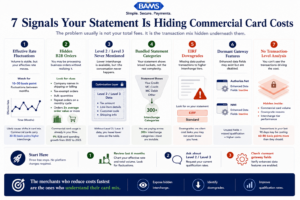
Most interchange problems are not caused by rates alone. They come from invisible transaction mix, hidden downgrades, and missing qualification data.
The Pattern Behind These Signals
Every signal above points to the same structural problem: your processing statement is a summary document, not a diagnostic tool. It tells you the total cost but not the cost drivers. It shows you what happened but not what could have been different.
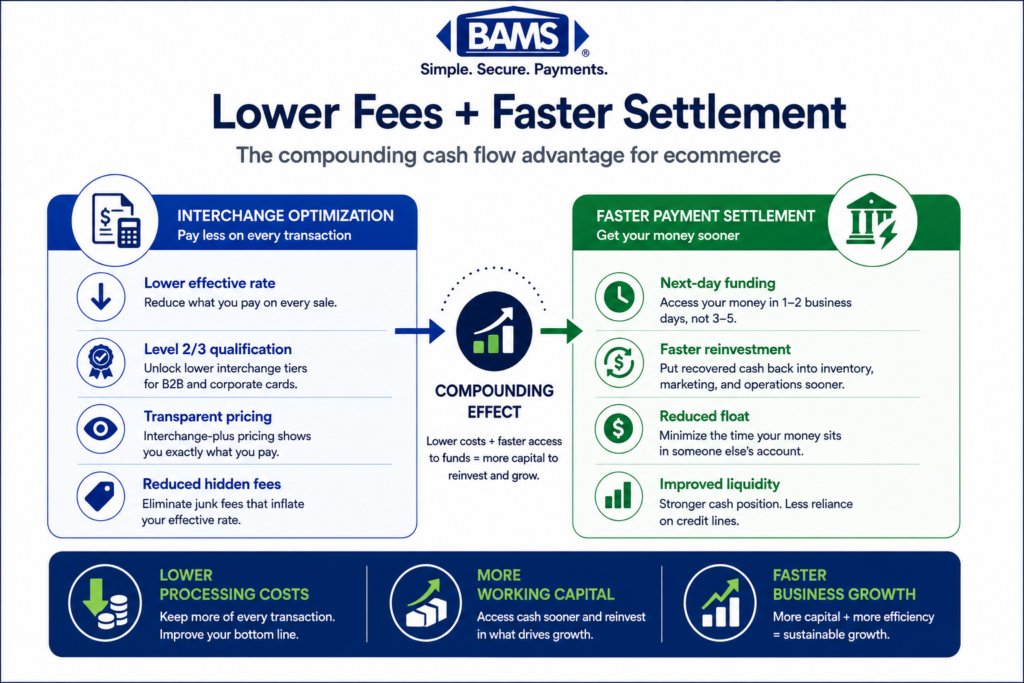
The merchants who reduce their processing costs most effectively aren’t the ones who negotiate a lower markup. They’re the ones who understand their card mix, ensure their transactions qualify at the lowest available interchange tier, and hold their processor accountable for data transparency. These aren’t separate strategies. They’re layers of the same approach: treating payment data as a business asset, not an afterthought.
The tradeoff is attention. Each of these signals requires you to look at something your processor wasn’t surfacing for you. But the payoff compounds. Once you understand your commercial card exposure, every optimization decision gets sharper.
Where to Start
You don’t need to act on all seven signals at once. Start with the three that require the least effort and yield the most clarity:
- Chart your effective rate against volume for the last six months (Signal 1)
- Ask your processor what percentage of transactions qualify at Level 2 or Level 3 (Signal 3)
- Check your gateway for dormant enhanced data fields (Signal 6)
These three steps cost nothing, require no platform changes, and will tell you within a week whether your processing statement has been hiding commercial card costs. From there, you can decide whether a full transaction-level analysis is worth pursuing. For most eCommerce merchants processing $50,000 or more per month, it almost certainly is.
Frequently Asked Questions
What is Level 3 data in merchant services?
Level 3 data refers to detailed, invoice-quality transaction information (line-item descriptions, quantities, tax amounts, freight costs, customer codes) submitted to card networks at the time of settlement. When merchants pass this data on commercial card transactions, Visa and Mastercard offer lower interchange rates because the enhanced detail reduces fraud risk and simplifies the cardholder’s reconciliation process.
How do I know if my eCommerce store is receiving commercial card orders?
Look for patterns in your order data: company names in billing or shipping fields, bulk-quantity purchases, tax-exempt orders, and average order values significantly above your norm. You can also request a card-type breakdown from your processor. If your effective rate fluctuates while volume stays steady, that’s often a sign of mixed consumer and commercial card volume.
Why doesn’t my processing statement show commercial card transactions separately?
Most processing statements use bundled or tiered pricing that groups all Visa or Mastercard transactions into broad categories. This simplifies the statement but hides the interchange tier each transaction actually hit. Requesting an interchange-plus pricing format gives you visibility into the specific card types and rate categories driving your costs.
Which types of transactions are eligible for Level 3 interchange rates?
Level 3 interchange rates apply to transactions made with commercial cards, including corporate purchasing cards, business credit cards, and government procurement cards. Consumer credit and debit cards are not eligible. The transaction must also include the required enhanced data fields (line-item detail, tax amounts, merchant tax ID, etc.) to qualify.
Can I get Level 3 interchange savings without overhauling my payment setup?
In many cases, yes. Many modern payment gateways already support Level 2 and Level 3 data fields. The issue is usually that these fields aren’t configured or enabled. Working with a processor that actively supports enhanced data capture can unlock savings without requiring a platform migration. Start by checking your gateway’s documentation and asking your processor whether those fields are being passed at settlement.
What is an interchange downgrade, and how much does it cost?
An interchange downgrade occurs when a transaction fails to meet the data or timing requirements for its intended interchange category and gets reassigned to a higher-cost tier. For commercial cards, downgrades can add 30 to 80 basis points per transaction. Common causes include missing tax amounts, late settlement batches, or absent customer reference codes. These are often fixable with minor configuration changes.