Accept Apple Pay: The Processor Choice That Shapes Cash Flow
Last Updated on October 6, 2026 by Dimitri Akhrin
Why the five-minute checkout toggle matters less than the settlement speed and support behind it
Learn why enabling Apple Pay is only half the decision. This analysis reveals how your payment processor’s settlement speed and support quality determine whether Apple Pay strengthens or strains your cash position.
TL;DR
- The setup isn’t the strategy – Adding Apple Pay takes minutes, but your processor’s settlement terms determine whether it helps or hurts your cash position.
- Deposit delays are the hidden cost – Some processors hold wallet transaction funds 48 to 72 hours longer than standard card payments, creating an invisible drag on working capital.
- Think funding channel, not feature – Evaluate Apple Pay the same way you evaluate any revenue stream: by how fast, reliably, and affordably the money reaches your bank account.
- Ask “when do I get paid?” first – Next-day funding eligibility, transparent fee structures, and human support access should outweigh integration convenience in every processor decision.
The Checkout Button Everyone Added (and Nobody Audited)
Your team spent a week choosing the right shade of blue for your “Buy Now” button. Then someone dropped Apple Pay into the checkout in an afternoon and called it done. The button works. Customers tap, authenticate, and convert. But the money? That’s where the story gets uncomfortable.
For a growing number of eCommerce operators, the decision to accept Apple Pay was the easy part. The hard part is realizing, weeks later, that the deposits from those transactions are arriving slower than old-fashioned card payments. The feature that was supposed to modernize your checkout is quietly straining your cash position.
Why Everyone Treats Apple Pay Like a Toggle Switch
The prevailing wisdom says Apple Pay checkout is a conversion play. And that’s not wrong. Digital wallets reduce the need for customers to manually enter card and billing information, creating a faster path through checkout. Adoption is already substantial: the Consumer Financial Protection Bureau reported that roughly three in four U.S. iPhone users had activated Apple Pay, while U.S. consumers spent an estimated $199 billion at stores using Apple Pay in 2022.
So the industry built an entire content ecosystem around the setup: which platforms support it, how tokenization works, what NFC means. Every guide ends at the same place: “Enable the toggle, and you’re done.”
That framing made sense when mobile wallets were novel. But the market has matured. Apple Pay is now widely activated among U.S. iPhone users and represents meaningful consumer payment volume. When a payment method reaches that level of adoption, treating it as a simple feature toggle misses the operational side of the decision. The toggle is the beginning, not the end.
The Real Variable Isn’t the Wallet. It’s the Wiring.
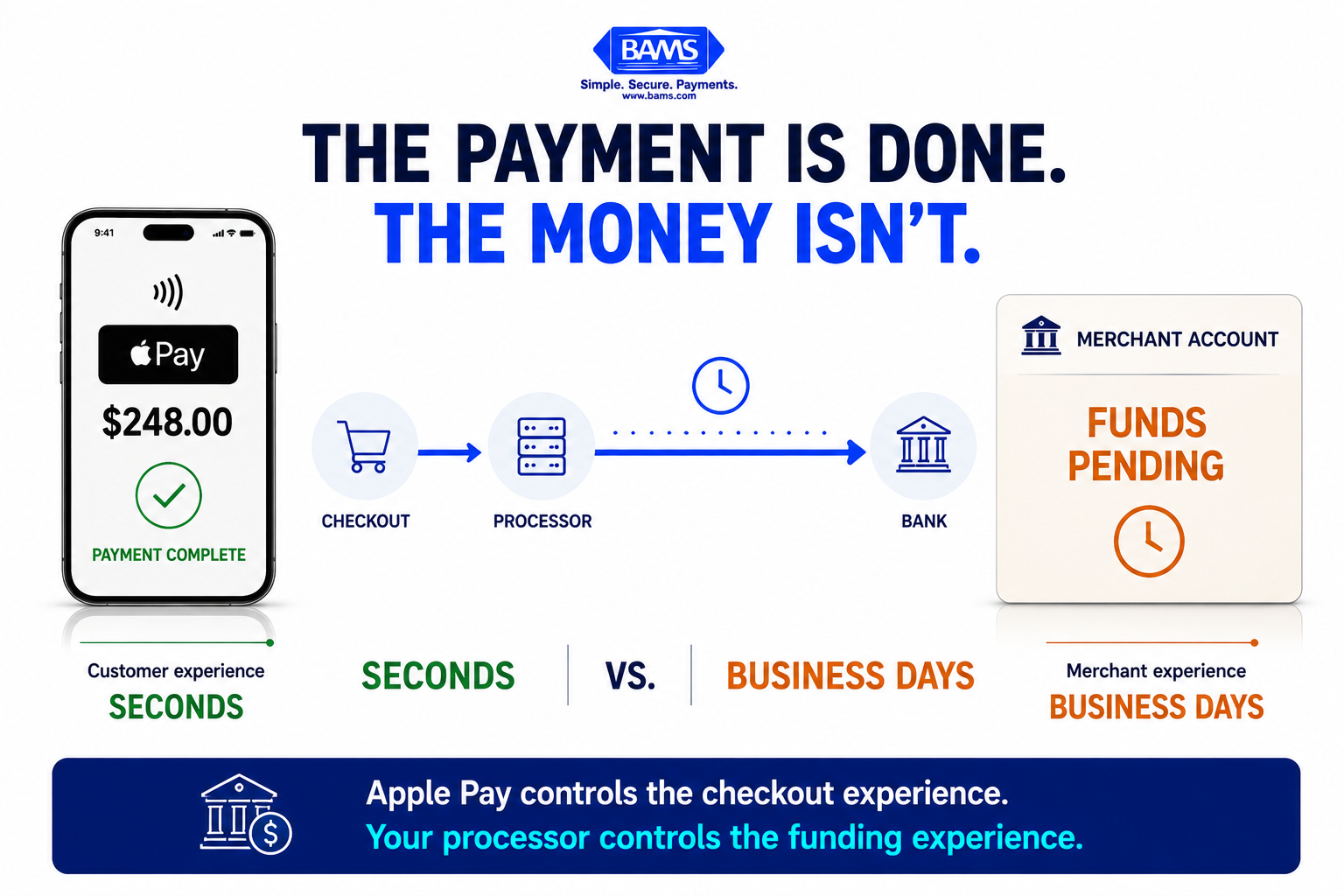
Editorial fintech graphic illustrating the gap between a completed Apple Pay checkout and the merchant receiving usable funds in their bank account.
Here’s what we believe: the processor you choose to route Apple Pay transactions through matters more than whether you offer Apple Pay at all. Settlement speed, fee transparency, and support quality are the variables that determine whether mobile payment solutions improve your cash flow or just add another line item to your processing statement.
When Apple Pay Becomes a Cash Flow Problem
Consider a pattern we’ve seen repeatedly. An eCommerce brand running $80,000 to $150,000 per month in revenue enables Apple Pay on their Shopify or BigCommerce store. Conversion ticks up. Mobile order volume grows. Everything looks healthy on the dashboard.
Then the finance team notices something odd.
Deposits from Apple Pay transactions are batching differently than standard card transactions. Instead of landing in the bank account on a predictable schedule, they’re arriving 48 to 72 hours later. Sometimes longer. The processor’s support team offers vague explanations about “wallet transaction review” or “additional verification layers.”
Meanwhile, the business still needs to pay suppliers, run payroll, and fund ad spend on the same cadence it always has. The revenue is earned. The money is in limbo.
The Gap Nobody Talks About
This gap between checkout completion and deposit arrival is the single most overlooked variable in the Apple Pay conversation. Every competitor guide will tell you how to accept Apple Pay in your eCommerce store. Almost none of them discuss what happens after the customer taps “Done.”
The reason is structural. Most content about mobile wallets is written by or for the platforms and processors that benefit from adoption volume. Their incentive is to get you live. Your incentive is to get paid.
Those are not the same thing.
What Actually Determines Settlement Speed
Three factors control how quickly your Apple Pay revenue becomes usable cash:
- Processor settlement terms. Some processors batch wallet transactions separately, adding a day or more to the funding cycle. Others treat them identically to card-present or card-not-present transactions. The difference is policy, not technology.
- Risk and hold policies. Processors with opaque risk models may flag wallet transactions at higher rates, triggering holds that delay deposits without clear communication to the merchant.
- Support responsiveness. When a deposit is delayed, the speed of resolution depends entirely on whether you can reach a human who understands your account. Automated ticket systems and chatbots don’t release holds.
This distinction matters because payment approval and merchant settlement are separate stages. Visa explains that digital payments move through authentication, authorization, approval, and settlement before funds reach the merchant account. A fast customer checkout therefore does not automatically mean equally fast access to the resulting funds.
This is where the processor decision becomes a cash flow decision. A merchant processing $120,000 monthly through Apple Pay with a two-day deposit delay versus next-day funding is carrying an extra $8,000 in float at any given time. That’s not a rounding error. That’s a line of credit you’re extending to your processor, interest-free.
Where the Right Partner Changes the Math
This is exactly the kind of problem that BAMS was built to solve. With next-day funding on Apple Pay transactions and dedicated account managers (not ticket queues), merchants can close the gap between earning revenue and accessing it. It’s not the only factor in choosing a processor, but for businesses where cash flow timing drives operational decisions, it’s the factor that matters most.
If you’re running Apple Pay on BigCommerce specifically, the integration details matter too. We’ve broken down the platform-specific considerations for BigCommerce merchants separately.
What Changes If You Accept This Is True
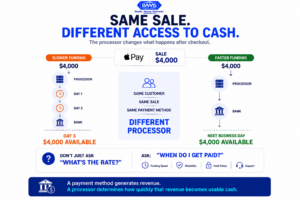
Two processors can handle the same Apple Pay sale while giving the merchant very different access to the resulting cash.
If settlement speed is the real differentiator in mobile payment solutions, then several common practices need rethinking.
First, processor evaluations should start with funding timelines, not integration ease. Every major processor supports Apple Pay. Not every processor deposits your money tomorrow.
Second, finance teams need visibility into deposit timing across their payment channels. If different transaction streams reach the bank on different schedules, those differences should be reflected in cash flow forecasting rather than discovered after expected deposits fail to appear. NetSuite’s guidance on cash flow forecasting emphasizes forecasting expected cash inflows and outflows so businesses can anticipate their future cash position.
Third, the “total cost of processing” conversation has to expand beyond basis points. A processor charging 10 basis points less but holding your funds an extra two days isn’t cheaper. It’s more expensive in every way that matters to a business managing inventory, payroll, and growth spend on tight margins.
A Better Way to Think About Accept Apple Pay Decisions
Stop thinking of Apple Pay as a checkout feature. Start thinking of it as a funding channel.
Features get evaluated on adoption and conversion. Funding channels get evaluated on speed, reliability, and cost. The moment you reframe Apple Pay for eCommerce as a funding channel, the questions you ask your processor change entirely. You stop asking “Do you support Apple Pay?” and start asking “When do I get paid?”
That single question, asked before you sign a processing agreement, is worth more than every integration guide on the internet combined.
The Button Is Easy. The Banking Is the Strategy.
Every eCommerce brand will accept Apple Pay eventually. Most already do. The competitive advantage was never in offering it. The advantage lives in how fast the money moves from your customer’s wallet to your operating account. That’s not a technology problem. It’s a partnership problem. Choose accordingly.
Frequently Asked Questions
Why are my Apple Pay deposits slower than regular card transactions?
Some processors batch mobile wallet transactions separately or apply additional review steps that add one to three days to the settlement cycle. This is a processor policy decision, not a limitation of Apple Pay itself.
How do I know if my processor offers next-day funding on Apple Pay?
Ask directly before signing your agreement. Request written confirmation of settlement timelines specifically for wallet-based transactions, not just card transactions in general.
Does accepting Apple Pay cost more than standard card processing?
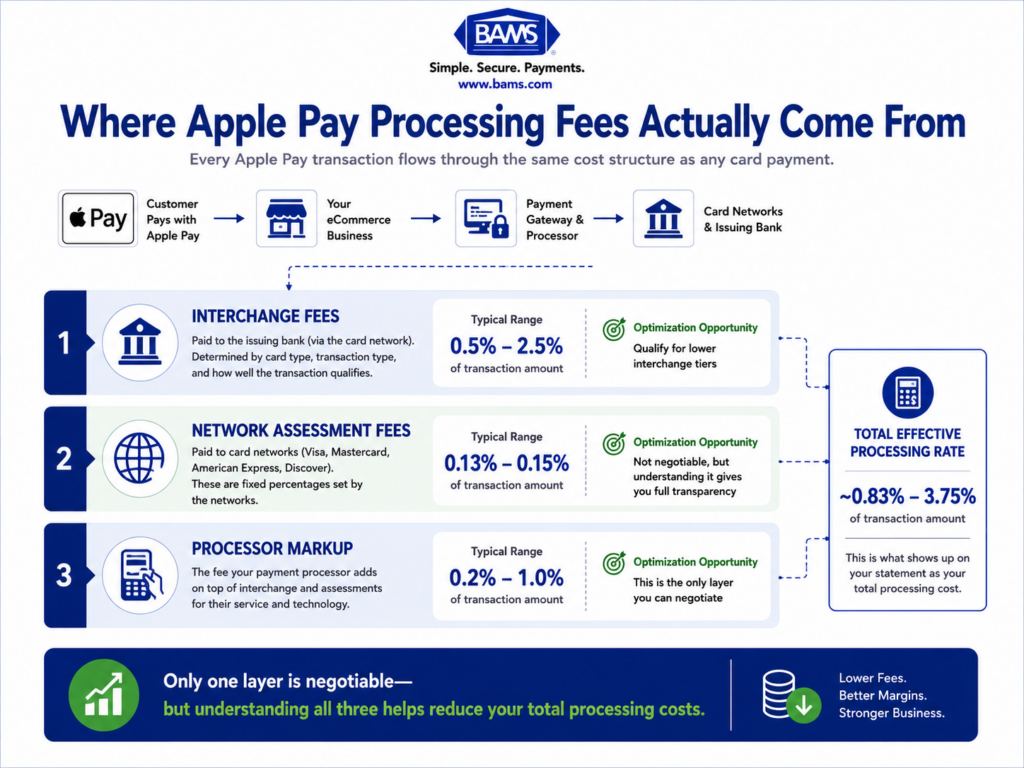
Apple Pay transactions typically carry interchange rates comparable to card-not-present transactions. The real cost difference comes from your processor’s markup and how deposit timing affects your working capital.
Sources
- https://www.consumerfinance.gov/data-research/research-reports/big-techs-role-in-contactless-payments-analysis-of-mobile-device-operating-systems-and-tap-to-pay-practices/full-report/
- https://corporate.visa.com/en/solutions/acceptance/process-payments.html
- https://www.netsuite.com/portal/resource/articles/accounting/cash-flow-forecasting.shtml#