Transaction Retry Strategy: Cut Wasted Fees Before Peak
Last Updated on August 7, 2026 by Dimitri Akhrin
Configure decline-code routing, retry caps, and real-time authorization monitoring to stop paying for retries that never convert
Learn how to build a transaction retry strategy that eliminates unnecessary interchange and scheme fees during peak season. This tutorial walks through decline-code routing rules, retry caps, real-time dashboards, and stress testing.
TL;DR
- Stop retrying hard declines immediately – Stolen cards, closed accounts, and invalid card numbers will never succeed. Every retry on these codes is a fee with zero revenue potential.
- Cap soft-decline retries at 3 to 5 attempts with timed spacing – Align retry timing with payday cycles (4h, 24h, 48h delays) to lift recovery rates by 20 to 50% while staying well under card scheme penalty thresholds.
- Build real-time authorization monitoring before peak season – Track authorization rates, decline codes, retry volumes, and estimated retry costs on a live dashboard with automated alerts so you catch problems in minutes, not on next month’s statement.
- Notify your processor of projected peak volume 30 to 60 days early – Prevent surprise reserve holds, funding delays, or account freezes by documenting your seasonal volume expectations and getting written confirmation that no risk flags will activate.
- Audit retry performance after every peak season – Compare retry volume, conversion rates, and scheme fees against your pre-season baseline to continuously refine your configuration for the next cycle.
What You’ll Achieve: A Pre-Season Retry Configuration That Cuts Wasted Fees
By the end of this tutorial, you will have a fully configured transaction retry strategy that prevents unnecessary interchange and scheme fees during your busiest selling periods. You’ll set up decline-code routing rules, establish retry caps per transaction, build a real-time authorization monitoring dashboard, and stress-test the entire flow before volume peaks.
Your success criteria are concrete: retry-related scheme fees drop, authorization rates stay visible in real time, and no transaction retries fire on hard declines. If your current setup retries every failed transaction the same way regardless of decline reason, you’re paying for attempts that will never convert. This tutorial fixes that.
Prerequisites and Setup Checklist
Before you start, confirm you have the following in place. Missing any of these will stall your progress at a specific step.
- Payment gateway admin access with permissions to edit retry rules and view decline codes (Stripe, Braintree, Adyen, or similar)
- Access to your processor’s reporting portal to pull authorization rate data and decline reason breakdowns
- A spreadsheet or BI tool (Google Sheets, Looker, or your analytics platform) for building a monitoring view
- Historical transaction data from your last peak season (at minimum: transaction count, decline codes, retry counts, and fees paid)
- Your card scheme documentation for retry limits (Visa and Mastercard before configuring retry rules are a good starting reference)
Time estimate: 3 to 5 hours spread across two sessions. The first session covers analysis and configuration (Steps 1 through 6). The second covers testing and monitoring setup (Steps 7 through 9). Potential blocker: If your gateway doesn’t expose decline reason codes, you’ll need to contact your processor to enable that data feed before proceeding.
Why Transaction-Level Optimization Matters More Than Contract Renegotiation
Most peak-season cost advice tells you to renegotiate your processing rates. That helps, but it ignores the fees you generate yourself through poorly configured retry logic. Merchants pay for every retry attempt, and card schemes apply extra fees when retry volumes exceed thresholds. During seasonal spikes, a misconfigured retry loop can fire thousands of extra attempts in days.
This tutorial takes the execution-level approach: you’ll fix how your system handles failed transactions so each retry has a reasonable chance of converting revenue. The alternative (doing nothing and absorbing the fees) gets more expensive the more you grow. Expect moderate difficulty. You don’t need to write code from scratch, but you do need to understand your gateway’s retry settings and be comfortable reading decline code documentation.
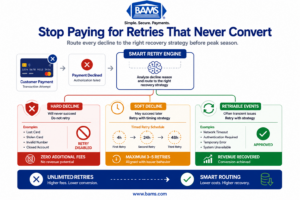
Not every declined payment should be retried. Smart routing reduces unnecessary fees while protecting revenue.
Step 1: Pull Your Last Peak Season’s Decline Data
Open your processor’s reporting portal and export all declined transactions from your most recent high-volume period (Black Friday through Cyber Monday, or your industry’s equivalent). You need four columns at minimum: transaction ID, decline code, number of retry attempts, and timestamp.
Expected result: A dataset showing exactly how many retries occurred per decline code. You’ll likely discover that a significant percentage of retries fired on hard declines (stolen card, closed account, invalid card number) that will never succeed regardless of how many times you retry.
Common failure: Your export shows generic “declined” without specific reason codes. Fix: Contact your gateway provider and request raw decline code passthrough. Most gateways support this but don’t enable it by default.
Step 2: Classify Every Decline Code as Hard, Soft, or Retriable
Create a spreadsheet with three columns: Decline Code, Description, Classification. Map every unique decline code from your export into one of three categories:
- Hard decline (never retry): Stolen card, closed account, invalid card number, pick up card. These will never succeed.
- Soft decline (retry with caution): Insufficient funds, issuer temporarily unavailable, do not honor. These may succeed later.
- Retriable (retry with strategy): Issuer system error, network timeout, authentication required. These benefit from timed retries.
Expected result: A reference table your gateway rules will use. Most merchants find that 30% to 50% of their retried declines during peak season were hard declines that should never have been retried at all.
Common failure: You’re unsure how to classify a code. Fix: Check your card network’s official decline code documentation. When in doubt, classify as “soft decline” with a single retry cap rather than unlimited.
Step 3: Configure Your Gateway to Stop Retrying Hard Declines
Log into your payment gateway’s admin panel and navigate to the retry or recovery settings. This is where you apply the classification table from Step 2. For every hard decline code, set retry attempts to zero.
In most gateways, you’ll find this under settings like “Decline Management,” “Smart Retries,” or “Recovery Rules.” If your gateway uses a rules engine, create a rule that matches each hard decline code and routes it to “do not retry.”
Example rule structure:
IF decline_code IN [“05 – Do Not Honor (Hard)”, “14 – Invalid Card Number”, “41 – Lost Card”, “43 – Stolen Card”]
THEN retry_attempts = 0
THEN notify_customer = true
THEN log_reason = “hard_decline_no_retry”
Expected result: Your gateway immediately stops wasting attempts on transactions that cannot succeed.
Checkpoint: Run a test transaction with a known hard-decline test card. Confirm it declines once and does not retry.
Common failure: Your gateway doesn’t support per-decline-code retry rules. Fix: Check if your gateway supports webhooks or API callbacks. You can build a lightweight middleware that intercepts decline responses and decides whether to retry before sending the next attempt.
Step 4: Set Retry Caps and Timing for Soft Declines
For soft declines (insufficient funds, temporary issuer errors), configure retry limits that stay well under card scheme thresholds. Consult the latest Mastercard and Visa retry guidance when setting retry caps to ensure your configuration stays within current network requirements.
Set these parameters for soft declines:
- Maximum retries per transaction: 3 to 5 attempts total (not per day)
- Retry spacing: First retry after 4 hours, second after 24 hours, third after 48 hours
- Retry window: All attempts must complete within 7 days of the original decline
This spacing aligns retries with typical payday and funding cycles. Spacing retry attempts gives customers time to resolve temporary issues such as insufficient funds or temporary issuer outages, improving the likelihood of a successful authorization without generating unnecessary retry activity.
Expected result: Retry volume drops significantly while recovery rates hold steady or improve. Checkpoint: Confirm your gateway enforces the cap by testing with a soft-decline test card and verifying it stops after the configured number of attempts.
Step 5: Build a Real-Time Authorization Rate Dashboard
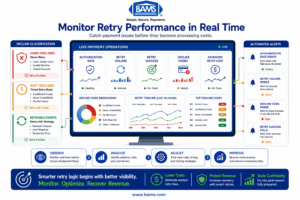
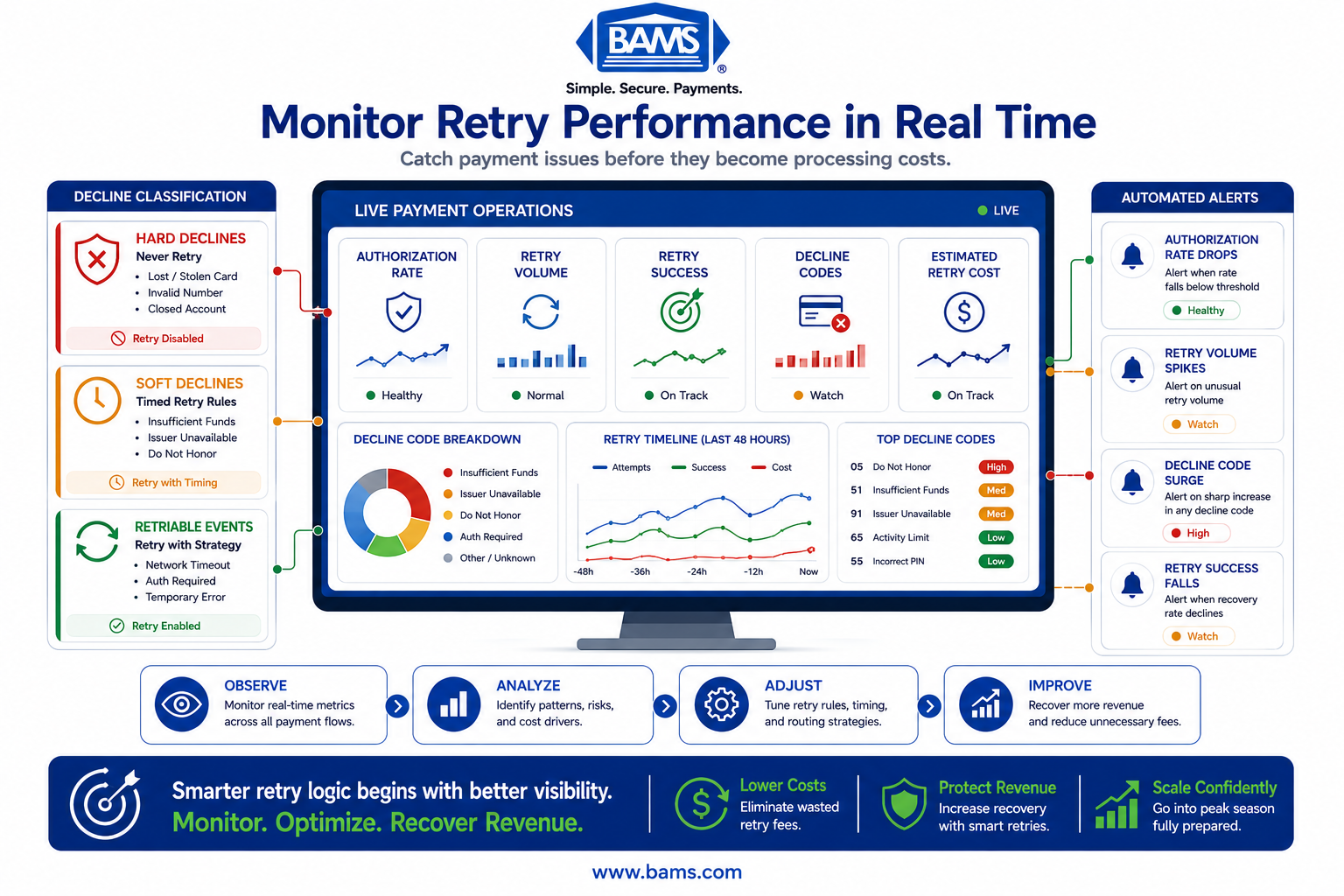
A fintech command-center infographic illustrating the key operational metrics merchants should monitor to optimize transaction retry performance.
You need to see authorization rates, decline rates, and retry volumes as they happen during peak season. Waiting for a monthly statement means you discover problems after they’ve already cost you. This is where real-time analytics becomes essential.
Connect your gateway’s transaction data to a monitoring tool. Most gateways offer API endpoints or webhook events for transaction outcomes. Route these into your BI tool or a simple dashboard with the following metrics:
- Authorization rate (approved / total attempts) updated every 15 minutes
- Decline rate by code to spot sudden spikes in specific failure types
- Retry volume (total retries fired per hour)
- Retry conversion rate (retries that succeeded / total retries)
- Estimated retry cost (retry count × average scheme fee per retry)
Expected result: A live view that lets you spot problems within minutes. If a specific issuer starts declining all transactions, you’ll see it in the decline-by-code breakdown before it tanks your overall authorization rate.
For merchants who want deeper visibility into where processing costs actually accumulate, understanding what your payment statement hides is a useful companion exercise. Many of the fees generated by retries show up as line items that are easy to miss without structured analysis.
Common failure: Your gateway’s webhook delivery is delayed during high volume. Fix: Set up a secondary polling mechanism that queries the gateway API every 5 minutes as a fallback.
Step 6: Create Alert Thresholds for Peak Season Anomalies
A dashboard is only useful if someone is watching it. Set automated alerts that trigger when key metrics cross danger thresholds:
- Authorization rate drops below 85% (or 5 percentage points below your trailing 7-day average)
- Retry volume exceeds 2x your daily average within any 4-hour window
- Any single decline code exceeds 15% of total declines (indicates a systemic issue)
- Retry conversion rate drops below 5% (your retries are burning money)
Route these alerts to Slack, email, or whatever channel your team monitors during peak periods. Checkpoint: Trigger a test alert by temporarily lowering a threshold and confirming delivery.
Step 7: Stress-Test Your Configuration Before Volume Peaks
Run a controlled test that simulates peak-season conditions. Use your gateway’s sandbox or test mode to fire a batch of transactions that includes a mix of approvals, hard declines, soft declines, and timeouts. Verify three things:
- Hard declines do not retry (check your logs for zero retry attempts on those codes)
- Soft declines retry according to your spacing and cap rules
- Your dashboard updates in real time and alerts fire when thresholds are crossed
For merchants handling cardholder data directly, validate that any retry configuration changes continue to meet the latest PCI Security Standards Council requirements before deploying them into production.
Expected result: Your test batch processes cleanly with retries only on retriable codes, your dashboard reflects accurate numbers within minutes, and at least one alert fires (because you set a test threshold to trigger).
Common failure: Sandbox behavior doesn’t match production. Fix: If possible, run a small live test with real transactions during a low-traffic period. Monitor the results for 24 hours before peak season begins.
Step 8: Review Your Processor’s Seasonal Risk Policies
This step is often overlooked and can blindside growing eCommerce brands. Many processors flag accounts that suddenly process 2x or 3x their normal volume. This can trigger reserve holds, delayed funding, or even temporary account freezes during the exact period you need capital most.
Contact your processor 30 to 60 days before peak season and provide:
- Your projected peak-season volume (transaction count and total dollar amount)
- Historical data showing this is seasonal, not anomalous
- A request to confirm no reserve or hold policies will activate at your projected volume
This is one area where your processor relationship matters significantly. BAMS, for example, pairs merchants with dedicated account managers who proactively review seasonal volume projections and adjust account parameters before peak periods hit, preventing surprise holds that freeze cash flow when it matters most. Their next-day funding model also eliminates the 2 to 3 day deposit delay that compounds cash flow pressure during high-volume stretches.
Expected result: Written confirmation from your processor that your projected volume won’t trigger holds or reserves. Save this documentation.
Step 9: Schedule a Post-Peak Retry Audit
Before peak season starts, put a calendar reminder for 7 days after it ends. You’ll run a post-season audit that compares your retry performance against your pre-season baseline. Pull the same data from Step 1 and measure:
- Total retry attempts (should be lower than last year’s peak)
- Retry conversion rate (should be higher, since you eliminated wasted retries)
- Scheme fees attributed to retries (should be lower)
- Authorization rate (should be stable or improved)
This audit feeds directly into next year’s configuration. Examining the data your processor ignores can reveal additional cost reduction opportunities in how transaction data is submitted, particularly around Level 2 and Level 3 data fields that affect interchange qualification.
Configuration and Customization: Key Variables to Adjust
Your retry configuration isn’t one-size-fits-all. These variables should be tuned based on your business model, average order value, and customer base:
- Retry cap (safe default: 3 attempts): Subscription businesses may benefit from up to 5 attempts spaced across a billing cycle. One-time purchases rarely benefit from more than 2.
- Retry spacing (safe default: 4h / 24h / 48h): If your customers skew toward biweekly pay cycles, space the second and third retries to align with the 1st and 15th of the month.
- Alert thresholds (must customize): Your baseline authorization rate determines your alert floor. A business with a 92% baseline should alert at 87%. A business at 80% should alert at 75%.
- Decline code classification: Review and update quarterly. Card networks occasionally reclassify codes or introduce new ones.
Must-change setting: If your gateway ships with “unlimited retries” as the default (some do), change this immediately. This is the single highest-cost misconfiguration during peak season.
Verification and Testing: Confirming Your Setup Works
Run this verification sequence before going live for peak season:
- Test 1: Submit a transaction with a hard-decline test card. Confirm zero retries in your logs and a customer notification email/message is sent.
- Test 2: Submit a transaction with a soft-decline test card. Confirm the first retry fires after your configured delay (not immediately) and stops after your cap.
- Test 3: Submit 50+ transactions in rapid succession. Confirm your dashboard updates within 15 minutes and reflects accurate counts.
- Test 4: Manually trigger an alert threshold. Confirm the notification arrives in under 5 minutes to the correct channel.
Edge cases to verify: What happens if a soft decline converts to a hard decline on retry (e.g., insufficient funds on attempt 1, then card closed on attempt 2)? Your system should stop retrying immediately when it encounters a hard decline code, even mid-sequence.
Common Errors and Fixes
“Retry fees appeared on my statement but I set caps”
Symptom: Scheme fees for excessive retries despite configured limits. Cause: Your gateway counts retries per session, not per transaction. If a customer re-submits from the checkout page, the gateway treats it as a new transaction and resets the retry counter. Fix: Implement a transaction fingerprint (card number hash + amount + merchant ID) that tracks retries across sessions, not just within a single payment attempt.
“Authorization rate dropped 10% on the first day of peak season”
Symptom: Sudden decline spike across multiple card types. Cause: Your processor’s fraud filters tightened automatically due to volume increase. Fix: This is why Step 8 exists. Contact your processor immediately and reference your pre-season volume projection documentation. Request a fraud filter review within hours, not days.
“Dashboard shows stale data during high volume”
Symptom: Metrics lag by 30+ minutes during peak traffic. Cause: Webhook queuing under load. Fix: Switch to a polling-based data pull during peak periods. Query your gateway API every 2 to 5 minutes instead of relying on webhooks. Most gateway APIs handle polling better than high-volume webhook delivery.
“Retry converted but customer was already charged elsewhere”
Symptom: Customer complains of double charge. Cause: Customer completed purchase on a different device or session while a retry was still queued. Fix: Before executing any retry, query your order management system to confirm the order is still unpaid. Cancel queued retries the moment an order is fulfilled.
“Processor placed a reserve hold during peak week”
Symptom: Funding delayed or partially withheld. Cause: Volume exceeded the threshold your processor had on file. Fix: If you completed Step 8, present your documentation. For future prevention, submit volume projections quarterly, not just before peak season.
Next Steps and Extensions
With your retry logic configured and monitoring in place, you can extend this work in several directions:
- Add routing logic by card network: Route Visa and Mastercard retries through different acquirers based on which has higher authorization rates for each network. Retry and routing logic guides can help you evaluate multi-acquirer strategies.
- Implement decline recovery messaging: For soft declines, send the customer an email with a direct link to update their payment method. This converts more revenue than silent retries alone and improves your overall checkout experience optimization.
- Build a seasonal cost model: Use your post-peak audit data to forecast retry costs for the next peak season. Compare projected retry costs against recovered revenue to determine whether your retry strategy is delivering measurable business value before expanding it further.
Each of these extensions builds on the foundation you’ve just created. The monitoring infrastructure and decline classification work you’ve done here makes every future optimization faster to implement and easier to measure.
Frequently Asked Questions
What is a seasonal volume playbook in merchant services optimization?
A seasonal volume playbook is a documented set of configurations, alert thresholds, and processor communications you complete before your peak selling period. It covers retry logic tuning, authorization rate monitoring, fraud filter adjustments, and cash flow planning. The goal is to prevent reactive firefighting during the exact period when every hour of downtime or misconfiguration costs the most revenue.
When should businesses review their payment processing setup before peak seasons?
Start 60 days before your projected volume increase. This gives you time to pull historical decline data (week 1), configure and test retry rules (weeks 2 through 3), build monitoring dashboards (week 4), contact your processor about volume projections (weeks 4 through 5), and run stress tests (weeks 6 through 7). Waiting until the week before peak season leaves no room to fix issues discovered during testing.
How can businesses use data to forecast transaction volume for seasonal planning?
Pull your transaction count and dollar volume from the same period in previous years. Apply your year-over-year growth rate to project this year’s peak. Factor in any planned promotions, product launches, or marketing campaigns that could spike volume beyond organic growth. Share these projections with your processor so they can adjust risk thresholds and prevent surprise holds on your account.
Why do some processors delay deposits or place holds during peak season?
Processors use automated risk models that flag sudden volume increases as potential fraud or financial instability. If your account typically processes $50,000 per month and suddenly hits $150,000 in a week, the system may trigger a reserve hold or delay funding. Proactive communication with your processor (sharing volume projections and historical data) prevents most of these issues. Processors with dedicated account management, like BAMS, can adjust these thresholds manually before peak season begins.
How does smart retry logic differ from standard automatic retries?
Standard automatic retries treat every declined transaction the same: retry immediately, a fixed number of times, regardless of the decline reason. Smart retry logic reads the specific decline code, classifies it as hard or soft, and adjusts behavior accordingly. Hard declines are never retried. Soft declines are retried on a timed schedule that aligns with when the issue is most likely resolved (such as payday cycles for insufficient funds). Which strategies help manage payment processing costs during peak retail season?
The most impactful strategies operate at the transaction level: eliminating retries on hard declines, capping soft-decline retries below scheme fee thresholds, monitoring authorization rates in real time to catch issues early, and ensuring your processor won’t freeze funding during volume spikes. Beyond retries, submitting complete transaction data (Level 2 and Level 3 fields) can lower interchange qualification rates on every transaction, not just retried ones.