5 Statement Signals Hiding Commercial Card Costs
Last Updated on October 7, 2026 by Dimitri Akhrin
How to spot the line items and qualification codes that reveal missed interchange savings on every order
Learn to identify five specific signals on your processing statement that indicate you’re overpaying on commercial card transactions. This guide shows eCommerce merchants exactly where hidden costs live and how to unlock lower interchange rates.
TL;DR
- Your statement hides commercial card costs – Transactions from corporate, purchasing, and government cards often get lumped into generic interchange categories, so you never see what you’re overpaying.
- Five specific line items reveal the problem – High EIRF/Standard volume, missing commercial card tiers, tiered/flat pricing, absent Level 2/3 data submission, and growing non-qualified surcharges all point to unoptimized commercial card transactions.
- Level 2 and Level 3 data unlock lower rates – Passing additional transaction data (sales tax, line-item detail) on commercial cards can reduce interchange costs significantly per transaction, and many merchants aren’t submitting any of it.
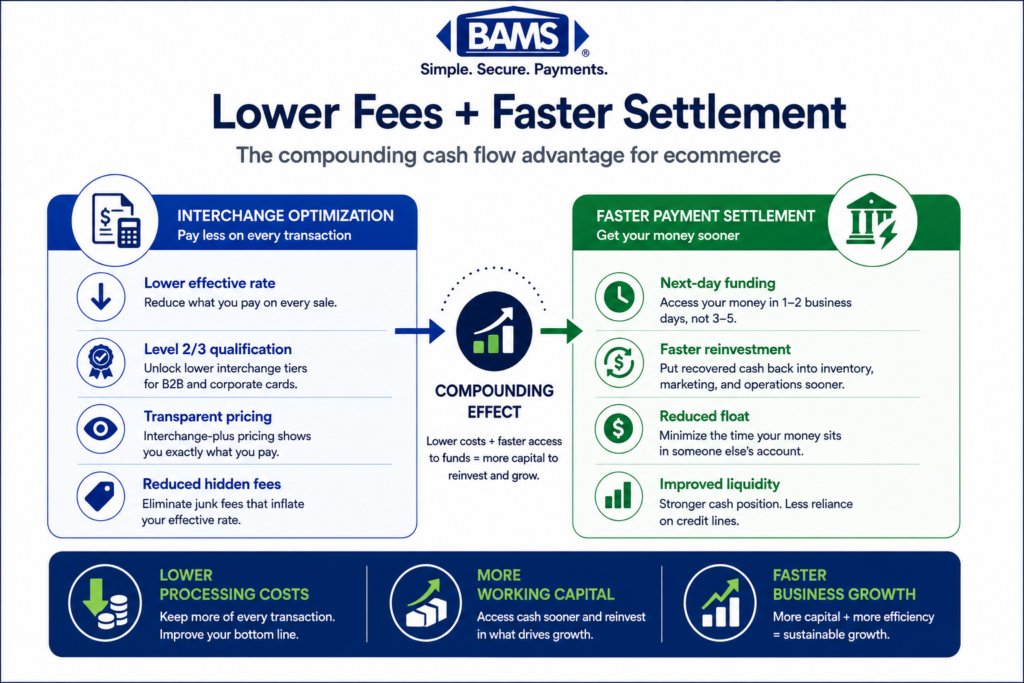
- You don’t need a platform overhaul to start – Begin by confirming your pricing model gives you interchange visibility, then ask your processor what percentage of your volume is on commercial BINs. Those two steps cost nothing and tell you whether deeper optimization is worth pursuing.
- The savings compound as commercial card usage grows – According to the Federal Reserve’s 2025 Small Business Credit Survey, managing operating expenses remains a significant challenge for many businesses, making payment cost optimization increasingly important. B2B card spending is rising year over year, which means the cost of ignoring this problem increases with every statement cycle.
Your Processing Statement Has Blind Spots
You review your processing statement every month. You check the totals, compare the rates, and move on. But what if the statement itself is hiding a category of cost you never thought to look for?
Most eCommerce merchants assume their commercial card transactions are rare or nonexistent. The reality is different. Businesses buying from your online store with corporate purchasing cards, government procurement cards, or fleet cards generate transactions that look identical to consumer purchases on the surface. Underneath, they’re qualifying at higher interchange tiers because your processor isn’t passing the data the card networks need to unlock lower rates. The Visa Commercial Enhanced Data Program highlights how enhanced transaction data supports qualification for preferred commercial card interchange categories.
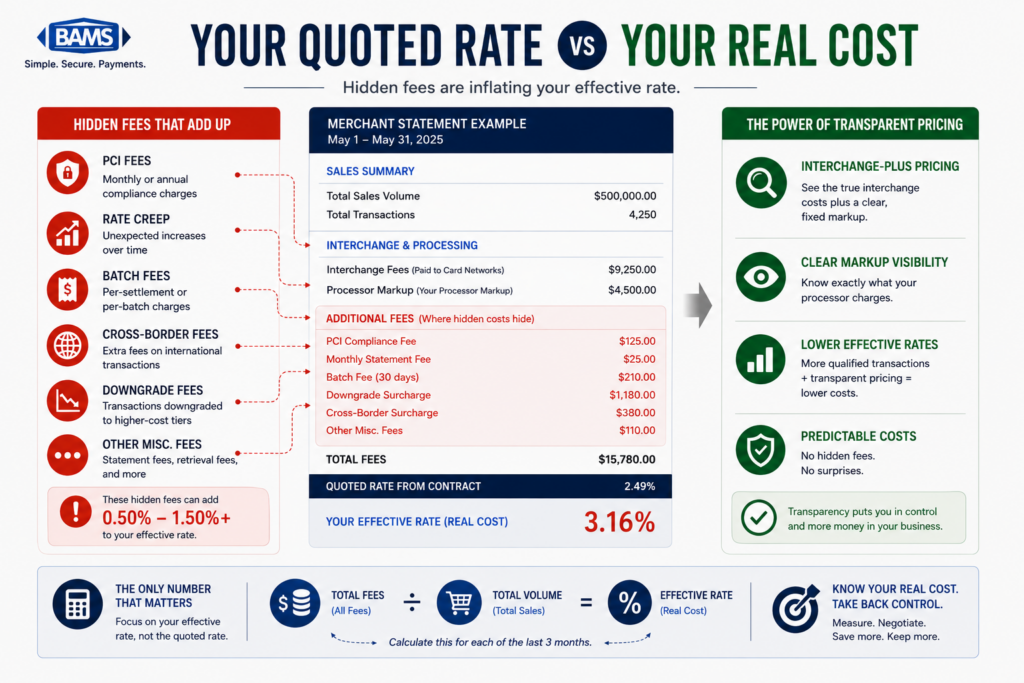
The problem isn’t that your statement is wrong. It’s that it wasn’t designed to surface this kind of detail. And that gap between what you see and what you’re actually paying is where commercial card transactions can quietly erode margins when they fail to qualify for the most favorable interchange categories.
What This Guide Covers (and Who It’s For)
This is for eCommerce managers at established online businesses processing a meaningful volume of card transactions each month. If you sell products that other businesses buy (office supplies, equipment, wholesale goods, specialty items), you almost certainly have commercial card volume you haven’t identified.
This guide won’t teach you interchange theory or walk through every qualification tier. Instead, it isolates five specific signals on your processing statement that indicate you’re losing money on orders you didn’t know were commercial card transactions. Each signal is something you can look for today, on the statement you already have.
How These Signals Were Selected
Each signal below meets three criteria: it appears on standard merchant processing statements (not just custom reports), it directly correlates with interchange savings left on the table due to commercial card misclassification, and it’s actionable without requiring a platform migration or ERP integration. The goal is diagnostic clarity, not technical exhaustion.
5 Signals on Your Statement That Mean You’re Losing Money on Commercial Card Transactions

The biggest cost signals are often buried in plain sight on your statement.
1. A “Standard” or “EIRF” Interchange Category With Unusually High Volume
Why it matters: When a commercial card transaction doesn’t include the data fields Visa or Mastercard requires for preferred interchange rates, it gets downgraded to a catch-all category. On Visa statements, this often appears as EIRF (Electronic Interchange Reimbursement Fee). On Mastercard, it may show as “Standard.” These categories carry significantly higher rates than what the transaction would have qualified for with proper data.
What it looks like today: On your statement, look for line items labeled EIRF, Standard, or similar generic interchange descriptions. If these categories represent more than a small fraction of your total volume, some of those transactions are likely commercial cards that downgraded because Level 2 or Level 3 data wasn’t submitted. Most processors bundle these together without flagging the cause.
How to apply it: Pull your last three statements and total the dollar volume in EIRF/Standard categories. Compare that to your overall volume. If it’s more than 5-8%, request a transaction-level breakdown from your processor to identify which specific transactions landed there and why.
2. No Separate Line Items for Commercial Card Interchange Tiers
Why it matters: Visa and Mastercard maintain distinct interchange categories for commercial, corporate, purchasing, and business cards. If your statement doesn’t show any of these categories, it doesn’t mean you aren’t processing them. It means they’re being lumped into consumer categories or downgrade buckets, and you have no visibility into what you’re actually paying for that card type.
What it looks like today: A well-structured interchange-plus statement should show categories like “Commercial Data Rate,” “Corporate T&E,” or “Purchasing Card.” If your statement only shows consumer tiers (Rewards, Standard, etc.) and downgrade categories, your processor may not be distinguishing commercial volume at all. This is especially common on bundled or tiered pricing models.
How to apply it: Search your statement for any line item containing the words “commercial,” “corporate,” “purchasing,” or “business card.” If none appear, ask your processor directly: “What percentage of my transactions are on commercial BINs?” If they can’t answer, that’s a signal in itself. For deeper analysis, see how corporate purchasing cards hide in your sales data.
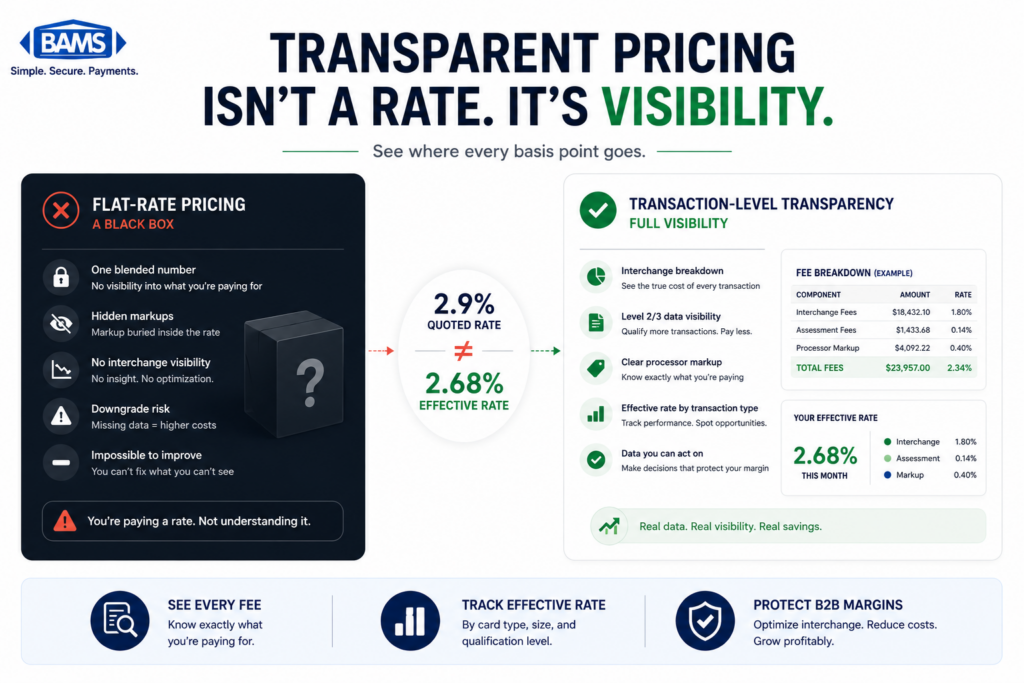
3. A Flat or Tiered Pricing Model That Obscures Interchange Entirely
Why it matters: Tiered pricing (qualified, mid-qualified, non-qualified) and flat-rate models collapse hundreds of interchange categories into a few buckets. This makes your statement simpler to read but impossible to diagnose. Commercial card transactions processed under these models always cost you more than they should, because there’s no mechanism to pass enhanced data and no incentive for your processor to optimize qualification.
What it looks like today: If your statement shows three to five rate tiers (or a single flat percentage) instead of individual interchange categories, you’re on a pricing model that structurally prevents interchange savings on commercial cards. Mastercard’s research on commercial card acceptance confirms that data quality remains a primary barrier to optimized rates, and tiered pricing removes any transparency into whether data is being submitted at all.
How to apply it: If you’re on tiered or flat-rate pricing, the first step isn’t optimizing commercial card data. It’s moving to interchange-plus pricing so you can see what you’re actually paying per transaction category. Only then can you identify where credit card optimization opportunities exist. This is a conversation to have with your processor, and if they resist transparency, that tells you something important.
4. No Evidence of Level 2 or Level 3 Data Submission
Why it matters: Commercial cards qualify for lower interchange rates when merchants submit additional transaction data. Level 2 data includes fields like sales tax amount and customer code. Level 3 data adds line-item detail (item descriptions, quantities, unit costs). Without this data, every commercial card transaction automatically downgrades to a higher rate. Most eCommerce merchants don’t submit Level 2 or Level 3 data because their processor or gateway doesn’t support it by default.
What it looks like today: Your statement won’t explicitly say “Level 2 data submitted” or “Level 3 data missing.” Instead, you infer it from the interchange categories your transactions land in. If commercial card transactions (assuming you’ve identified them via Signal 2) are qualifying at standard or downgraded rates, Level 2/3 data isn’t being passed. A transaction-level payment analytics review can confirm this definitively.
How to apply it: Ask your processor two questions: “Does my gateway currently pass Level 2 data on commercial card transactions?” and “Is Level 3 data submission available without changing my payment platform?” Many processors can enable Level 2 data with a configuration change. Level 3 often requires a processing partner that handles enhanced data programs. BAMS, for instance, works with merchants to identify commercial card volume and enable Level 2/3 data submission without requiring a full platform overhaul, which is one practical path for eCommerce operators who want interchange rate reduction without a major integration project.
5. A Growing “Non-Qualified” Surcharge With No Explanation
Why it matters: Many processors apply a non-qualified surcharge to transactions that don’t meet preferred interchange criteria. As commercial card usage grows, your non-qualified volume may be increasing not because of fraud or chargebacks, but because more of your customers are paying with corporate cards that your system isn’t equipped to handle at the data level. Commercial card usage continues to expand across B2B purchasing environments, increasing the importance of proper interchange qualification.
What it looks like today: On your statement, look for a line item labeled “non-qualified surcharge,” “non-qual differential,” or similar. If this amount has trended upward over the past 6-12 months without a corresponding increase in chargebacks or international transactions, commercial card downgrades are a likely culprit. Your processor may not volunteer this explanation because the surcharge is revenue for them.
How to apply it: Track your non-qualified surcharge as a percentage of total processing costs across six months of statements. If it’s growing, request a breakdown of which transactions triggered the surcharge. Cross-reference those with order data to check whether the buyers are businesses, government agencies, or organizations likely using purchasing cards. This exercise alone can reveal whether your processing statement is leaking B2B margins you didn’t know you had.
The Pattern Behind These Signals
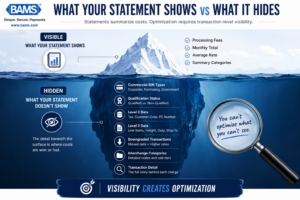
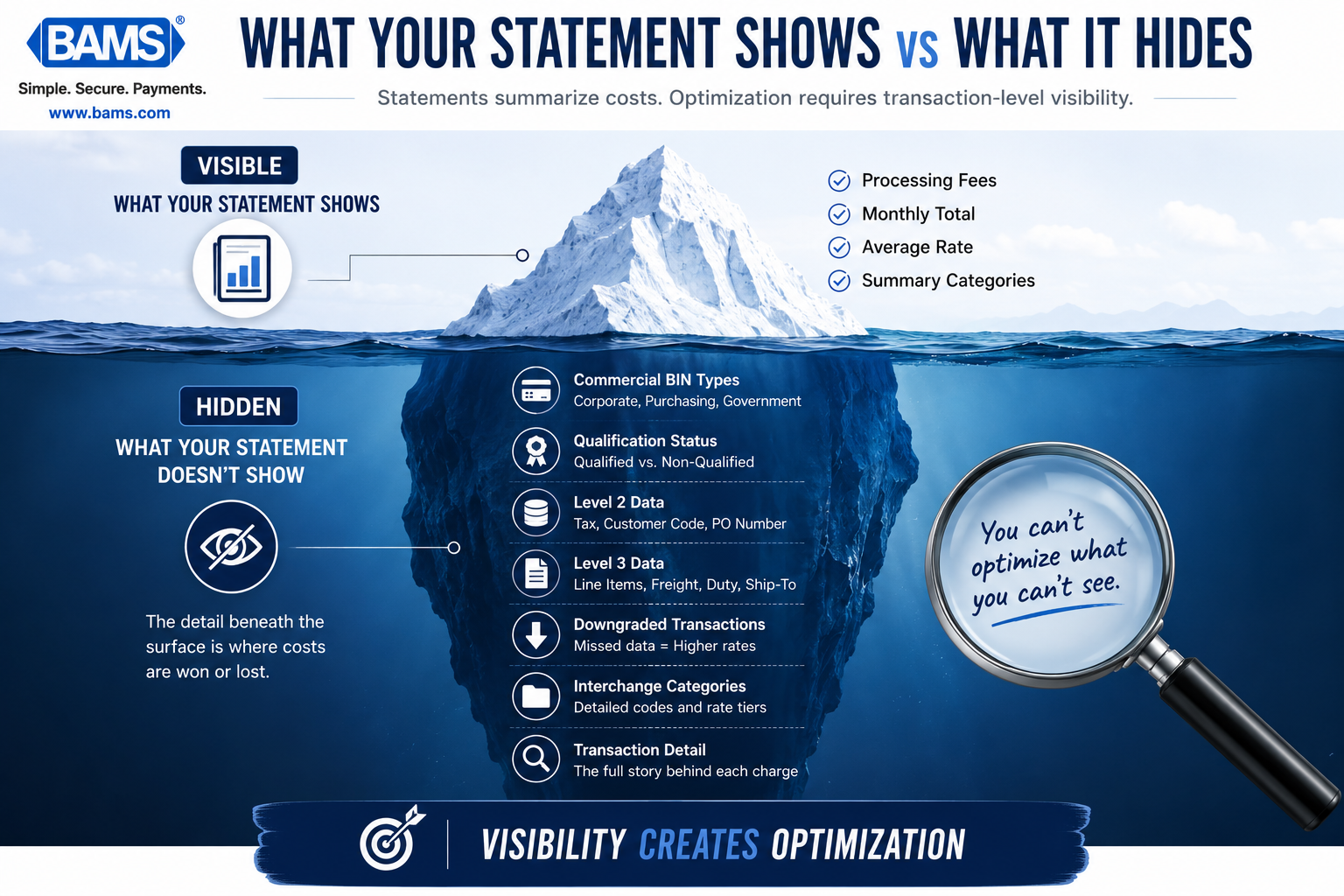
Statements summarize costs. Optimization requires transaction-level visibility.
All five signals share a common root cause: your processing statement was built to summarize costs, not to diagnose them. It tells you what you paid but not why you paid it. And the “why” matters enormously when commercial card transactions are involved, because the gap between optimized and unoptimized interchange on a commercial card transaction can be meaningful, particularly for merchants processing significant B2B volume.
The second pattern is structural: most eCommerce payment stacks were designed for consumer transactions. Mastercard’s research on commercial card acceptance suggests that many merchants continue to encounter challenges related to commercial card processing and data requirements, particularly in environments originally built around consumer payment flows.
They pass enough data to avoid the worst downgrades on consumer cards but fall short of what commercial cards require. This isn’t a failure of your business. It’s a gap in how processors and gateways handle mixed transaction environments. Recognizing that gap is the first step toward closing it.
Where to Start Without Overhauling Everything
You don’t need to act on all five signals at once. Start with the two that require the least effort and yield the most clarity: check whether your pricing model allows interchange visibility (Signal 3), and ask your processor about your commercial card percentage (Signal 2). Those two data points alone will tell you whether deeper investigation is worth your time.
If the answer is yes, the next step is a transaction-level review of your last 90 days of processing. This doesn’t require new software or a platform change. It requires a processor willing to show you what’s actually happening beneath the summary line. The merchants who recover the most in interchange savings are the ones who ask questions their statement wasn’t designed to answer.
Frequently Asked Questions
What is Level 3 data in merchant services?
Level 3 data refers to detailed, line-item transaction information (product descriptions, quantities, unit costs, freight amounts) submitted to card networks during authorization and settlement. When merchants pass Level 3 data on eligible commercial card transactions, those transactions can qualify for lower interchange rates. It’s sometimes called “invoice-quality data” because it mirrors what you’d see on a purchase order or invoice.
How do I know if my customers are paying with commercial cards?
Your processing statement may not label them clearly. The most reliable method is to ask your processor for a BIN (Bank Identification Number) analysis of your transactions. BIN data identifies whether a card is consumer, commercial, corporate, purchasing, or government. If your processor can’t provide this, a transaction-level review from a processing partner like BAMS can surface this information.
Why is it important to transition from Level 2 to Level 3 data processing?
Level 2 data (sales tax, customer code) qualifies commercial transactions for a mid-tier interchange rate. Level 3 data adds line-item detail and can unlock the lowest available interchange rates for commercial, purchasing, and government cards. The difference between Level 2 and Level 3 qualification can be significant on high-ticket orders. For merchants with meaningful commercial card volume, the savings compound quickly.
Which types of transactions are eligible for Level 3 interchange rates?
Level 3 rates apply to transactions made with commercial, corporate, purchasing, business, and government cards issued by Visa and Mastercard. Consumer credit and debit cards are not eligible for Level 3 rates. The key requirement is that the card itself must be a commercial BIN, and the merchant must submit the required data fields during processing.
Can I get Level 3 processing without changing my payment gateway or platform?
In many cases, yes. Some processors and merchant services partners can enable Level 2 data with a simple configuration change on your existing gateway. Level 3 data submission sometimes requires middleware or a processing partner that handles enhanced data capture between your platform and the card networks. The point is that you don’t necessarily need to overhaul your tech stack to start capturing interchange savings on commercial card transactions.
What specific data fields are required for Level 3 processing?
Level 3 data fields typically include: item commodity code, product description, item quantity, unit of measure, unit cost, extended item amount, freight/shipping amount, duty amount, and line-item tax indicator. The exact requirements differ slightly between Visa and Mastercard. Your processor or merchant services partner should handle field mapping so you don’t need to manage these specifications manually.