7 Transaction Testing Procedures That Predict Funding Speed
Last Updated on May 18, 2026 by Dimitri Akhrin
Pre-launch configuration signals that reveal whether your deposits land next-day or sit in limbo
Learn the seven processor configuration signals you can verify before your first real sale to predict whether deposits arrive next-day or get stuck in multi-day holds. This merchant services checklist turns routine transaction testing into a funding-speed diagnostic.
TL;DR
- Batch timing is the #1 deposit speed lever – If your auto-close is set after the processor’s cutoff, every deposit gets delayed by a full business day. Verify this during testing, not after launch.
- Confirm interchange-plus pricing in your contract – Tiered pricing is the most common hidden fee in processor defaults. If your agreement doesn’t explicitly say “interchange-plus,” you’re overpaying.
- Get next-day funding in writing – Verbal promises from sales reps don’t survive onboarding. Your merchant agreement should specify “next business day” deposits with clear conditions.
- Test every payment method your customers actually use – Misconfigured or missing payment acceptance methods cause interchange downgrades that silently inflate your per-transaction costs.
- Treat test transactions as a funding diagnostic – Every test charge should verify deposit timing, settlement report readability, and fee transparency. Thirty minutes of testing saves months of hidden costs.
Your Processor’s Default Settings Are Costing You Money Before You Sell a Thing
Most eCommerce managers treat pre-launch transaction testing procedures as a formality: run a few test charges, confirm the gateway connects, and flip the switch. But the configuration choices locked in during setup (batch timing, risk thresholds, pricing tiers) quietly determine whether your deposits arrive tomorrow morning or sit in limbo for three to five business days.
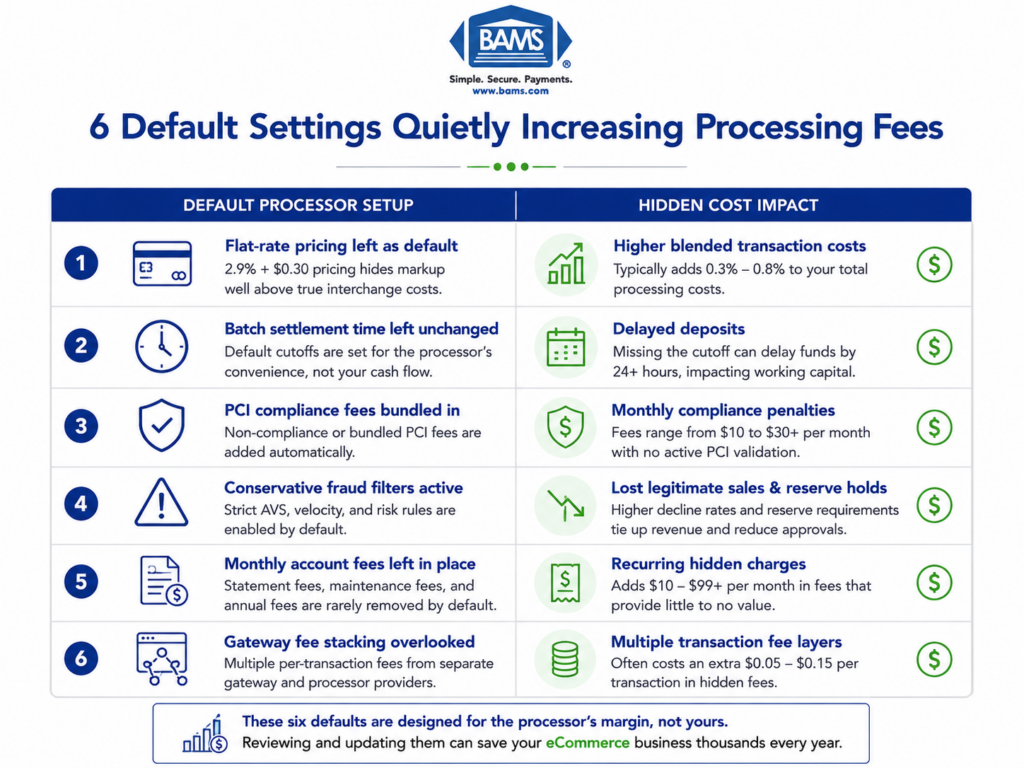
The gap between next-day funding and a multi-day hold isn’t usually a technology problem. It’s a settings problem. Processors ship with conservative defaults designed to protect themselves, not optimize your cash flow. Unless you know which dials to check, you inherit a configuration that prioritizes the processor’s risk tolerance over your operational needs.
This piece reframes your pre-launch testing window as a funding-speed diagnostic, not a go-live checkbox.
What This Merchant Services Checklist Covers (and What It Doesn’t)
This guide is for eCommerce managers at established online businesses who are onboarding a new processor or re-evaluating an existing one. If you run a team of 10 to 50 people and your livelihood depends on predictable cash flow, these signals are for you.
We’re not covering POS hardware setup, in-store terminal configuration, or general compliance checklists. We’re focused on the seven specific configuration signals you can verify yourself, before your first real sale, to confirm whether your processor will deliver fast deposits or default to the slow lane.
How We Selected These Seven Signals
Each signal meets three criteria. First, it’s verifiable during the testing window (no waiting for live transaction data). Second, it directly influences deposit timing or reveals a hidden fee. Third, it’s commonly left at a processor default that favors the processor, not the merchant. If a setting didn’t meet all three, it didn’t make the list.
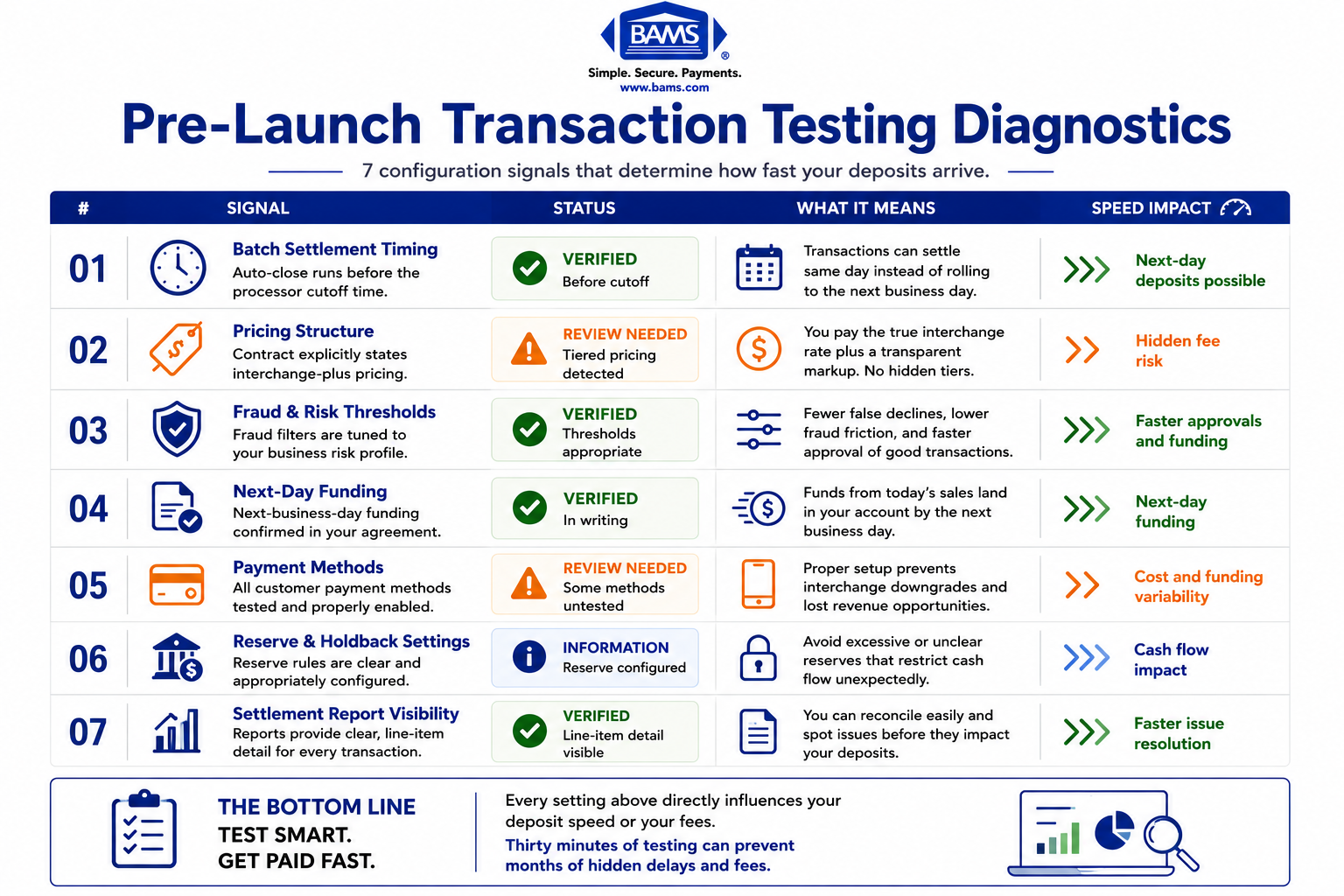
7 Signals Your Processor Configuration Will Deliver Fast Deposits
Pre-launch transaction testing can reveal hidden funding delays before real sales begin.
1. Batch Settlement Window Is Set to Auto-Close Before the Cutoff
Why it matters: Processors have a daily cutoff time (often between 4:00 PM and 10:00 PM ET) after which transactions roll into the next settlement cycle. Many default configurations leave batch closing as a manual step, or set the auto-close time after the cutoff. That single setting can add 24 hours to every deposit. Settlement timing depends on how transactions move between gateways, processors, card networks, and issuing banks, with batch schedules directly affecting deposit speed as outlined by Visa.
What it looks like today: Your gateway or processor dashboard should have a “batch settings” or “settlement” tab. Look for the auto-close timestamp. If it’s blank or set to midnight, you’re missing the cutoff.
How to verify it: During testing, run a small transaction before 3:00 PM ET. Confirm the batch closes automatically before your processor’s stated cutoff. Check your deposit timeline the next morning. If the test deposit doesn’t arrive by the next business day, the batch window is the first place to investigate.
2. Your Pricing Model Is Interchange-Plus, Not Tiered
Why it matters: Tiered pricing bundles interchange rates into opaque categories (“qualified,” “mid-qualified,” “non-qualified”) that let processors quietly route transactions into higher-fee buckets. This is one of the most common hidden fees buried in processor setup defaults. You won’t see it on a rate sheet. You’ll see it on your first statement, after the damage is done. Card payment costs include interchange fees, network assessments, and processor markups, which together determine the true effective rate merchants ultimately pay as outlined by the Federal Reserve.
What it looks like today: Your merchant agreement or pricing addendum should explicitly state “interchange-plus” with a fixed markup (e.g., interchange + 0.20% + $0.10). If you see tier labels instead, your costs are unpredictable. For a deeper comparison, see this breakdown of tiered pricing vs. interchange-plus pricing.
How to verify it: Before processing live transactions, request a sample statement from your processor showing how a $100 Visa Rewards card transaction would be billed. If the processor can’t break out the interchange component from their markup, you’re on tiered pricing.
3. Risk and Fraud Thresholds Aren’t Set to Maximum Sensitivity
Why it matters: Processors default fraud filters to aggressive settings to limit their own liability. High sensitivity means more false declines, more flagged transactions, and more holds on your deposits. Current best practices in transaction monitoring emphasize a risk-based approach: tighter thresholds for genuinely high-risk activity, looser ones for low-risk merchant profiles. Customer disputes and transaction risk require proactive monitoring workflows, making properly calibrated fraud controls essential for maintaining stable payment operations according to Visa.
What it looks like today: Your gateway’s fraud management module will have velocity filters (e.g., “decline if more than X transactions per hour”), AVS mismatch rules, and CVV requirements. Defaults often set these at levels appropriate for high-risk industries, not established eCommerce brands.
How to verify it: During testing, simulate a burst of five to ten transactions within a few minutes. If your test transactions get flagged or held, your thresholds are too tight. Adjust velocity limits to match your actual sales patterns, not the processor’s worst-case assumptions.
4. The Funding Schedule Says “Next-Day” in Writing, Not Just in the Sales Pitch
Why it matters: Sales reps frequently promise next-day funding during the pitch. But the merchant agreement may specify a two-day or three-day standard hold, with next-day available only after a reserve period or volume threshold. The gap between the verbal promise and the contractual default is where cash flow goes to stall.
What it looks like today: Your signed agreement should include a funding schedule section. Look for language specifying “next business day” deposits and any conditions that override it (reserve requirements, volume caps, chargeback ratio triggers).
How to verify it: Run a test transaction on a Tuesday morning. If the funds don’t appear in your bank account by Wednesday morning, the written funding schedule doesn’t match the sales pitch. Escalate before going live. Providers like BAMS contractually commit to next-day funding as a standard feature, which removes the guesswork from this step.
5. Your Gateway’s Payment Acceptance Methods Match Your Actual Customer Base
Why it matters: Default gateway configurations often enable only basic Visa and Mastercard acceptance. If your customers use digital wallets, ACH, or international card networks, transactions processed through unsupported or misconfigured payment acceptance methods can trigger downgrades to higher interchange categories, adding hidden cost per transaction.
What it looks like today: Your gateway settings should list every enabled payment method. Cross-reference this with your analytics: what do your customers actually use? If 15% of your customers pay with Apple Pay and your gateway doesn’t have it enabled, those transactions either fail or route through a fallback path with higher fees.
How to verify it: During testing, attempt a transaction with every payment method your customers use. Confirm each one settles normally and doesn’t trigger a downgrade flag. Check your test statement to see if any transactions were billed at a higher rate than expected.
6. Reserve and Holdback Percentages Are Explicitly Stated (or Absent)
Why it matters: Some processors default new accounts into a rolling reserve, holding back 5% to 10% of each deposit for 90 to 180 days. This is standard for high-risk merchants, but established eCommerce businesses with clean processing history shouldn’t accept it as a default. It’s a hidden fee that doesn’t appear on your rate sheet because it’s framed as a “security measure.”
What it looks like today: Your merchant agreement’s “reserve” or “holdback” section will specify the percentage and release schedule. If this section is vague or references “at processor’s discretion,” you have no contractual protection against surprise holds. For more on how opaque billing practices create unexpected fees, this case study is instructive.
How to verify it: Before your first live sale, confirm in writing whether a reserve applies to your account. If it does, negotiate the percentage and release timeline based on your processing history. If you’ve been processing cleanly for years, a zero-reserve account should be on the table.
7. Your Test Transactions Produce a Readable, Itemized Settlement Report
Why it matters: The settlement report is where hidden fees live. If your processor’s reporting lumps all fees into a single line item, you can’t distinguish interchange costs from processor markups, monthly fees, or assessment charges. This opacity is by design. Calculating your effective rate requires line-item visibility, and you should demand it before going live.
What it looks like today: A transparent settlement report breaks out each transaction’s interchange fee, the processor’s markup, and any additional assessments. It also shows the batch settlement timestamp and the deposit date. If your test report doesn’t include these fields, your live reports won’t either.
How to verify it: After your test batch settles, download the settlement report. Can you calculate your effective rate from the data provided? Can you see exactly when the batch closed and when funds were deposited? If either answer is no, request a report format change before processing real volume. Ongoing system testing and fine-tuning should include periodic audits of these reports to catch configuration drift.
The Pattern Across All Seven Signals

The fastest way to fix funding delays is before your first real transaction goes live.
Every signal on this list shares a common structure: the processor’s default protects the processor, and the merchant inherits the cost of that protection in slower deposits, higher fees, or reduced visibility. The fix is never complicated. It’s a settings change, a contract clause, or a report format request. But you have to know to ask before the first real sale locks you into a configuration you didn’t choose.
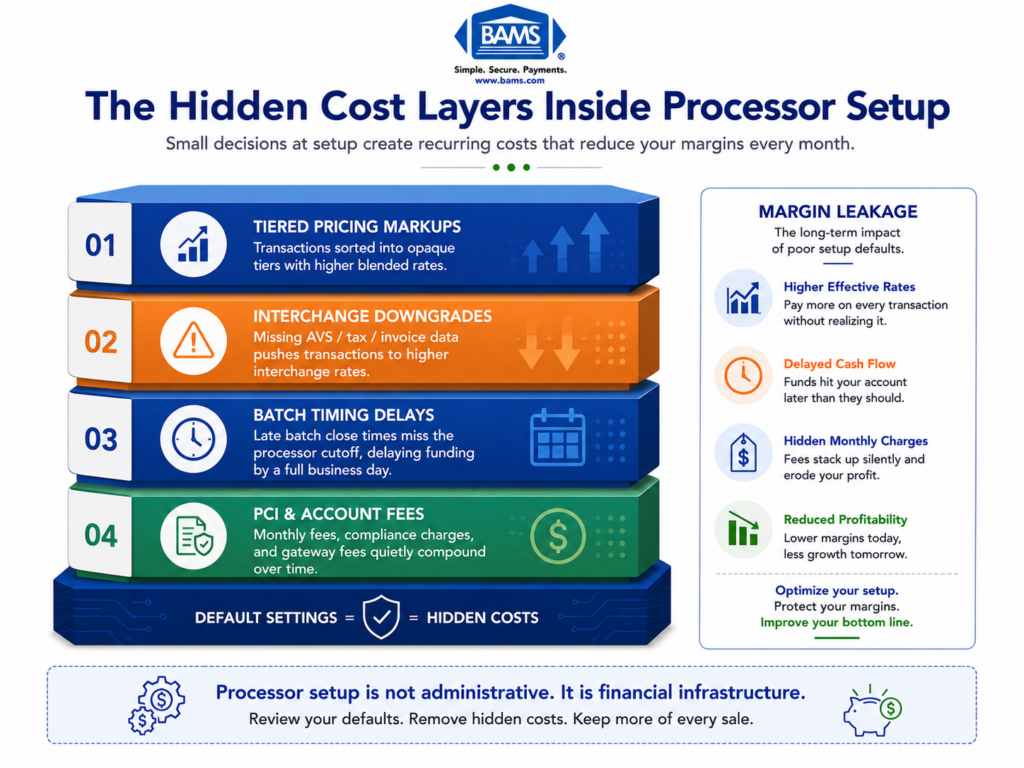
The second pattern is that these signals compound. A tiered pricing model combined with aggressive fraud filters and a late batch window doesn’t just slow your deposits. It inflates your costs while hiding the evidence in an unreadable settlement report. Fixing one signal without checking the others leaves money on the table.
Where to Start: Prioritizing Your Transaction Testing Procedures
You don’t need to fix all seven signals in one session. Start with three: batch settlement timing (Signal 1), pricing model confirmation (Signal 2), and the funding schedule in your contract (Signal 4). These three have the largest direct impact on when your money arrives and how much of it you keep.
Once those are locked in, work through the remaining four during your testing window. Treat every test transaction as a diagnostic, not a formality. The 30 minutes you spend verifying these settings will pay for themselves on your first real deposit day.
Frequently Asked Questions
When should I conduct transaction testing before going live with a new payment processor?
Run your tests at least five to seven business days before your planned go-live date. This gives you enough time to verify deposit timing, identify configuration issues, and request changes from your processor without delaying your launch. Test on different days of the week to confirm batch cutoff behavior on weekdays and weekends.
What documents do I need to gather before switching merchant service providers?
At minimum, collect your current merchant agreement (including the pricing addendum and reserve terms), your most recent three months of processing statements, your chargeback history, and your bank account details for deposit verification. Having your current effective rate calculated in advance gives you a concrete benchmark for evaluating the new processor’s setup.
Why is it important to keep my old merchant account open during the transition?
Chargebacks and refunds from transactions processed on your old account can arrive weeks or months after the original sale. If that account is closed, you lose the ability to respond to disputes, which can result in automatic losses. Keep the old account open for at least 120 days after your last transaction on it.
Which pricing model is best for my business when setting up merchant services?
For most established eCommerce businesses, interchange-plus pricing offers the most transparency and the lowest long-term cost. It separates the card network’s interchange fee from your processor’s markup, so you can see exactly what you’re paying and why. Tiered pricing obscures these details and typically costs more. See this comparison of tiered vs. interchange-plus pricing for specifics.
How can I verify that my processor’s next-day funding actually works?
Process a small test transaction on a Tuesday before your processor’s batch cutoff time. Check your bank account Wednesday morning. If the deposit isn’t there, contact your processor with the transaction ID and batch timestamp. The issue is usually a batch timing misconfiguration or a reserve holdback that wasn’t disclosed during onboarding.
What are the signs that my processor’s fraud filters are too aggressive?
High false-decline rates, legitimate customers reporting failed transactions, and frequent deposit holds are all indicators. During testing, simulate a small burst of transactions to see if velocity filters trigger unnecessarily. If your fraud settings are calibrated for a high-risk industry but you’re an established, low-risk merchant, ask your processor to adjust thresholds to match your actual risk profile.